
Defining Scopes for Profile Properties
-
In an editor, open the Design Intent Property Group Definitions file,
diPropGroupDefs.il. - Identify the profile to have scopes defined.
-
For each property to be associated with a scope, use the ciSetDIPropertyGroupDefs environment variable to add a new
scopesattribute to the property definition. For its value, add the name of the scope to be associated with the property. For example: "Scope1,Scope2".(ciSetDIPropertyGroupDefs '( (nil name "Profile1" category "Devices" properties ((nil name "DefaultProp" type bool guiName "Default Property" defValue nil) (nil name "Group1Prop1" scopes list("Devices" "Macro) type bool defValue nil) (nil name "Group2Prop1" scopes "Scope2" guiName "Group2 Prop1” type bool defValue nil)) ) ) )
-
Use the diPropDefaultScopes
environment variable to specify the default scopes for the profile.
On the Create Design Intent and Edit Design Intent forms, a combo box now appears alongside the Profile field from which you can select a scope to control which properties are visible for Profile1.
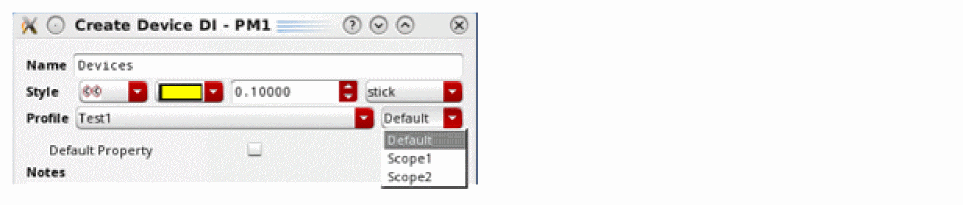
The property
Default Property is displayed regardless of the scope selected because a scope was not defined for this property.Return to top