Specifying General Options in G-Spec Builder Form
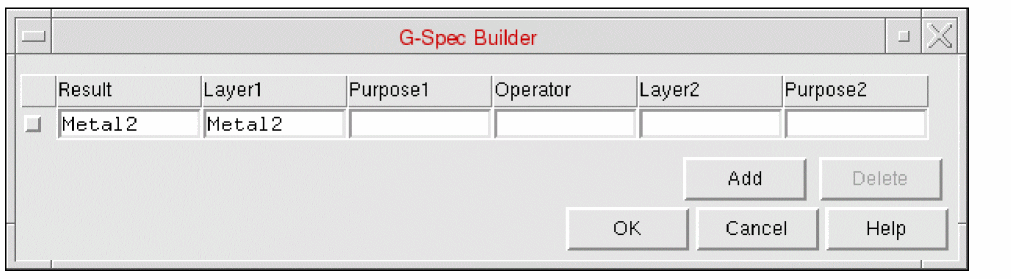
The G-Spec Builder form allows less experienced users to build their own geometry specifications (g-specs) using temporary layers.
-
Click Add to add a new blank row.
-
Click Delete to remove any rows selected for deletion. Selecting the check box at the far left of each row marks a row for deletion.
-
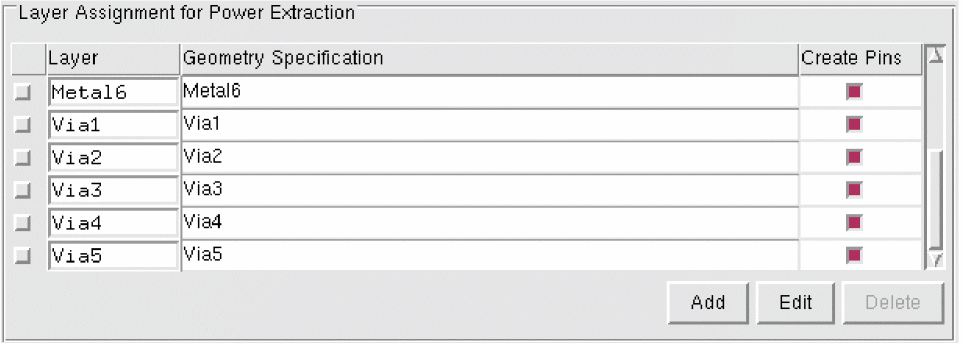
You can create a g-spec only for one layer at a time. If you want to create g-specs for multiple layers, you must enter the first g-spec you have specified into the original table by clicking OK.
-
Click Geometry Specification on the next layer you want to create a g-spec for.
-
Click Edit again to reopen the G-Spec Builder form.
-
Click OK.
These temporary layers are translated into the correct g-spec syntax.
For g-specs that are more complex than two layer-purpose pairs and an operator, it is necessary to use temporary layers. To do this, you must first define a temporary layer to be the equivalent of a g-spec. Its definition can then be used at any future time within the G-Spec Builder form. When it is translated into proper syntax, the temporary layer definition is substituted.
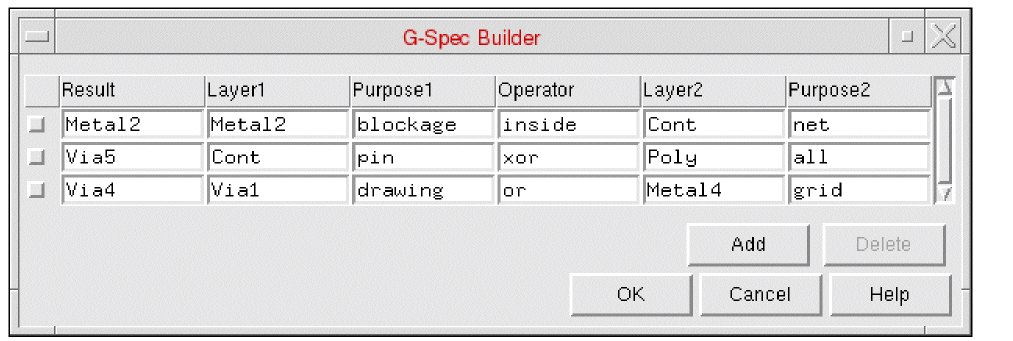
For example, consider the following entries in the G-Spec Builder form.
The above g-spec would translate into the Layer and Geometry Specification fields in the main layer assignment table as described below.
|
Layer
|
Geometry Specification
|
|
METAL1
|
((METAL1 pin or METAL1 net) size 0.5) and METAL1 drawing)
|
Take care while creating g-specs to act on pins on the prBoundary layer. This layer can contain many thousands of shapes and an incorrect g-spec can cause them to merge into a single rectangle for each pin.
Operators
The following is a list of the Boolean operators that can be used in the G-Spec Builder form.
|
geomSpec
|
=
|
layer | layer-purpose | geomSpec binaryOp geomSpec | geomSpec size float | geomSpec holes | noholes | (geomSpec)
|
|
binaryOp
|
=
|
andnot | and | or | xor | inside | outside | straddle | size
|
Examples
M1
(M1 or M1 pin)
(M1 size 0.5)
(M1 noholes)
The operators are described in detail below.
|
Operator
|
Description
|
|
holes
|
A hole is an area created when the perimeter of a polygon touches itself, enclosing an area that is not the polygon. These are sometimes referred to as donut holes. The holes operator generates shapes consisting of all the holes in shapes of the input layer.
|
|
noholes
|
The noholes operator generates new shapes consisting of all the original shapes of the input layer without the holes.
|
|
andnot
|
The andnot operator generates new shapes from areas of the first input layer that do not overlap any area of the second input layer.
|
|
and
|
The and operator generates new shapes from the overlap of original shapes on the input layers.
|
|
or
|
The or operator merges all shape layers. For polygon layers, a merge generates polygons whose area encompasses all the areas from all the layers and removes all the edges internal to the polygons.
|
|
xor
|
The xor operator generates new shapes from those portions of either input layer that do not overlap the other layer.
|
|
inside
|
The inside operator selects the shapes on the first layer that are totally inside shapes of the second layer. A first-layer shape is inside if its entire area is covered by the area of a second-layer shape. Coincident shapes are considered inside in this check. If shapes on two layers are coincident on all sides, each layer can be defined as being inside the other.
|
|
outside
|
The outside operator selects the shapes on the first layer that are totally outside shapes of the second layer. A first layer shape is outside if none of its area is covered by the area of a second layer shape. Abutting edges are considered outside.
|
|
straddle
|
The straddle operator selects shapes on the first layer that straddle shapes on the second layer. A first-layer shape is straddling if part of its area is covered by a second layer and part is not. Abutting and coincident edges do not affect this function.
|
|
size
|
The size operator “grows” the shapes on the input layer by the specified amount. If the size amount is negative, the shapes will be shrunk by the specified amount. The resultant shapes are automatically merged.
|
Related Topics
G-Spec Builder Form
Specifying Layers and Geometries for Extraction
Return to top