
Guidelines for Defining Blockages in a Cell Library
All geometries on routing and cut layers that are not associated with a pin are identified as blockages by Abstract Generator. A blockage is a keep-out area for any routing layer or cut layer.
You can use Abstract Generator to create blockages. You can specify the Geometry Specification for the layers on which the blockage is to be created. Alternatively, from Abstract Generator you can open any one of the layout, pin, extract, or abstract cellview in VLS L and edit them to add blockages.
Use the following guidelines when blocking a routing layer:
-
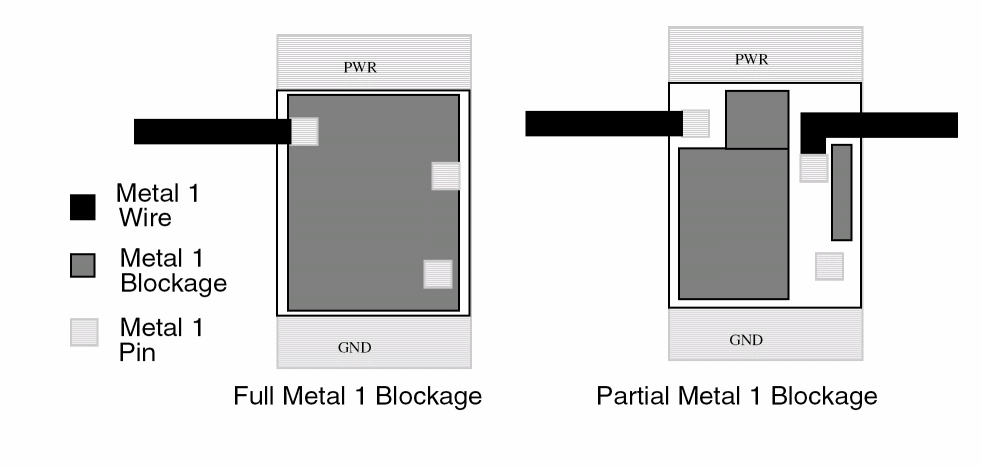
If all of the routing is blocked for a layer, then create a single blockage over the area instead of many separate blockages.
This simplifies the LEF file generated for the abstract. - When drawing a blockage over the whole cell, leave half a minimum spacing between the blockage and the boundary.
-
If there are free tracks available, leave them open in the abstract.
This can increase wiring density.
In the following figure, the blockages in the cell on the right allow M1 routing to the pins.
Related Topics
Return to top