
Troubleshoot Import and Export Issues
ABS-16001
Cell name: The Import - Logical command failed to create a cellview. This is because no view name has been specified for importing the logical information (Verilog).
To enable the abstract generator to successfully import the verilog file and create the cellview:
-
Specify a view name in the Logical View Name field in the Views tab of the General options form.
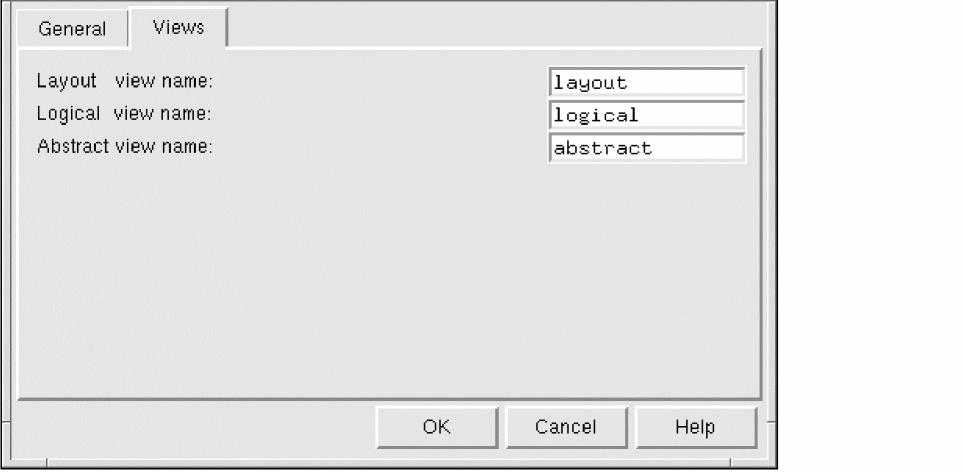
- Ensure that the view name (logical) is compatible with the type of logical data (verilog) being imported and then try again.
- Check the verilog file to ensure that its syntax is correct. See Specifying Global Options in General Options form.
ABS-16002
Failed to import the logical information because the name logical view name is invalid. Change the Logical view name option to a valid name in the General options form and then try again.
In the File – General options dialog, you have specified a logical view name which is incompatible with the type of logical file you are trying to import.
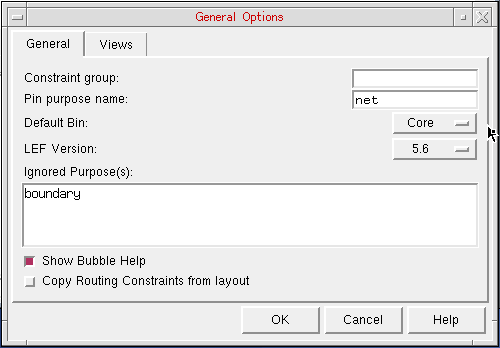
For example, the option might be set to “schematic” and you are trying to import a Verilog file. Ensure that the global logical file name is compatible with the file type.
ABS-16100
Bin name: Export LEF failed because there are no valid abstracts or there were failures with the tech LEF or technology file could not be opened.
Troubleshooting: If the problem is related to technology, bin, or cell failures, then it is likely that difficulties were encountered during the LEFOUT translation process. Ensure that you have the required permissions for the technology file and then try again.
ABS-16005
Failed to import the technology LEF because the current attached technology library is the default name.
You might have created a new library using File – Library – New and did not specifically choose to attach a particular technology library (using File – Library – Attach Technology) and cdsDefTechLib was added by default. Attach a non-default technology library to merge LEF technology information and then try again.
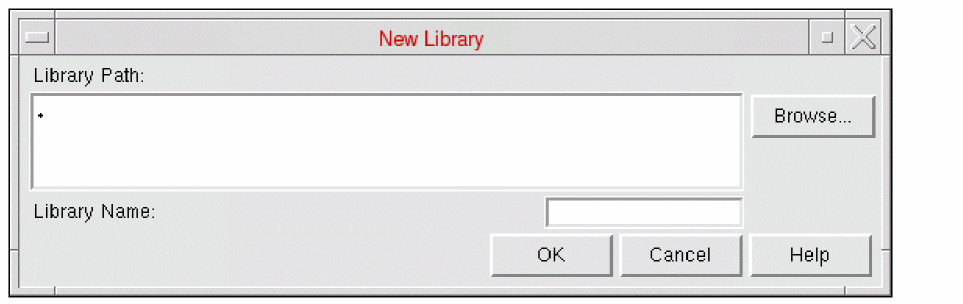
See Creating a Library in Abstract Generator.
ABS-16006
Failed to import the technology LEF because the display.drf file is not writable.
Troubleshooting: Ensure that the permissions on the display.drf file are set correctly so that the technology LEF can be imported.
ABS-16103
LEFOUT failed. Either no valid abstract views are present in the library or the cells given in the cell list file are not found in the abstract with valid views.
Troubleshooting: Ensure that the cells specified in the cell list file exist in the library.
ABS-16104
LEFOUT failed. File name containing the list of cells is invalid or is not found in the given path.
Troubleshooting: Ensure that the correct path to the cell list file has been specified and that you have read permission to the file.
ABS-17000
Failed to import Name option because the option has not been specified. Specify the option and then try again.
ABS-17003
The Name global option has an invalid value and has been reinitialized from value to value.
Troubleshooting: When there is a change in the technology file that is being used any invalid global options must be reinitialized.
ABS-17004
The name bin’s Name option has an invalid value and has been reinitialized from value to value.
Troubleshooting: When there is a change in the technology file that is being used any invalid bin options must be reinitialized.
ABS-17006
The entry in the Text Manipulation table for bin name which maps ‘string’ to ‘string’ has been changed to map ‘string’ to ‘string’ in order that pin names are created with angle brackets rather than square brackets. Re-import the logical view and rerun the Pins step to ensure that the generated abstract views are correct.
Previously, bus characters were represented using square brackets; now they are represented using angle brackets. If Abstract Generator finds any entries that map to square brackets, it changes them as follows.
ABS-17007
Detected an entry in the Text Manipulation table for bin name which may be mapping angle brackets or parentheses to square brackets (maps ‘string’ to ‘string’).
The bus characters are represented internally as angle brackets, rather than square brackets. To resolve the issue:
-
Map the entries in the Text Manipulation table to square brackets (e.g., ’\\[([0-9]+)\\]’ to ’<\\1>’).
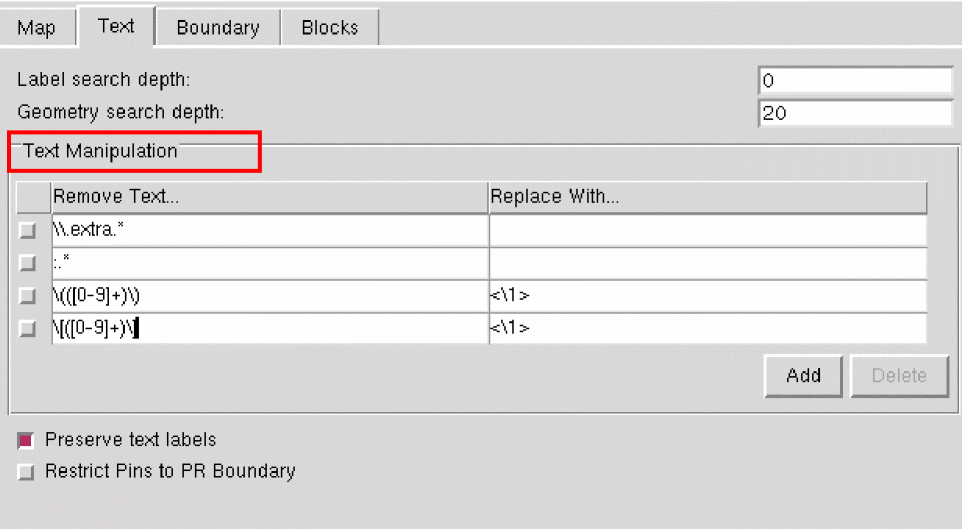
- Once this option has been set up correctly, re-import the logical view.
- Run the Pins step in order to ensure the generated abstract views are correct.s
ABS-17008
The global option ImportLogicalType has been assigned to an invalid value TLF.
Troubleshooting: The valid values for the ImportLogicalType global option are LIB and Verilog.
Related Topics
Customizing Text Labels for Abstract Generation
Return to top