
C
Guidelines for Debugging in Virtuoso ADE Verifier
Virtuoso ADE Verifier (Verifier) is a comprehensive application to perform requirements-driven verification of analog designs. This topic helps you with information to debug Verifier when you observe incorrect tool behavior.
As a Verifier user, you might experience issues or unexpected behavior in the tool. This document helps you to investigate the root cause of such problem areas. It could lead you to resolve the problems yourself, or you might need to contact Cadence support for further analysis.
Verifier provides many options to debug for incorrect results. However, there is an extent to which you can debug the tool. In complex cases, contact a Cadence representative.
When you contact Cadence support, apply these generic guidelines to help Cadence representative find and resolve the problem:
- Describe the problem as precisely as possible to the Cadence representative.
- List the steps to reproduce the issue in detail.
- Check if the issue is specific to a testcase.
- Make a note of the ISR stream that has the problem areas. Verify other ISRs as well if a similar issue exists.
- Collect log files, snapshots, or videos of the issue.
- Provide a testcase, if possible.
Analysis of the Log File
The important messages that need immediate attention are displayed in CIW.
Use of Debug Mode
The issues related to ADE Assembler might not be visible because they are running in the background when working in ADE Verifier. For debugging such issues, you can run implementations in debug mode in a user interface, where the implementation interface, such as ADE Assembler, gets displayed to monitor the runs. Select the Debug mode, open implementation interface option in the Run tab of the Preferences form.
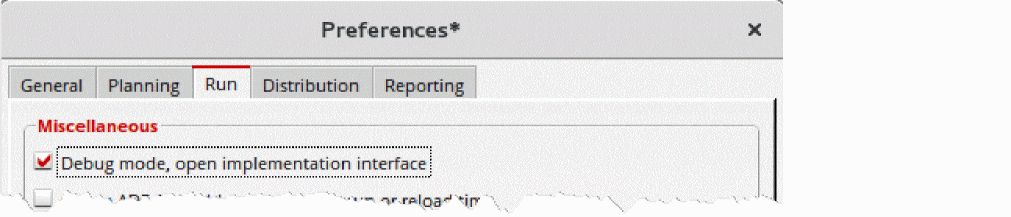
Selecting this option keeps the ADE Assembler UI open for you to debug. You can close it manually.
Analysis of Implementation Run Summary Data
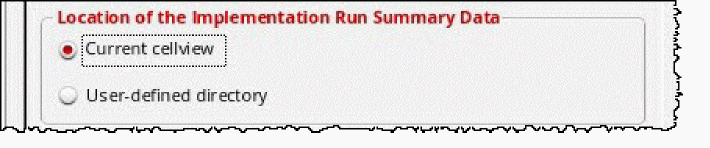
To debug the issues related to an implementation run, check the location of the implementation run summary data using the palswhere environment variable. Ensure that you are able to access the data at the given location. The data exists in the form of XML files at the following location.
Return to top