
SimVision MS provides the ability to send the signals from SimVision to Virtuoso Visualization and Analysis XL (ViVA). Given that ViVA is an analog-centric tool, it provides many features to work with the analog signals.
To view the signals in ViVA, select the signal on the right pane of the Waveform window and select the  icon on the toolbar. Alternatively, right-click the signal and select Send to ViVA.
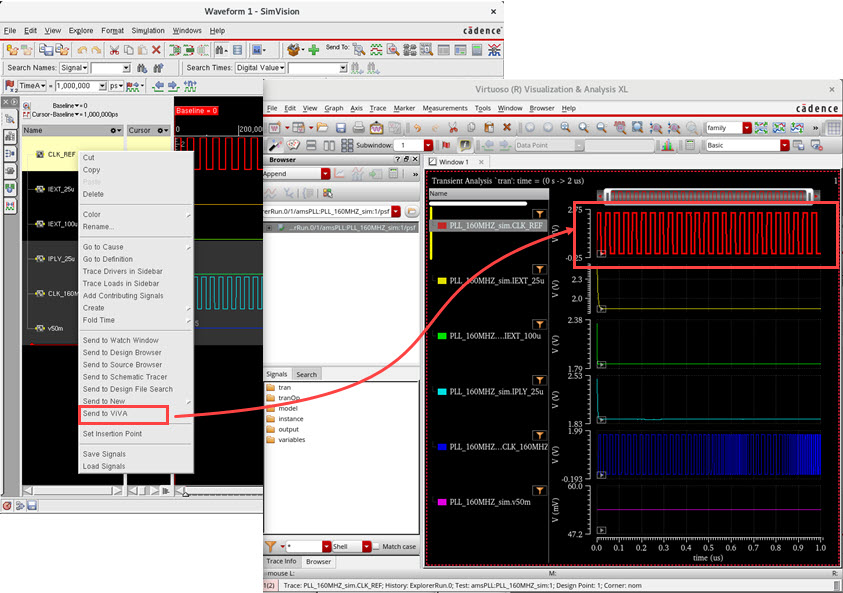
This launches ViVA and the selected signal is displayed in ViVA.