
allowedShapeAngles
allowedShapeAngles(
["anyAngle" | "orthogonal" | "diagonal"]
(tx_layer {"anyAngle" | "orthogonal" | "diagonal"})
…
) ;allowedShapeAngles
Sets the angle or angles at which a shape on a specified layer can be placed. It also allows specification of the default angles for layers not specifically assigned angles.
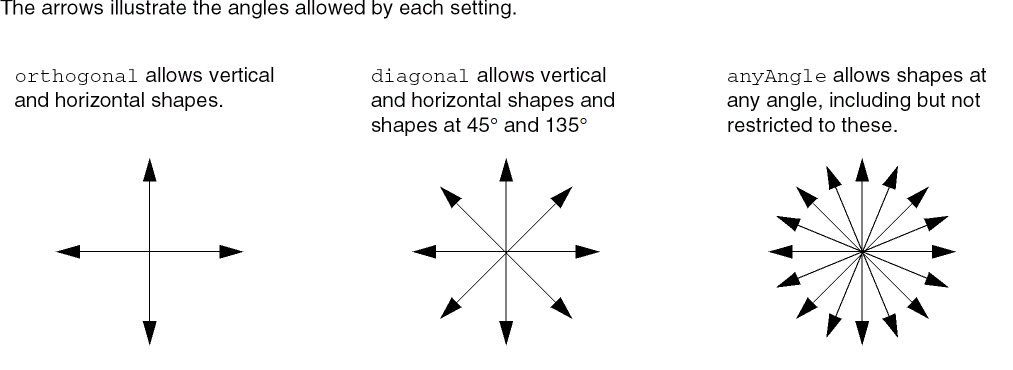
Values
|
The layer on which the angle setting is applied. Type: String (layer and purpose names) or Integer (layer number) |
|
Parameters
Example
The allowed shape angle for Metal1 is set to anyAngle, for Metal2 to diagonal, and for all other layers to orthogonal.
allowedShapeAngles(
    "orthogonal"
    ( "Metal1" "anyAngle")
    ( "Metal2" "diagonal")
) ;allowedShapeAngles)
Return to top