
Verifying Binding Rules
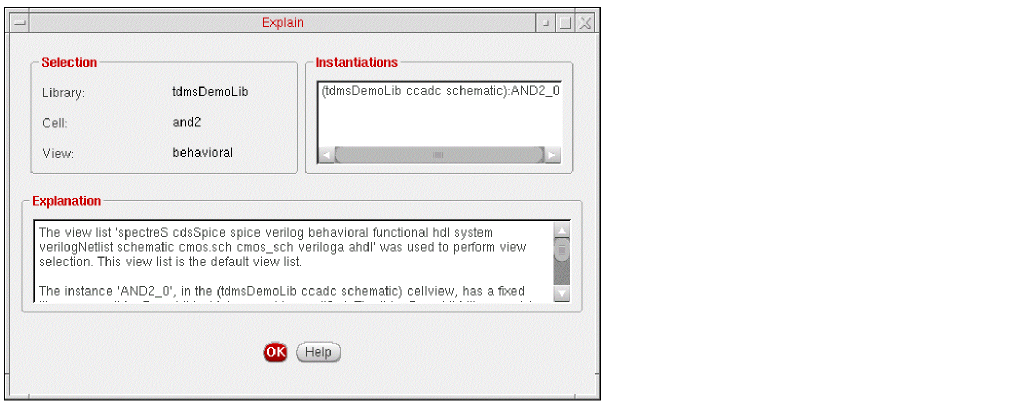
To see which binding rules were used for a cell, do one of the following:
- In the Cell Bindings table, right-click a cellview and, from the pop-up menu, select Explain.
- In the Cell Bindings table, select a cellview and, on the toolbar, click the Explain icon.
The Explain form is displayed.
To see which binding rules were used for an instance, do one of the following:
- In the Instance Bindings table, right-click the instance whose rules you want to check and, from the pop-up menu, select Explain.
- In the Instance Bindings table, select the instance and, on the toolbar, click the Explain icon.
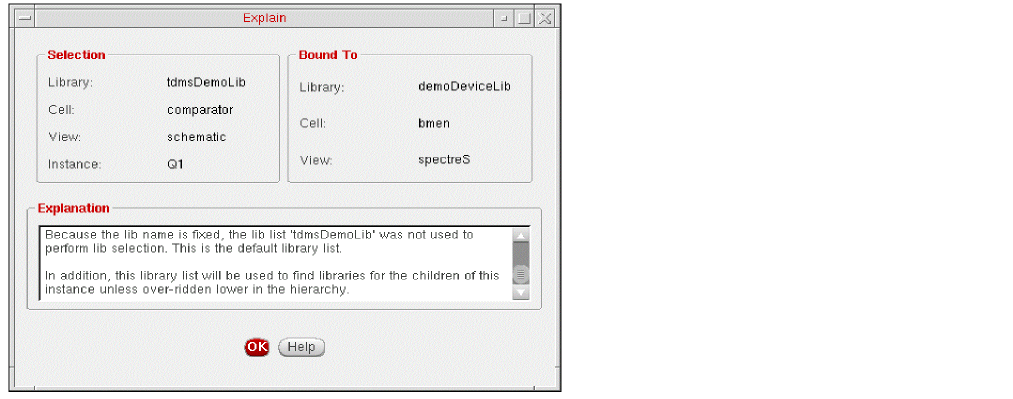
To see which binding rules were used for an occurrence,
- Click the Tree View tab to display the tree view of the configuration.
- Right-click the occurrence whose rules you want to check.
-
From the pop-up menu, select Explain.
The Explain form appears.
Related topics
Explain Form (Selected Instance)
Explain Form (Selected Occurrence)
Return to top