
Hierarchy Controls
For a large design hierarchy, you might need to scroll to look for a specific cell or view. Instead, you can use the controls provided in the Hierarchy section to view the design components of interest.
To access the controls, select View – Hierarchy Controls.
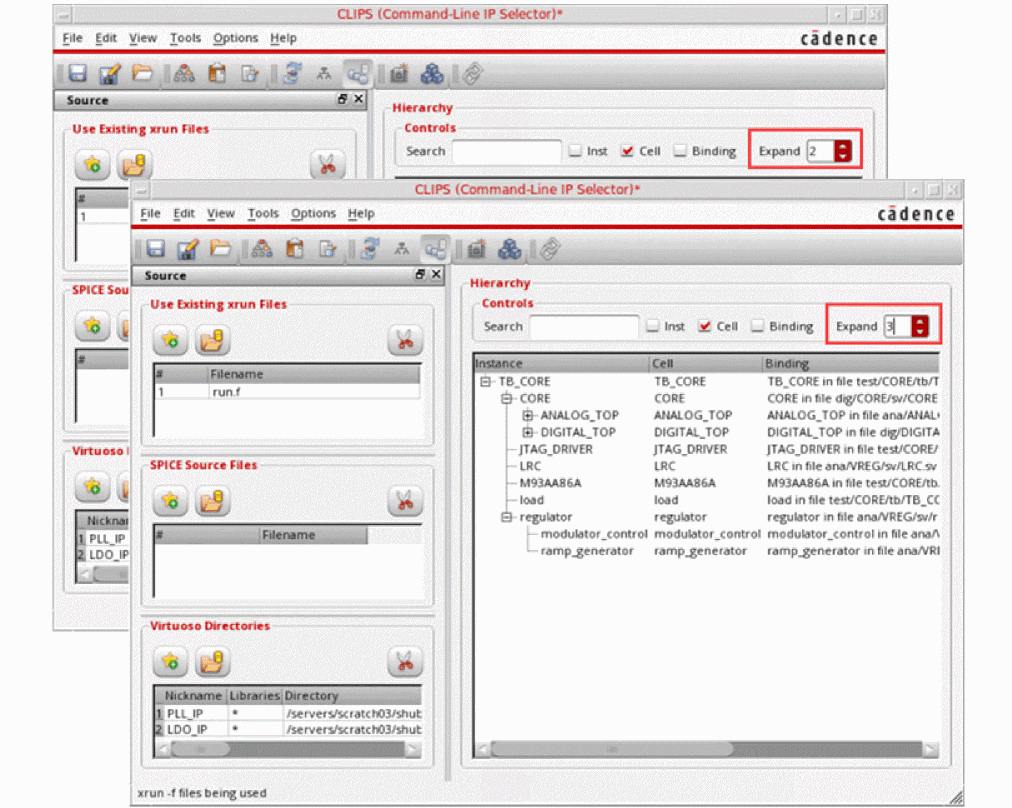
The Controls group box is displayed in the Hierarchy section. You can use the controls in this box to do the following:
- Search for a specific instance, or cells or bindings. For this, you can type in the search box.
- Limit the view to display only instance or cells or bindings. For this, you can the select the corresponding check box.
-
Expand the instances in the hierarchy to higher levels to get a more detailed tree structure. For this you can select the value from the drop-down list box, as shown in the figure below.
Return to top