
B
Managing Index and Multi-Sheet Schematics
Managing Multi-Sheet Schematics
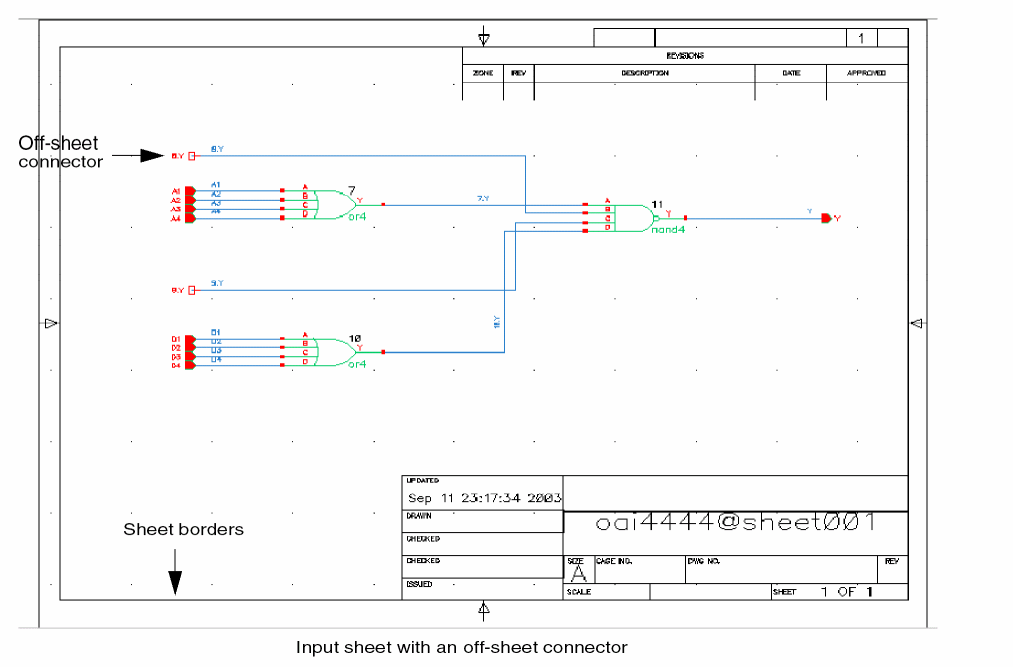
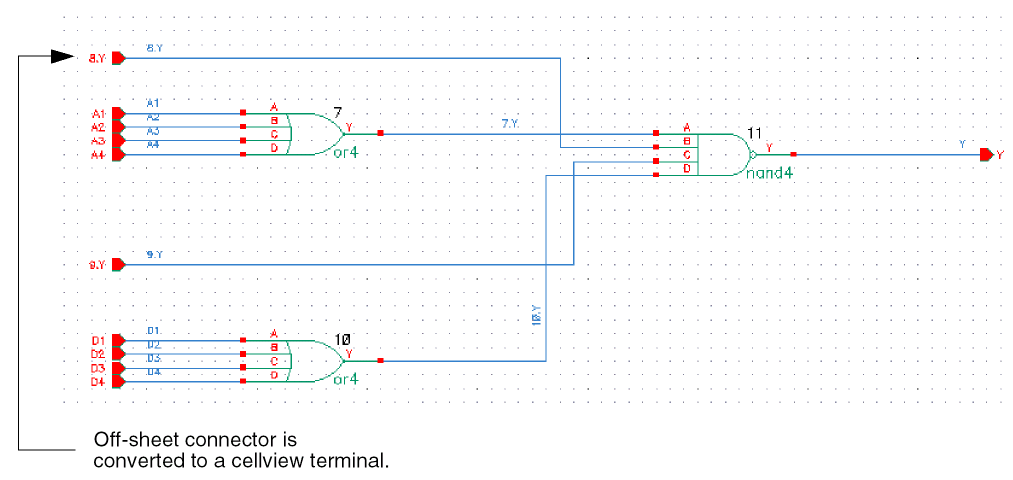
Connectivity-to-Schematic does not create multiple sheets when the source cellview is a multi-sheet schematic cellview. Therefore, all off-sheet connectors in the input are converted to cellview terminals. For example, if you provide a sheet of a multi-sheet schematic as input, then although you get a valid single-sheet schematic, the off-sheet connectors are converted to cellview terminals. Also, the generated schematic does not have any sheet border.
The following figure shows a sheet from a multi-sheet schematic that is provided as input to Connectivity-to-Schematic:
The following figure shows the output that Connectivity-to-Schematic generates for the multi-sheet schematic:
Managing Index Schematics
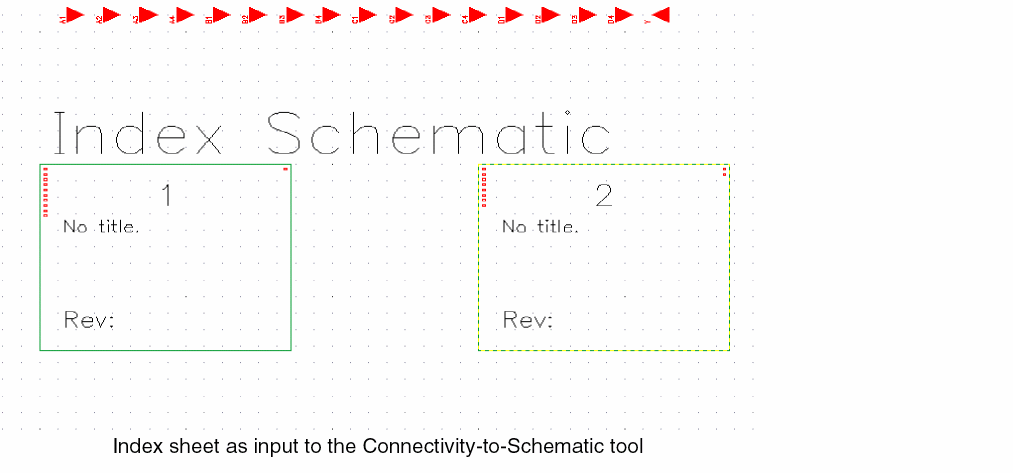
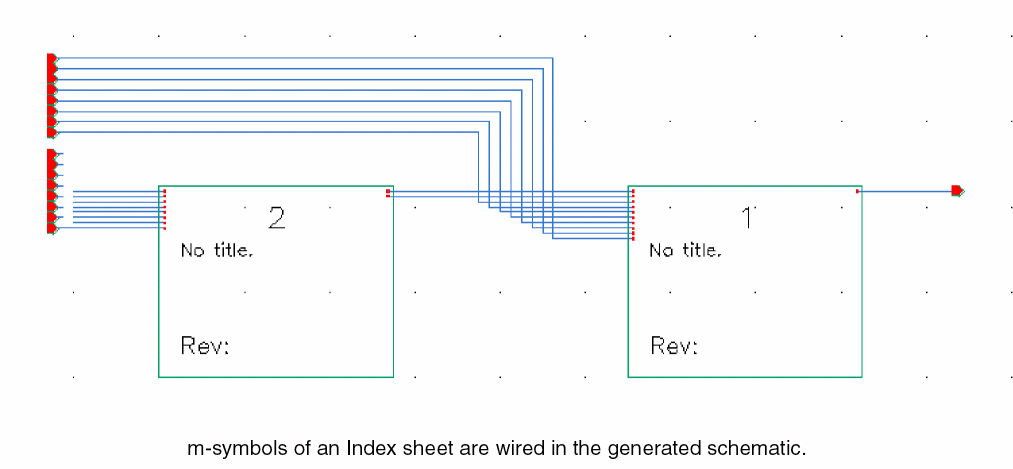
If you provide an index schematic as input, then all the m-symbols are converted into a schematic representation with wires and pins. The following shows the index schematic that is provided as input to Connectivity-to-Schematic:
The following shows the output that Connectivity-to-Schematic generates for an index schematic:
Return to top