
Currents Assistant
The Currents assistant lets you manage the visibility of the current flow through the 3D structure. You can select an option while running EMX simulation to save current information to the VMESH file. Subsequently, the 3D viewer lets you view both the mesh and the current.
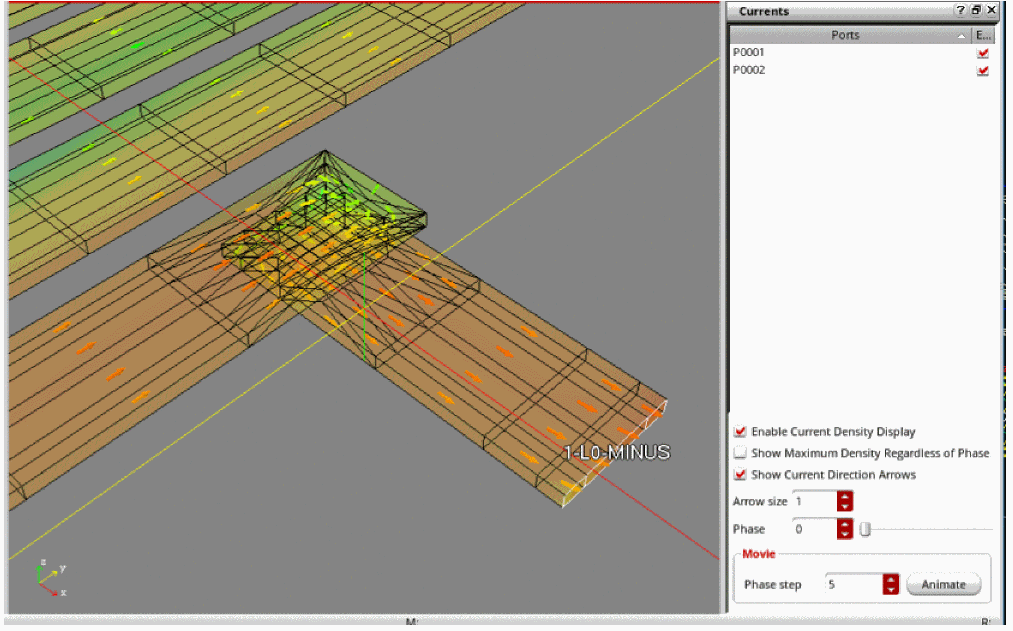
The Currents assistant displays a list of ports. Use the check box to the right of each port to control the voltage applied to it. The selected ports have voltage applied to it and the unselected ports are grounded.
You can choose from the following options to customize the view of the current flow:
- Select Enable Current Density Display to toggle between the classic mesh view and current view.
- Select Show Maximum Density Regardless of Phase to show the maximum current density at any phase value.
- Select Show Current Direction Arrows to display arrows to indicate the direction of current. Arrow Size lets you define the size of arrows.
-
Use the Phase spin box or slider to show current density at a particular phase or time (
0to360). - Click the Animate button to start an animation automatically and to show the current at all phases over the time. Use Phase step to define how much phase to leap per half second.
Return to top