
Layers Assistant
The Layers assistant provides controls to manage the visibility of layers in the mesh. When you open a mesh, the Layers assistant is displayed by default, docked in the left of the window.

The Layers assistant displays the names and colors of the layers on which the selected geometry objects are drawn in the layout view. The name and color of each layer is retrieved from the
If 3D Viewer is displaying layers from multiple libraries, all layers that belong to a common library are grouped together.
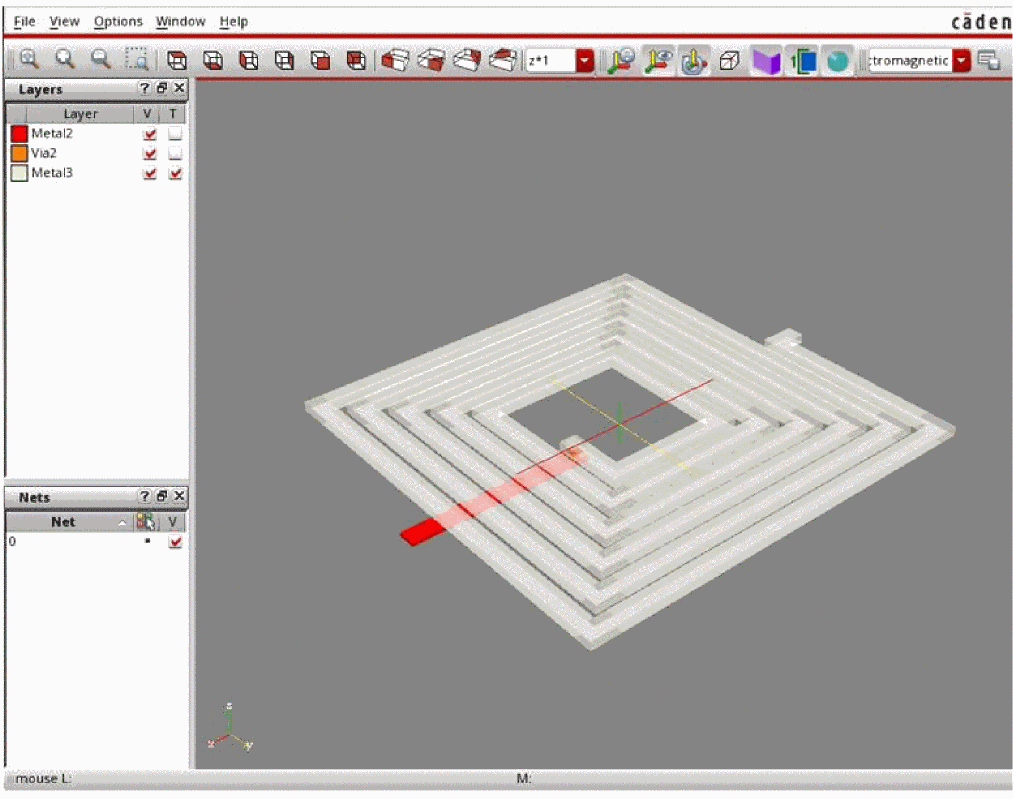
While reviewing a mesh, use the check box for a layer to control the visibility of that layer. This lets you to focus on specific layers and the shapes placed on them. To show or hide all layers of a library, select or clear the check box corresponding to the library name. You can also control the transparency of each layer in the Layers assistant of the Virtuoso 3D viewer by selecting the check boxes.
Return to top