
Protecting Layout Objects from Shape Simplification
All the modifications done to simplify shapes are done based on the rules specified in the Simplify Layout for EM Simulation form. The main objective of shape simplification is to reduce fine details in those areas of the layout that might not impact the result of electromagnetic simulation. For example, you can remove small dangling shapes or merge closely placed shapes. Such changes reduce the number of shapes to be considered during the simulation run, making the process faster. However, if there are certain important shapes in your design that should be used in simulation, you can protect those from processing.
If you want to protect certain shapes from modifications for shape simplification even if they meet the rules:
-
Select the desired shape on the layout canvas.
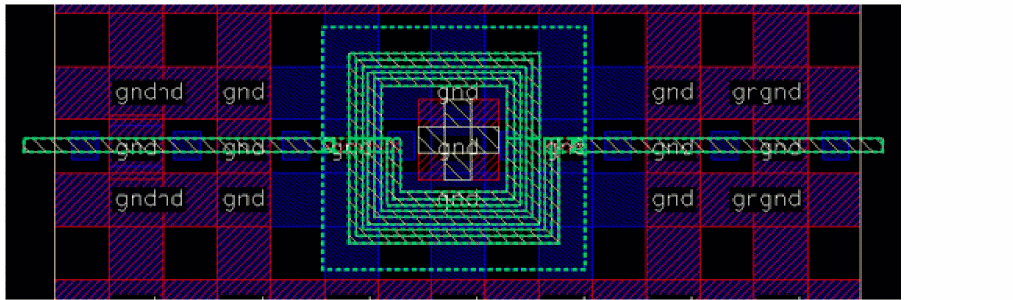
For easy identification of the protected shapes, select the Highlight Protected check box. The protected shapes are highlighted on the layout canvas in green, as shown below.
-
Click Protect Selected on the Pre-Process tab of the Electromagnetic Solver assistant.
The tool ignores the selected shapes while running shape simplification.
Return to top