
Viewing the Layer Stackup for a Model
Each model uses the layer stackup information provided for the process corner that it is using.
- Select the row for the model.
-
Choose the View Stackup command from the toolbar of the Electromagnetic Solver assistant.
The Virtuoso Layout Viewer window is displayed. It shows the layer stackup as defined in the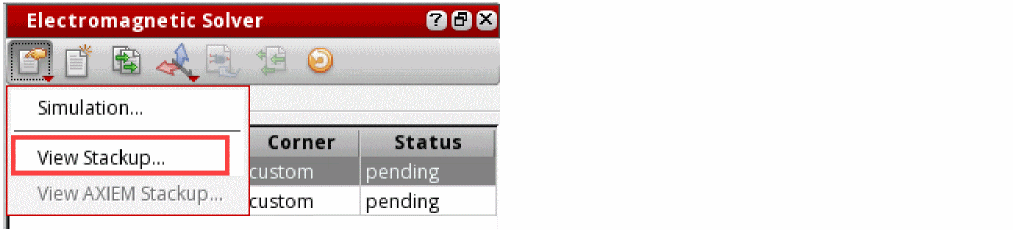
.emprocor.procfile associated with the model.
The following figure shows an example of the layer stackup:
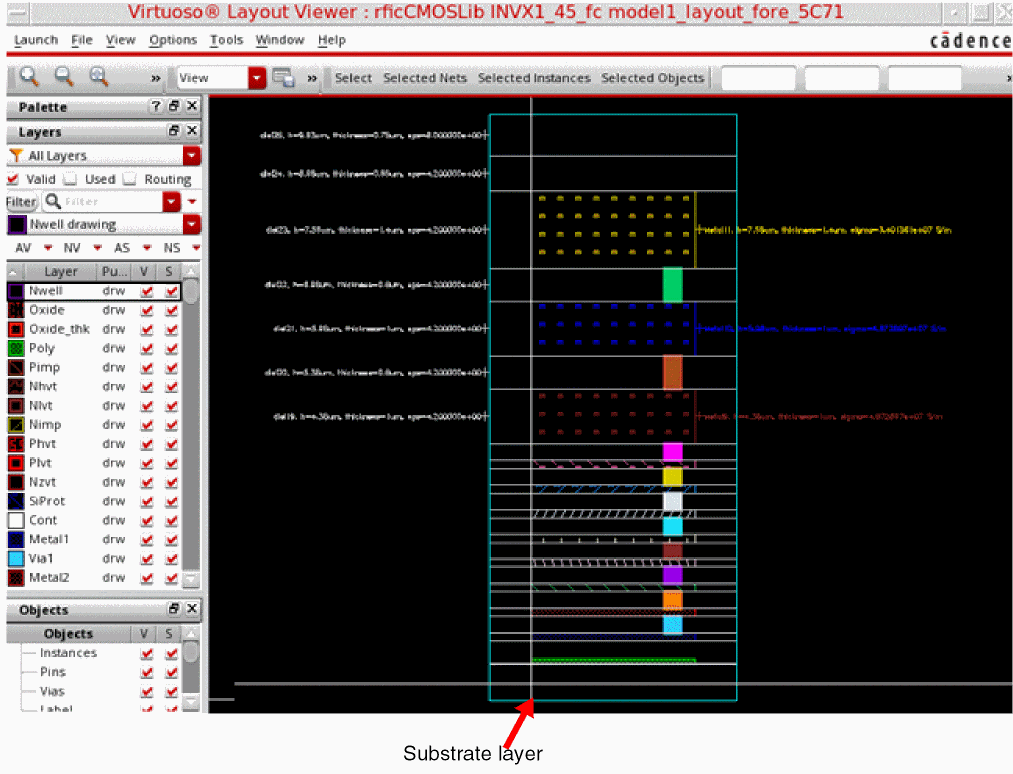
The substrate layer is shown at the bottom, and the dielectric and metal layers are stacked above that. If the thickness of the substrate specified in the .emproc file is greater than 10 m, it is scaled down.
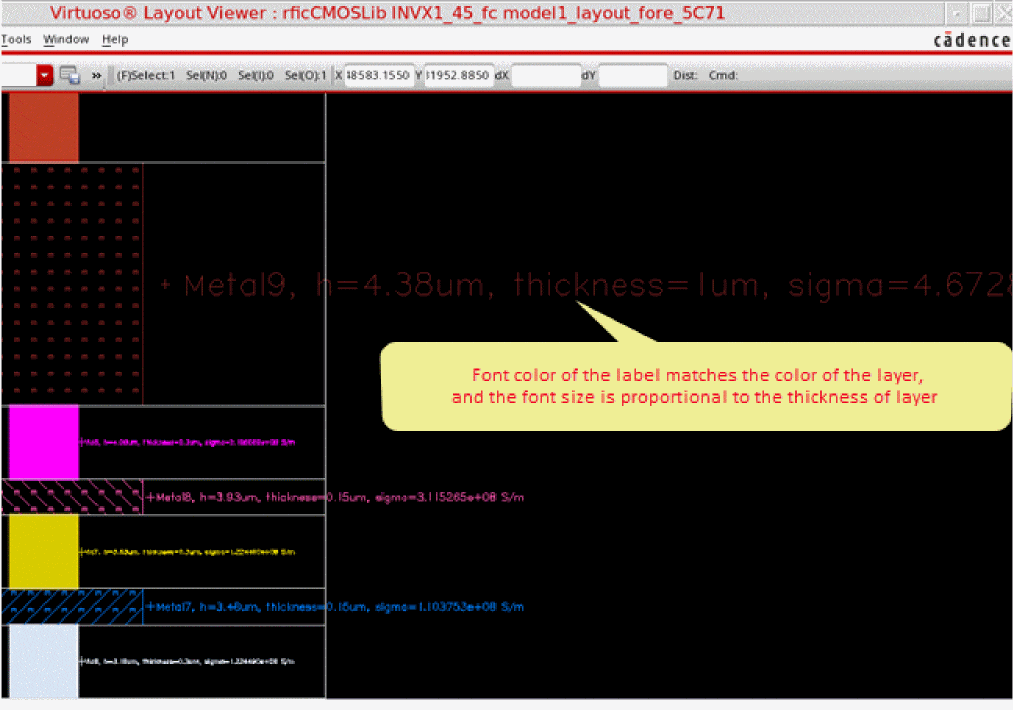
The labels to the left of the stack show the details of dielectric layers, whereas the labels to the right of the stack show the details of metal layers and vias. Each layer has a supporting label that provides information about it, including the layer name, height, thickness, and permittivity. The font color of the label matches the color of the layer, and the font size is proportional to the thickness of layer. If a label is not visible for any layer, you would need to zoom in to read it.
Viewing the Effective Layer Stackup
Depending on the geometry of the design, the layer stackup might get processed or simplified before running simulations, therefore, it is helpful to view the effective stackup that is used by the simulator.
For models with Clarity simulator, you can view the effective stackup that will be used for simulation run, open the simulator interface, and view the stackup. Clarity automatically adjusts the thickness of the top dielectric to match it to the bump height. Therefore, you might see a difference in the layer stackup displayed in the Sigrity environment.
For models with EMX simulator, you can use the commands on the Pre-Process tab of the assistant to process the layer stackup.
To view the effective layer stackup for EMX models, you can choose View EMX Scaled Stackup or View EMX Unscaled Stackup from the toolbar of the assistant
Related Topics
Return to top