
Configuring Settings for Electromagnetic Simulations
Before running an electromagnetic simulation, use the Simulation Settings form to configure the settings to be used for the simulator you want to use.
To configure the setting for Electromagnetic simulations:
-
Choose Settings – Simulation on the toolbar of the Electromagnetic Solver assistant to open the Simulation Settings form.
The Simulation Settings form is displayed.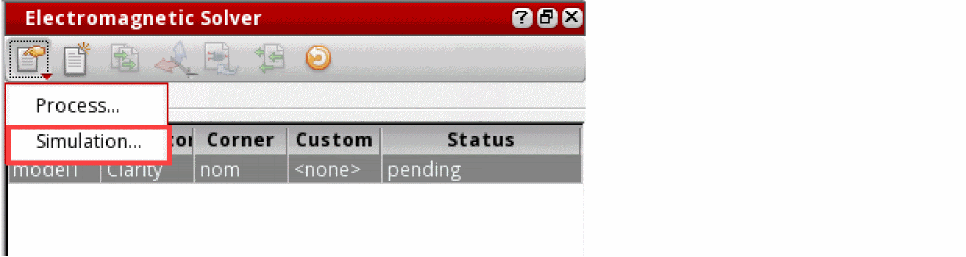
- On the General tab, specify the general settings used by all simulators.
- On the Clarity tab, specify the options to be used by the Clarity 3D Solver simulator.
- On the EMX tab, specify the options to be used by the EMX simulator.
- On the LVS tab, specify the options to be used by the LVS flow.
- Click OK to close the form.
In a new session, the fields of this form show default values. You can modify the values to suit the requirements of your model. At any time, you can reset the fields to the default values by clicking Default on the form.
Overriding the Default Simulation Settings
Return to top