
1
Virtuoso Floorplanner
Virtuoso® Floorplanner contains automatic and interactive floorplanning tools and technologies that help mixed-signal designers develop a layout from a schematic in a methodical manner.
Component description format (CDF), which lets you create and describe your own components for use with Layout XL.
The Virtuoso Layout Suite includes the Floorplan menu, which lets you develop a layout from a schematic hierarchically. Floorplanner enables you to estimate area and to work with hierarchy early in the design cycle, thus enabling you to adopt a top-down approach to design, a bottom-up approach, or a mix of both methods.
In Virtuoso Layout Suite EXL and higher tiers, the Floorplanner options are available under the Plan menu.
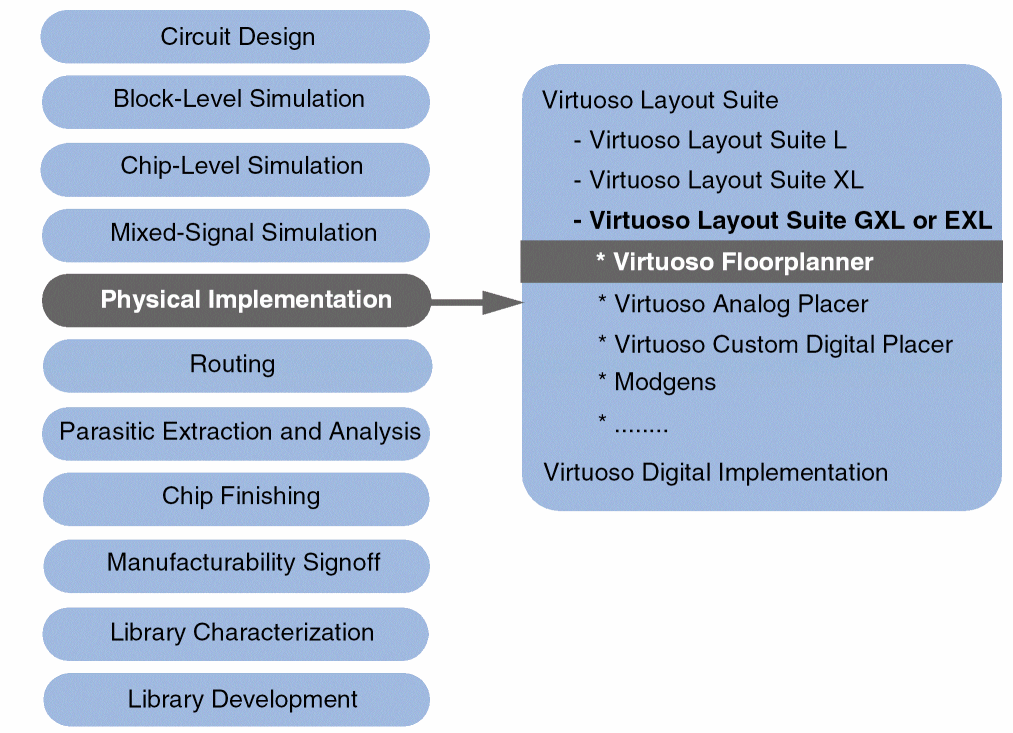
The following diagram shows how Virtuoso Floorplanner fits in the overall Virtuoso design flow.
Some of the Floorplanner features include:
- Pre-Partitioning: Configures the hierarchy, that is creates soft blocks at any level in the logical hierarchy. You can use custom area estimators to determine the block size and classify blocks as digital or custom right at the entry stage.
- Design Initialization: Categorizes blocks as I/O, cores, macros, and custom cells, and provides an intuitive interface to start floorplanning. It also creates grids used for pin and block edge snapping.
- Automatic I/O Placement: Provides a connectivity and constraint-driven I/O placer.
- Automatic Pin Optimization: A connectivity and constraint-driven feature that honors the edge, order, and layer constraints.
- Creating Pin Group Guides: Lets you create pin groups and assign pin constraints to these groups.
- Using the Pin Tool: Provides a a unified interface for all pin-related tasks, such as creating pins, resizing pins, planning and optimizing pins, editing pin attributes, and setting their location constraints.
Additionally, you can manually customize the layout using the following options:
- Rectilinear Block Support: Provides options to create and edit the PR boundary at the top level (level0) and at the block level (level1). You can apply Chop, Re-shape, Stretch and Move operations at level0 and level1 on multiple PR boundaries with dynamic measurement and automatic pin and edge snapping features.
- Pin Adjustment: Provides options to align, re-layer, and resize pins.
- Net Bundling: Lets you create and edit bundles from nets to keep them together during pin optimization and placement.
- Blockage Support: Lets you to create and edit blockages that are respected by Pin Optimizer and placer.
Related Topics
Return to top