
Saving Settings to a .cdsenv File
To save settings to your .cdsenv file using the Save Library Manager Defaults form:
-
On the Library Manager form, choose File – Save Defaults.
The Save Library Manager Defaults form appears.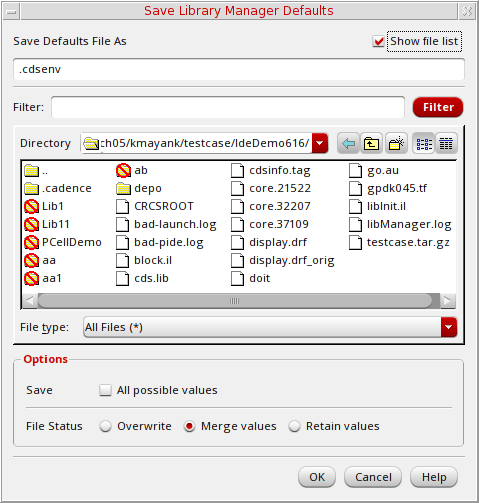
-
Use the Directory navigation tools to specify the destination directory into which you want to copy the settings file.
You can also type a directory path in the Save Defaults File As field.
If you do not specify a directory path, your home directory is used. - (Optional) Specify save options:
Your settings are saved to the file you specified.
The Save Library Manager Defaults form currently updates only settings that already exist in the .cdsenv file.
Related Topics
Save Library Manager Defaults Form
Return to top