
You need to know about the Cadence installation hierarchy if you want to save disk space, maximize performance, or have a heterogeneous network. There is no standard hierarchy for Cadence products on Windows NT, however many of the directories are the same.
The Cadence installation software placed the Cadence software in a directory that this reference refers to as install_dir. Most Cadence applications are in their own directories under install_dir/tools.
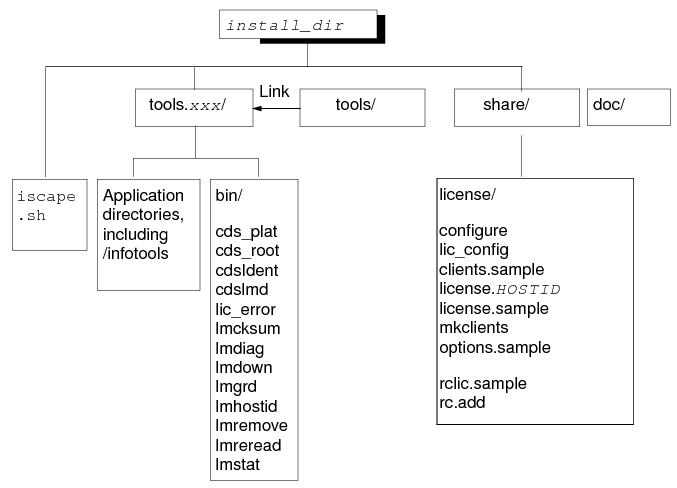
Licensing Files
Cadence licensing uses these install_dir/share/license files.
|
install_dir/share/license |
Purpose |
|
clients |
Identifies the workstations that can access the license files and the path to those license files |
|
clients.sample |
Sample clients file |
|
license.HOSTID |
License file identified with the host ID of the license server |
|
license.sample |
Sample license file |
|
options.sample |
Sample options file |
|
rclic.sample |
Sample script to start license daemons |
Cadence licensing uses these install_dir/tools/bin files.
|
install_dir/tools/bin.xxx |
Purpose |
|
cds_plat |
Identifies the platform of the workstation on which you logged in |
|
cds_root |
Locates the directory which contains the Cadence software |
|
cdslmd |
Cadence licensing daemon |
|
lm* |
The FlexNet utilities, such as lmstat |