
axlCloseSessionInWindow
axlCloseSessionInWindow(
[ w_window ]
)
=> t / nil
Description
Closes the given session in the current window, if there is one opened.
When you open a schematic or a layout in a new tab in a window for a maestro cellview, the menus for that maestro cellview are also displayed on the schematic or layout tab, as highlighted in the figure shown below.
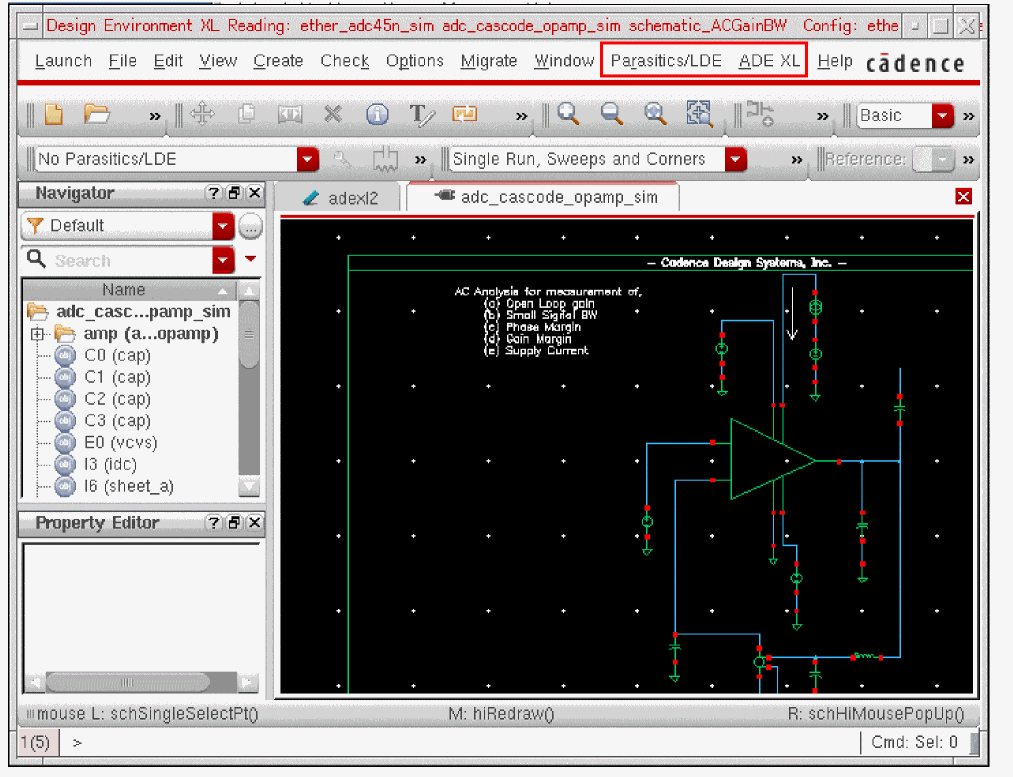
The axlCloseSessionInWindow function is used to close those assistants and to show only the default menu and assistants of Virtuoso Schematic Editor or Virtuoso Layout Editor.
Arguments
|
The window ID of the schematic or layout tab that has associated maestro cellview. If not specified, the assistants for the maestro cellview are closed from the current window. |
||
Value Returned
Examples
Closes the menus and assistants from the current window.
axlCloseSessionInWindow( )
=> t
Return to top