Identical Guard Ring Options Form
(Advanced Node for Layout) Use the Identical Guard Ring Options form to define identical guard rings for a Modgen.
The Create Identical Guard Ring command is available only if the PDK is configured to support identical guard rings. For more information on this capability, contact your Cadence Customer Support representative.
|
Field
|
Description
|
|
Type
|
Defines the way in which the identical guard ring surrounds the adjoining Modgen instances. The available options are:
-
None: Deletes the identical guard ring.
-
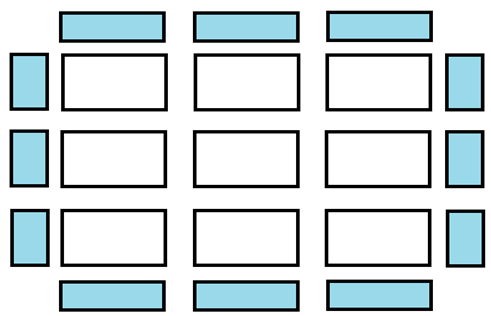
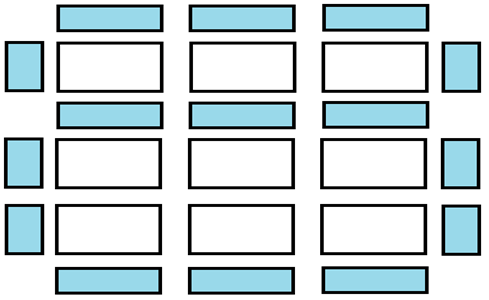
Surround: The identical guard ring surrounds all the instances.
-
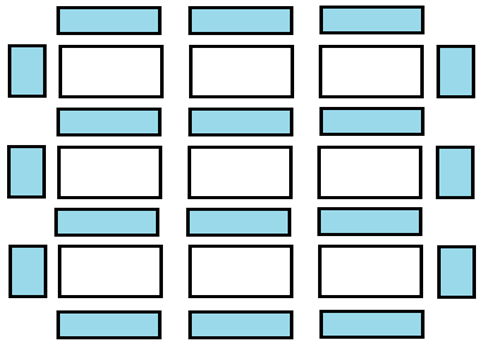
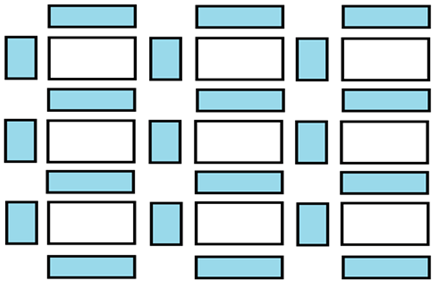
Surround+Strip: The guard ring surrounds all the instances, and strips of guard ring instances are inserted between one or more Modgen rows.
|
|
|
-
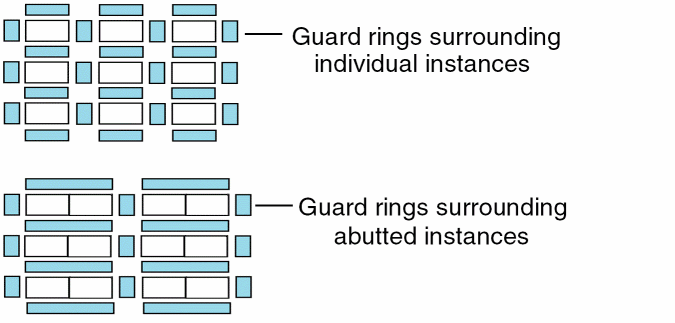
Grid: The guard ring surrounds every instance or group of abutted instances separately.
-
Horizontal Strip Width (in fins) value specifies the vertical width (as a number of fins) of the horizontal guard ring strips, represented by the horizontal blue rectangles in the diagram above.
|
|
GR Definition
|
Lists the available guard ring definitions provided by the PDK, which define various aspects of the guard ring. They provide information such as the unit cell lib:cell:view, its parameters, and parameter callbacks, which helps Modgens instantiate the guard ring correctly.
|
|
Net
|
Specifies the net to which the guard ring needs to be connected.
|
|
Break GR
|
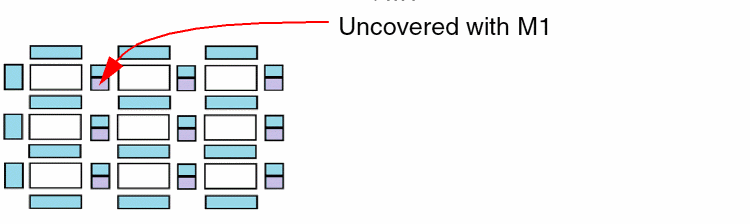
Provides spaces for connecting guarded instances via the Metal1 layer routes.
This option affects the Metal1 layer of all vertical guard ring strips except those on the left side of the guard ring. The effect is determined by the GR Definition, but usually the Metal1 layer is trimmed from the bottom as depicted in the following diagram.
|
|
Add Corners
|
Creates guard rings at all available corners around the selected instances.
|
|
Turn Top Side On, Turn Left Side On, Turn Right Side On, Turn Bottom Side On
|
Specify the side switches that can be used turn on or off the guard ring for the specified sides.
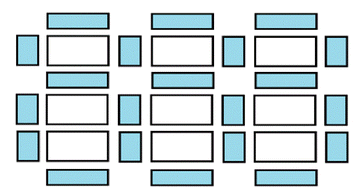
For example, the following diagram depicts a Grid guard ring in which the right side is turned off.
|
|
Horizontal Strip Width (in fins)
|
Specifies the vertical width (as a number of fins) of the horizontal guard ring strips.
|
|
Number of Rows Between Strips
|
Specifies the number of instance rows that are required between strips of guard rings, counting from the bottom row.
Example 1: Type is set to Surround+Strip; Number of Rows Between Strips is set to 2
Example 2: Type is set to Grid; Number of Rows Between Strips value is set to 2.
|
Related Topics
Creating Identical Guard Rings around Modgens (Virtuoso Advanced Node for Layout Only)
Return to top