
License Requirements
This section describes license requirements.
License:
| Name | Number | Description |
|---|---|---|
To run Pegasus Interactive, you must first have a snapshot. A snapshot is a collection of reference files that Pegasus Interactive refers during DRC. For details of these files, refer to All About Design Rules: Snapshot. For snapshot creation, Pegasus checks for the existence of license Pegasus_int during snapshot file creation, and allows the operation if that licenses exists.
During the snapshot creation, license requirement(s) is documented as a part of the snapshot header information. At this stage, no license is checked out and Pegasus Interactive only determines license requirement based on the content of rule deck.
Following figure illustrates test snapshot header information. It indicates that Pegasus_Int license is required for Pegasus Interactive to run successfully.
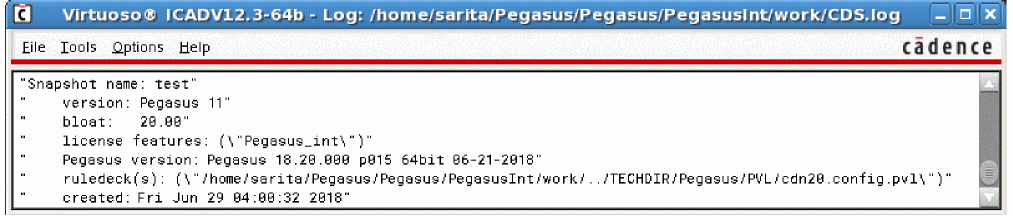
License Handling while Running Pegasus Interactive
Pegasus Interactive licenses checkout is one time process when running Pegasus Interactive for the first time. License checkout is printed in CIW:

Unlike its sign-off DRC counterpart, license(s) continues to be checked-out until any of following termination condition is met:
- Close all of layout within a Virtuoso Session
- Terminate Virtuoso session
- Interactive release license through Pegasus Interactive Run Options GUI
- One hour of inactivity
The license release status is printed in CIW. By default, the returned message is Checking in Pegasus_int.
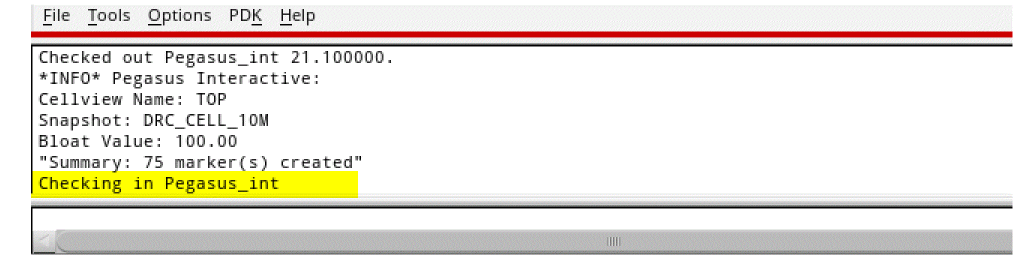
For getting, the complete message:
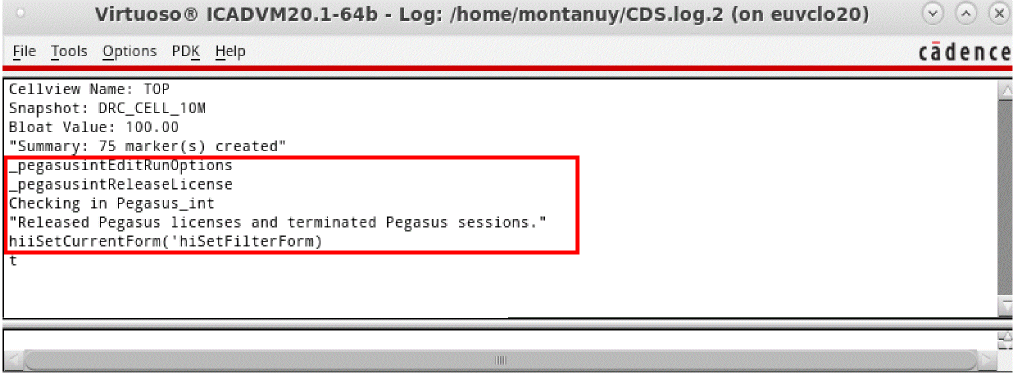
Released Pegasus licenses and terminated Pegasus sessions
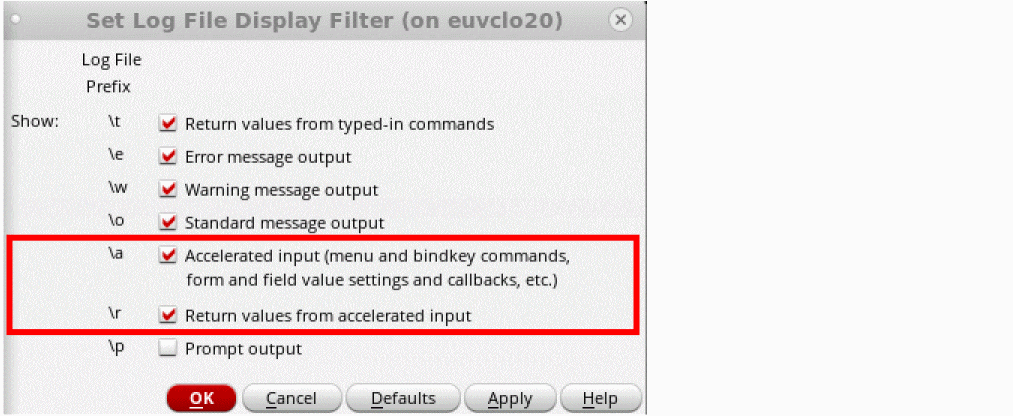
select /a and /r check boxes from the CIW: Options -> Log Filter ... -> Set Log file Display filter options form as shown below:
This will give you the complete message:
Return to top