
Probe Functions
Probing allows you to find and highlight certain types of objects. These objects can be nets, terminals, and instances. When two terminals are probed together, the flight line (objects between the terminals) is shown as well. Probing is a way to show the logical connectivity between objects or to show objects that can have correspondence with other objects in a different representation of the same design.
The following is a graphic description of the logical data model.
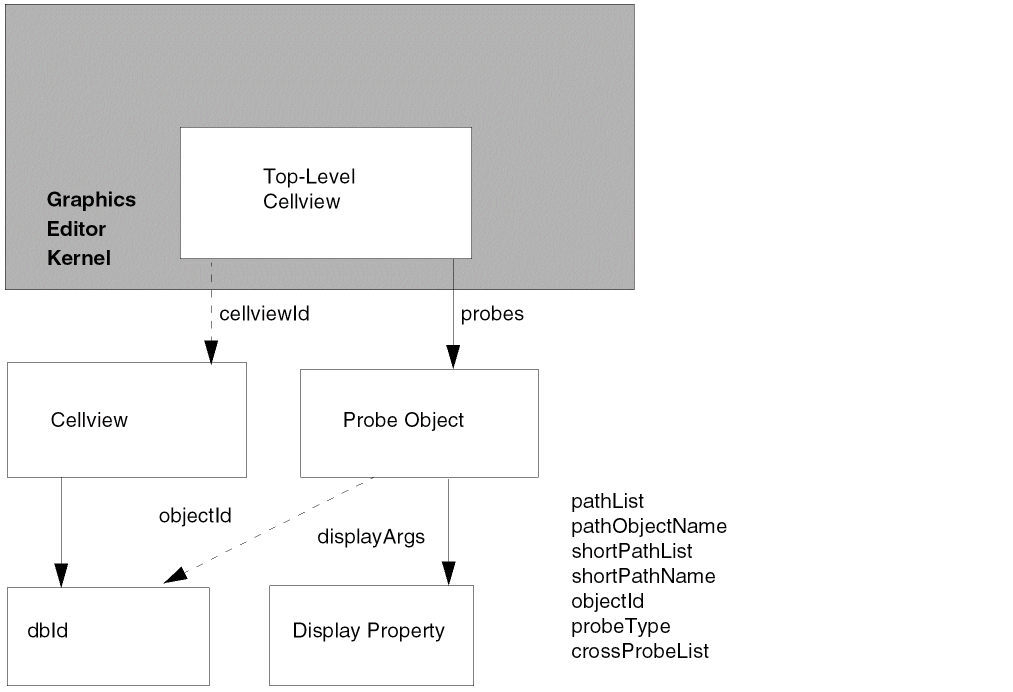
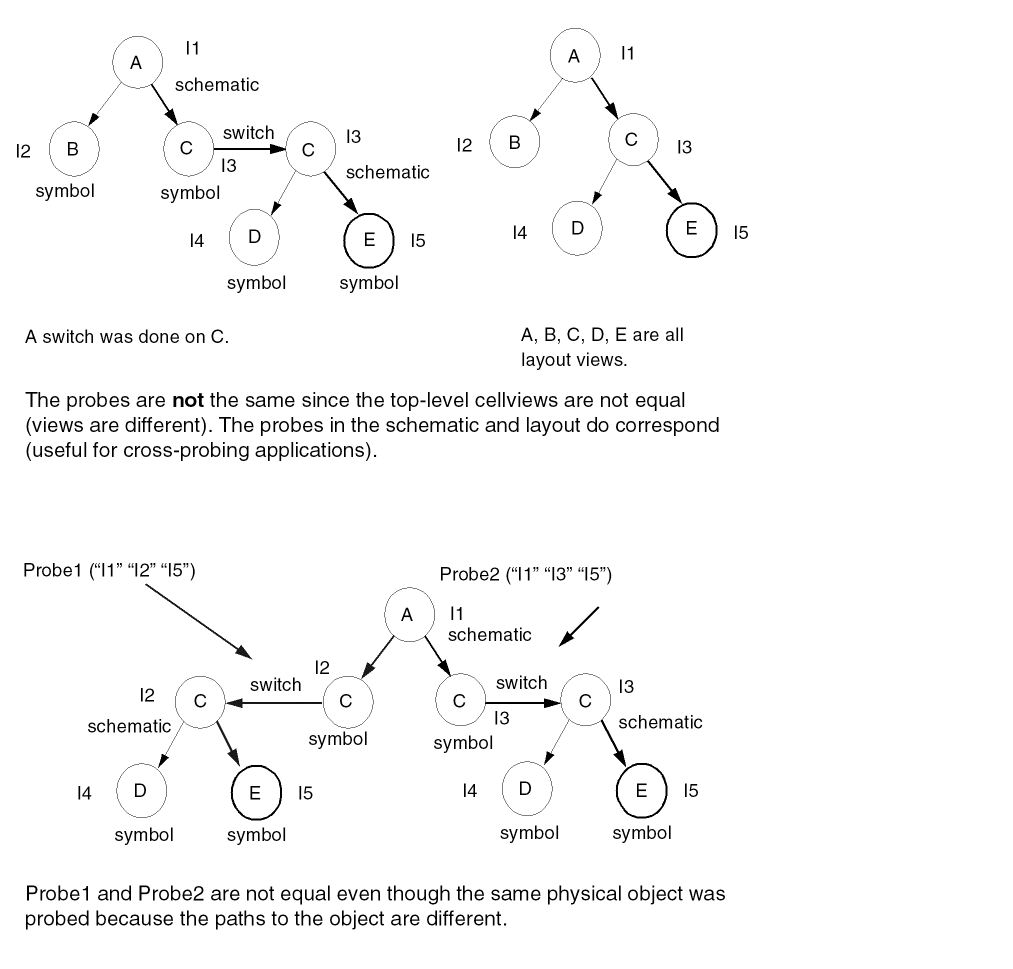
The path to the probe is an important concept. Two probes are the same if the memInst text string path to the probes are equal and if the top-level cellviews of each probe are the same.
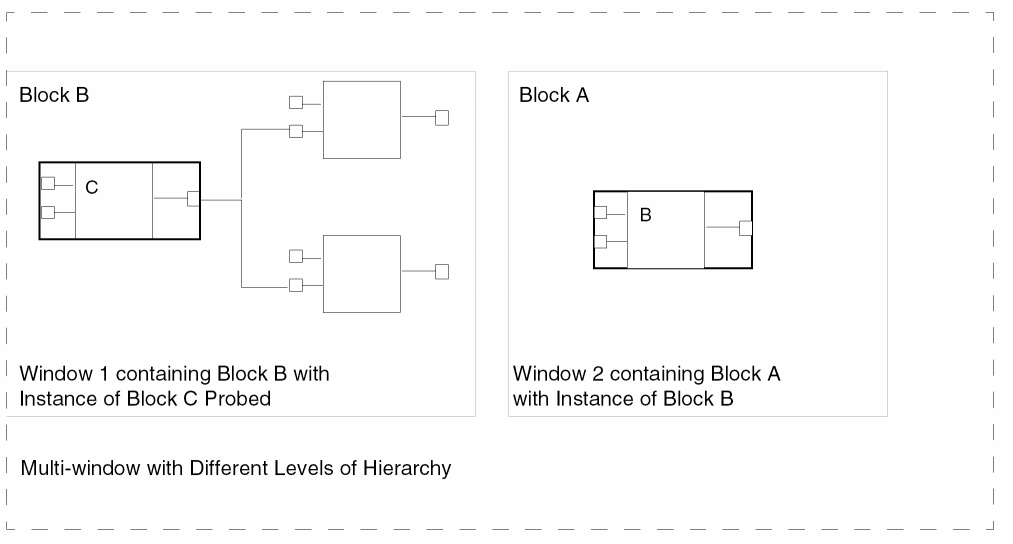
The probe spans through the hierarchy. Thus, when a probe is done in a cell that has been descended into, the probe is still drawn at other levels of the hierarchy, for example, when you go up the hierarchy. Also, the probe shows in multiple windows even if the windows are at different hierarchical levels of the same top-level design. If the object probed is at a lower level than you are currently displaying, the instance containing the object probed is highlighted so you know which instances contain probes.
Related Topics
Probe Function SKILL Interface
Return to top