dbCreateCurvedAreaBoundary
dbCreateCurvedAreaBoundary(
d_cellViewId
l_curvedPoints
)
=> d_curvedAreaId / nil
Description
(Virtuoso MultiTech Framework) Creates a curved area boundary in the specified cellview, using the specified points.
Arguments
|
d_cellViewId
|
Database ID of a cellview to hold the new object.
|
|
l_curvedPoints
|
list(boundary [l_holes])
List of one boundary and zero or more holes forming a complex closed curve. Each boundary or hole is represented by a dbClosedCurve, which is a list of vertexes. In a vertex, pairs of adjacent vertexes represent edges, which can be straight or circular:
-
A straight edge is indicated by two end points without an arc qualifier on the beginning edge.
-
A circular edge may be indicated by explicitly specifying the center or implicitly specifying the center. The explicit specification requires the center to be on the DBU grid. The implicit specification does not require the center to be on the DBU grid.
The points list can be a mix of explicit center-based or implicit angle-based specifications. Each element in the list describes a vertex on the curved shape.
|
|
|
L_curvedPoints := (elem)*
elem := {<x:float> <y:float> ([("arc" | "arcByCenter") ("cw" | "ccw")] | ["arcByAngle" <angle:float>])}
Here, keywords for explicit specification are "arc" and "arcByCenter" followed by "cw"(clockwise), or "ccw" (counter clockwise), to specify the direction. Keywords for implicit specification, where you do not define the center explicitly, are "arcCentralAngle" and "arcByAngle". In implicit specification, to specify a clockwise arc, specify a negative value for the angle specification.
|
Value Returned
|
d_curvedAreaId
|
Database ID of a curved area object.
|
|
nil
|
The operation fails.
|
Example
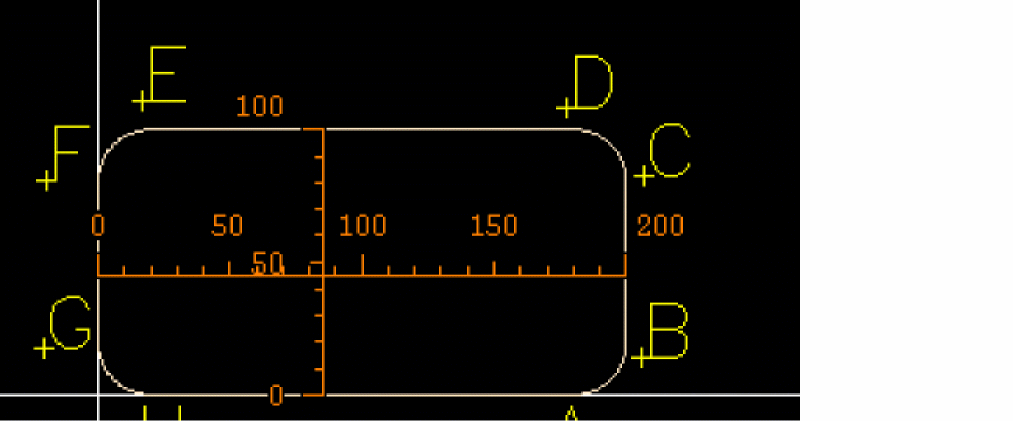
Creates curved area boundary with rounded corners.
dbCreateCurvedAreaBoundary( cv
'(
(180 0 "arcCentralAngle" 90) ; A
(200 20) ; B
(200 80 "arcCentralAngle" 90) ; C
(180 100) ; D
(20 100 "arcCentralAngle" 90) ; E
(0 80) ; F
(0 20 "arcCentralAngle" 90) ; G
(20 0) ; H
)
)
Here:
-
The radius of the curved corners is
20. -
An implicit arc with
90 degrees is used on all four corners.
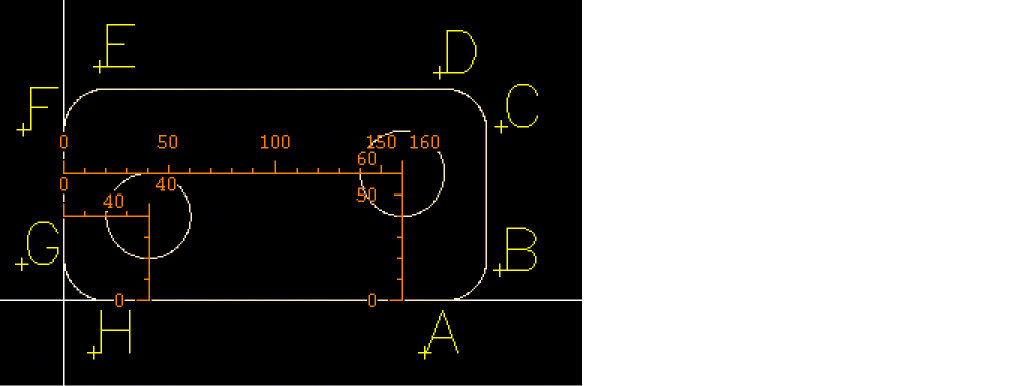
Creates curved area boundary with holes.
solid = '(
(180 0 "arcCentralAngle" 90) ;A
(200 20) ;B
(200 80 "arcCentralAngle" 90) ;C
(180 100) ;D
(20 100 "arcCentralAngle" 90) ;E
(0 80) ;F
(0 20 "arcCentralAngle" 90) ;G
(20 0) ;H
)
hole1 = '(
(20 40)
(40 40 "arc" "ccw")
(60 40)
(40 40 "arc" "ccw")
)
x=160
y=60
r=20
hole2 = list(
list(x-r y)
list(x y "arc" "ccw")
list(x+r y)
list(x y "arc" "ccw")
)
dbCreateCurvedAreaBoundary(cv list(solid list(hole1 hole2)))
Considers that the center of the holes is known, therefore the explicit arc form is used. Illustrates how the explicit arc points are calculated from center point and radius in hole2.
Related Topics
License Requirements of Virtuoso RF Solution
Return to top