dbCreateRegionBoundary
dbCreateRegionBoundary(
d_cellViewId
l_curvedPoints
t_regionName
[ t_layerType ]
)
=> d_regionBoundaryId / nil
Description
(Virtuoso MultiTech Framework) Creates a region boundary.
A region boundary is a named curved area boundary that is used to specify areas where some constraints apply. A region boundary also has a layerType. If the layerType is "layer", a layer must be specified.
Arguments
|
d_cellViewId
|
Database ID of a cellview.
|
|
l_curvedPoints
|
list(boundary [l_holes])
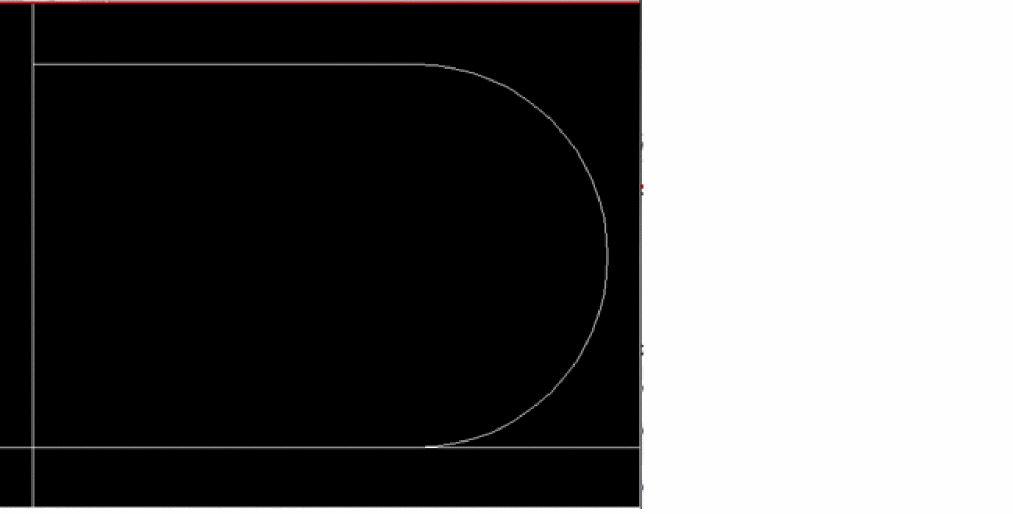
List of one boundary and zero or more holes forming a complex closed curve. Each boundary or hole is represented by a dbClosedCurve, which is a list of vertexes. In a vertex, pairs of adjacent vertexes represent edges, which can be straight or circular:
-
A straight edge is indicated by two end points without an arc qualifier on the beginning edge.
-
A circular edge may be indicated by explicitly specifying the center or implicitly specifying the center. The explicit specification requires the center to be on the DBU grid. The implicit specification does not require the center to be on the DBU grid.
The points list can be a mix of explicit center-based or implicit angle-based specifications. Each element in the list describes a vertex on the curved shape.
|
|
|
L_curvedPoints := (elem)*
elem := {<x:float> <y:float> ([("arc" | "arcByCenter") ("cw" | "ccw")] | ["arcByAngle" <angle:float>])}
Here, keywords for explicit specification are "arc" and "arcByCenter" followed by "cw"(clockwise), or "ccw" (counter clockwise), to specify the direction. Keywords for implicit specification, where you do not define the center explicitly, are "arcCentralAngle" and "arcByAngle". In implicit specification, to specify a clockwise arc, specify a negative value for the angle specification.
|
|
t_regionName
|
Name of region boundary.
|
|
t_layerType
|
Type of layer.
Valid values: "all", "outsideLayers", "insidePlaneLayers", "insideSignalLayers", "layer"
|
|
tx_layer
|
Layer name or number.
|
Value Returned
|
d_regionBoundaryId
|
|
|
Database ID of the region boundary that is created.
|
|
nil
|
An error occurred.
|
Example
points = list(list(0 0) list(200 0) list(200 100 "arc" "ccw") list(200 200) list(0 200))
regB1 = dbCreateRegionBoundary(cv points "rbName1" "all")
regB2 = dbCreateRegionBoundary(cv points "rbName2" "layer" "Metal1")
Related Topics
License Requirements of Virtuoso RF Solution
Return to top