
Starting SKILL API Finder
To start the SKILL API Finder from the CIW:
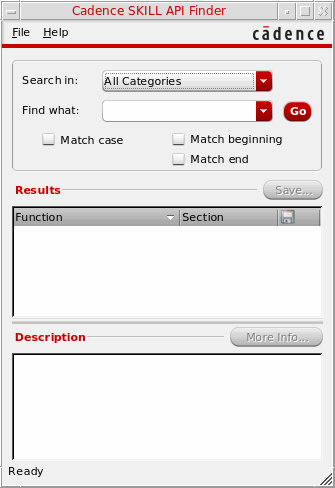
To start the SKILL API Finder from a UNIX command line, type the following:
cdsFinder
Starting the Finder in Test Mode
When you run in test mode, the Finder writes a report file called /tmp/finder.tst as well as writing to standard output. The Finder reports directories it finds in the database and the number of entries found in each file.
To start the Finder in test mode, run the cdsFinder command with the -t option as follows:
cdsFinder -t
To check for duplicate instances of each name in a particular directory's data files, add the directory name as follows:
cdsFinder -t checkDir
The checkDir you specify should include the language and functionArea subdirectories. For example:
cdsFinder -t doc/finder/SKILL/SKILL_Language
Related Topics
Types of Searches in SKILL API Finder
Problem Troubleshooting in SKILL API Finder
Return to top