
Modgen Placement and Routing Functions
A Modgen is stored in the form of a Modgen Pattern Editor User Type Description Object, also referred to as a Modgen sandbox object. You can use various Modgen placement and routing SKILL functions to create and place Modgen placement and routing objects without exposing the full complexity of the Modgens. Modgen sandbox objects can be created and edited from both, schematic and layout cellviews.
There are four main sections in a Modgen sandbox object: map, grid, abut, and topology. Each section contains properties and additional disembodied property lists (DPLs) that hold information about the Modgen.
They are created and added to the top-level section using specific APIs. Once created, these sections can also be used as template parameters to create additional DPLs.
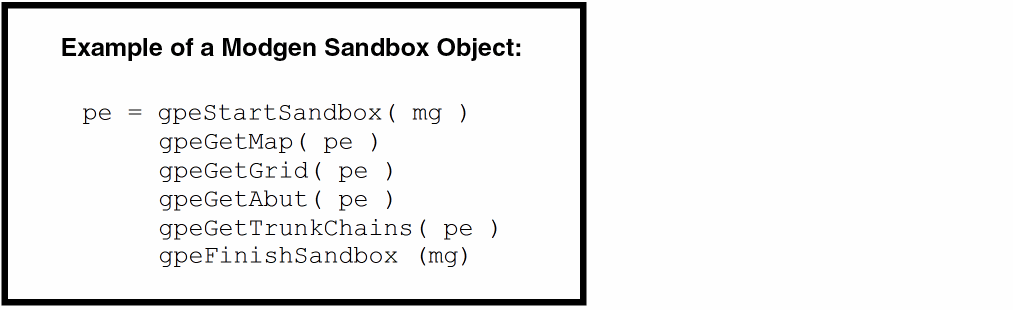
It is recommended that all the GPE place and route scripts start with a call to gpeStartSandbox, and finish with a call to gpeFinishSandbox. To discard the edits from the script, use gpeDeleteSandbox.
These APIs support an optional ?sync argument. Either set this argument to t or use the gpeSyncSandbox API to turn on the synchronization mode. As a result, changes made to a Modgen sandbox object are automatically updated to the associated Modgen constraint and the layout placement.
The handlers returned by the gpeStartSandbox, gpeEditSandbox, and gpeCreateSandbox are valid until:
-
The
gpeFinishSandboxAPI is called. - A different Modgen is selected using the Modgen on-canvas commands.
- The Modgen is deleted.
- The session is terminated.
- The cellview is closed.
-
The Modgen
ciConis deleted.
All functions have a ?verbose argument, which is set to t by default.
Related Topics
Return to top