
hiLayout Form Functions
This topic provides a list of Cadence® SKILL functions associated with hiLayout forms.
Use these forms to specify the fields of a layout container which gets implemented using Qt QLayout class objects. Layout containers can be specified hierarchically, allowing complex forms to be easily created without specifying pixel locations or sizes. The Qt layout manager automatically adjusts the field sizes and positions to accommodate the font size and form size changes, and it adds scrollbars, if needed.
The hiLayout form is a 2D form, the relationship between the field locations and sizes are controlled by the specification of layout containers within which the fields and other layout objects get placed.
The hiLayout form uses one of the following layouts, which act as a container containing fields or other layouts nested within them:
-
Horizontal Box Layout
Arranges fields and layouts horizontally.The related SKILL function is hiCreateHorizontalBoxLayout.
-
Vertical Box Layout
Arranges fields and layouts vertically.The related SKILL function is hiCreateVerticalBoxLayout.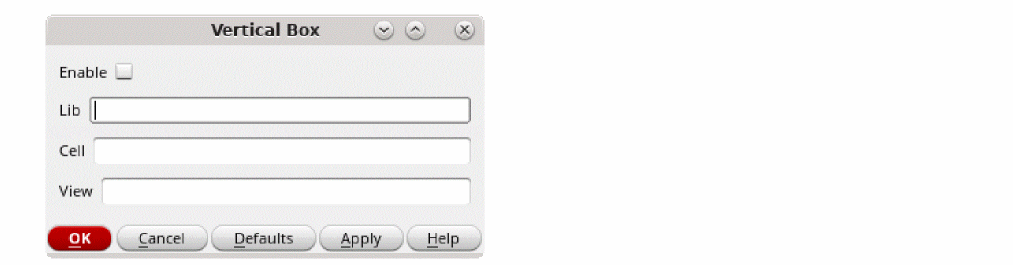
-
Grid Layout
Arranges fields and layouts in a table with fields aligned in a grid. The related SKILL function is hiCreateGridLayout.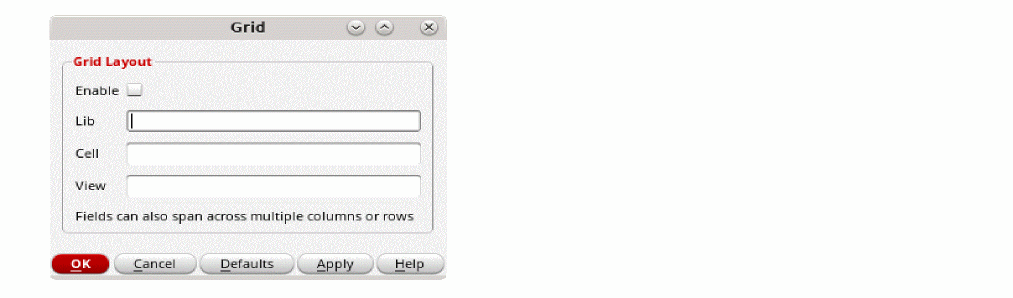
-
Form Layout
Creates a 1D form without specifying the coordinates. The related SKILL function is hiCreateFormLayout.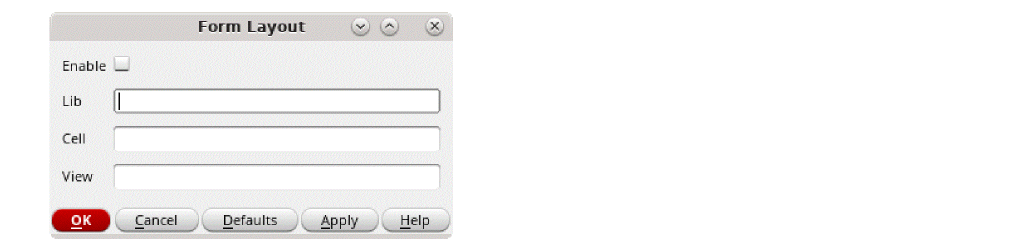
-
Stacked Layout
Controls the stacking of fields or layouts to make them visible one at a time. The related SKILL function is hiCreateStackedLayout.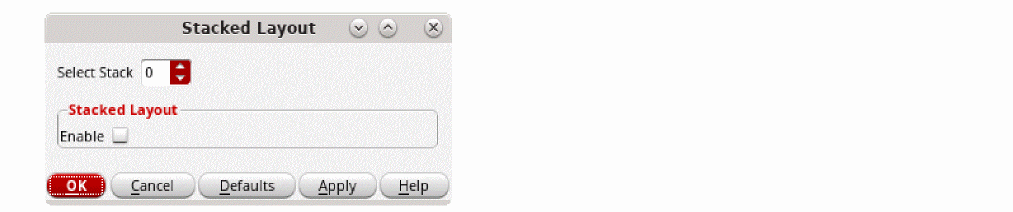
The advantage of hiLayout forms over the older style 2D forms is that the field layout and automatic resizing is handled automatically without calculating pixel coordinates and sizes. Font size changes are handled automatically. Additionally, improved support for navigating fields is provided using the keyboard only.
The disadvantage is that the fields with associated prompts may not get properly aligned for the complex form layouts. This can be mitigated by not specifying a prompt for a field and creating a separate label field for the prompt, particularly when using grid layouts.
Only the functions listed here are supported for public use. All other functions, regardless of their name or prefix, and undocumented aspects of the functions described below, are private and are subject to change at any time.
- hiDeleteField
- hiAddField
- hiAddFields
- hiCreateFormLayout
- hiCreateGridLayout
- hiCreateHorizontalBoxLayout
- hiCreateStackedLayout
- hiCreateVerticalBoxLayout
- hiCreateLayoutForm
- hiDeleteField
- hiDeleteFields
- hiDeleteItemFromLayout
Return to top