
D
Incremental Technology File Examples
This appendix presents a simple example of creating multiple technology files for incremental technology databases from an existing, single technology file. It also illustrates an example of a more complicated incremental technology database structure designed for different design tasks to enter at the point in the graph that supplies all of the data needed for each task.
Example 1
This is a simple example of creating multiple technology files for incremental technology databases from an existing, single technology file.
Single ASCII Technology File
The following is a single ASCII technology file containing all of the technology data required for all of the design tasks in a design flow. If another design task requires different technology data, an entirely new technology file must be created and loaded, even if it uses some of the technology data already defined in this technology file. For example, another task might require all of the same basic layers and purposes, but different constraints, viaDefs, or viaSpecs. Creating a single technology database would require copying and editing the entire original technology file. If the file is split into multiple files for incremental technology databases, then it is necessary to create an ASCII file only for what needs to be different.
ITDB ASCII Technology Files Derived from the Single File
This example splits an existing simple technology file into three technology files:
- a base technology file specifying basic layer and purpose data used the other technology databases;
-
a technology file defining
viaDefs, constraints, and devices; and -
a technology file specifying
viaSpecs.
The single technology file could, of course, be split up differently to satisfy specific design needs. For example, devices might be split into a separate technology file if they are to be used only for some tasks or if various tasks require different groups of devices and other technology databases containing devices are to be added. Also, additional technology files could be added with the appropriate references to create technology databases that use technology data in this graph.
The following are the incremental technology file and database names and their contents used in this example:
| Graph level | Content | ASCII technology file name | Technology database name |
|---|---|---|---|
Base ASCII Technology File: Layers
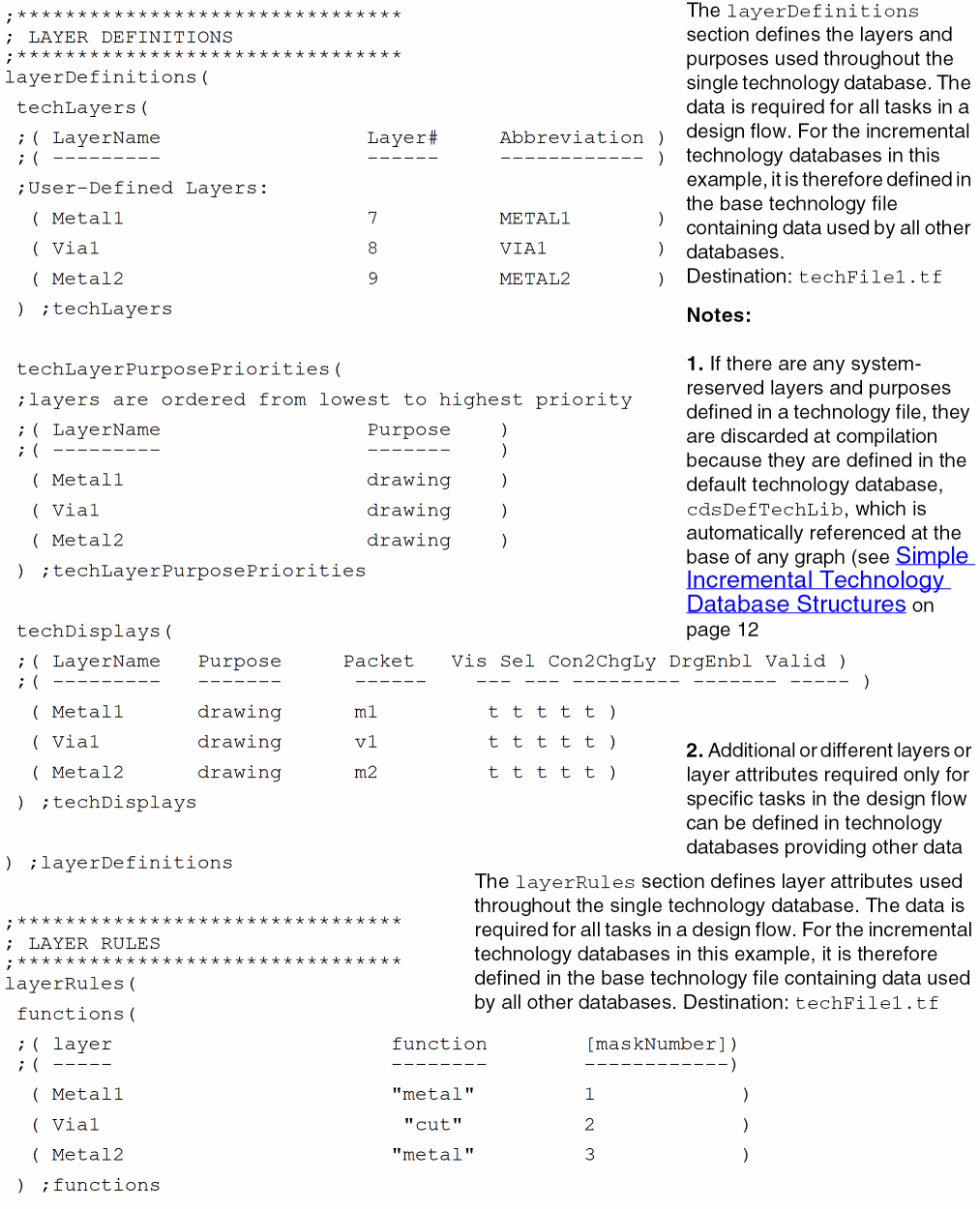
Basic layer and purpose data applies to all of the rest of the technology data in the original, single technology file. It will also be used by any design tasks in the design flow, including any tasks requiring by the addition of technology data or, with the incremental technology databases, the addition of technology databases. Consequently, it can be useful to provide a technology database containing only the basic layer information.
The example base technology file techLib1.tf defines the basic layer and purpose data for user-defined layers. It is referenced by techLib2.tf and itself automatically references the Cadence default technology database, cdsDefTechLib, which defines the system-reserved layers and purposes.
;********************************
; LAYER DEFINITIONS
;********************************
layerDefinitions(
techLayers(
 ;( LayerName                 Layer#     Abbreviation )
 ;( ---------                 ------     ------------ )
;User-Defined Layers:
( Metal1 7 METAL1 )
( Via1 8 VIA1 )
( Metal2 9 METAL2 )
) ;techLayers
techLayerPurposePriorities(
;layers are ordered from lowest to highest priority
 ;( LayerName                 Purpose    )
 ;( ---------                 -------    )
( Metal1 drawing )
( Via1 drawing )
( Metal2 drawing )
) ;techLayerPurposePriorities
techDisplays(
 ;( LayerName    Purpose      Packet          Vis Sel Con2ChgLy DrgEnbl Valid )
 ;( ---------    -------      ------          --- --- --------- ------- ----- )
( Metal1 drawing m1 t t t t t )
( Via1 drawing v1 t t t t t )
( Metal2 drawing m2 t t t t t )
) ;techDisplays
) ;layerDefinitions
;********************************
; LAYER RULES
;********************************
layerRules(
functions(
 ;( layer                       function        [maskNumber])
 ;( -----                       --------        ------------)
( Metal1 "metal" 1 )
( Via1 "cut" 2 )
( Metal2 "metal" 3 )
) ;functions
) ;layerRules
Second ASCII Technology File: ViaDefs
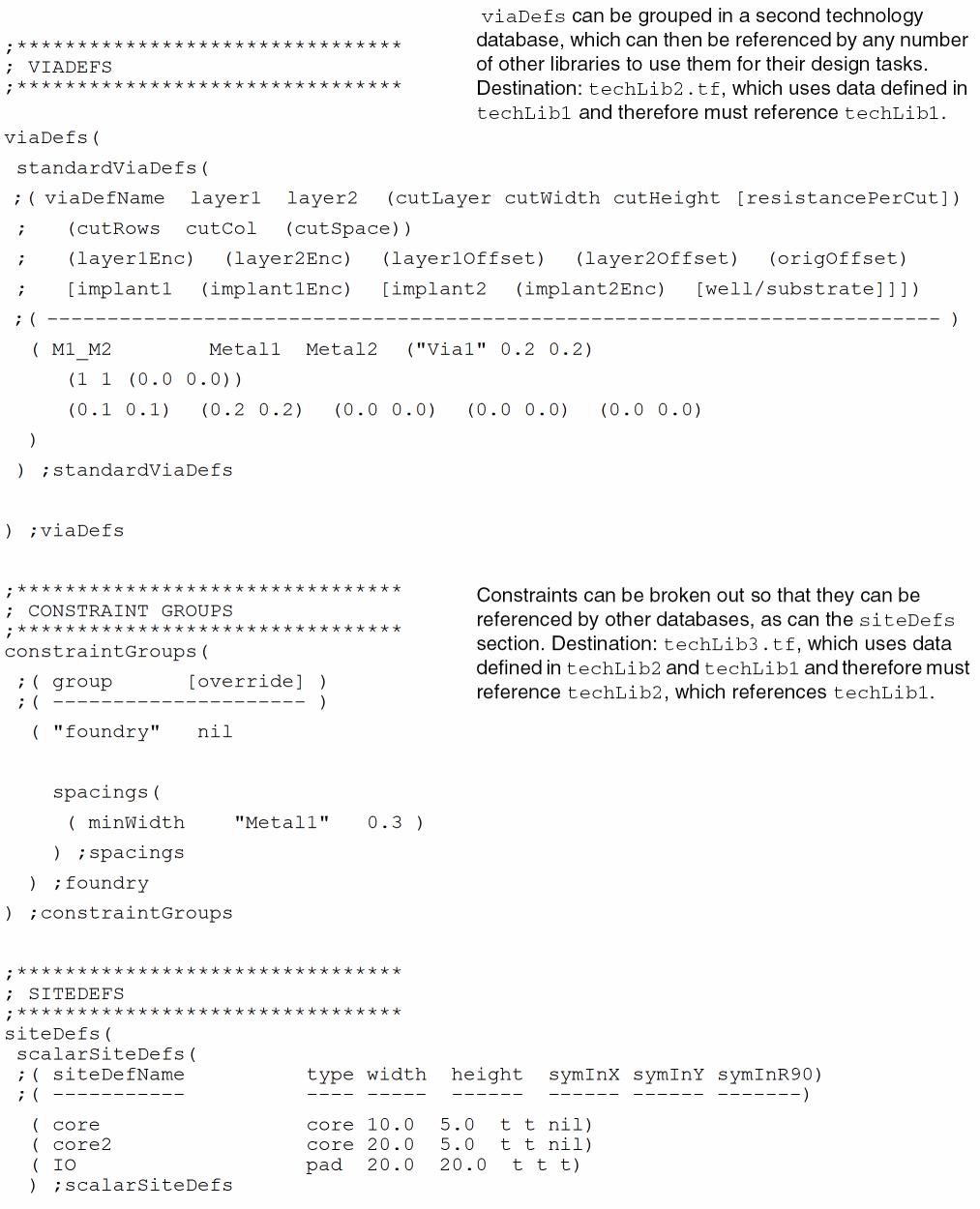
A new controls section must be added to this technology file to reference the base technology database, which contains data required by this second ASCII technology file.
controls(
 refTechLibs(
        "techLib1"
   )
) ;controls
;********************************
; VIADEFS
;********************************
viaDefs(
standardViaDefs(
;( viaDefName layer1 layer2 (cutLayer cutWidth cutHeight [resistancePerCut])
; (cutRows cutCol (cutSpace))
; (layer1Enc) (layer2Enc) (layer1Offset) (layer2Offset) (origOffset)
; [implant1 (implant1Enc) [implant2 (implant2Enc) [well/substrate]]])
;( -------------------------------------------------------------------------- )
( M1_M2 Metal1 Metal2 ("Via1" 0.2 0.2)
(1 1 (0.0 0.0))
(0.1 0.1) (0.2 0.2) (0.0 0.0) (0.0 0.0) (0.0 0.0)
)
) ;standardViaDefs
) ;viaDefs
Third ASCII Technology File: Constraints and Site Definitions
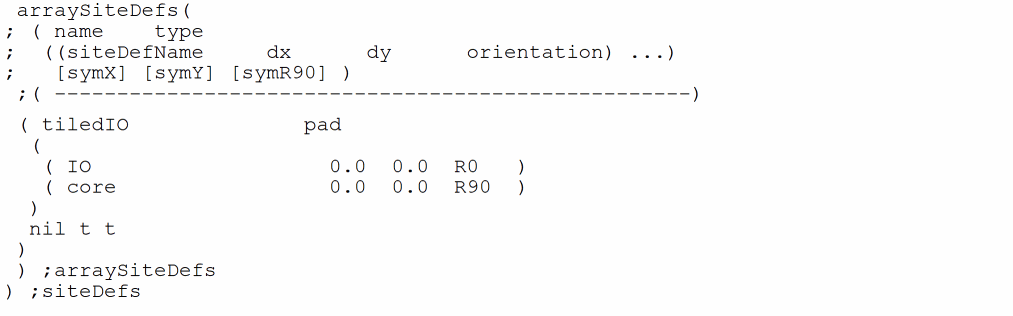
A new controls section must be added to this technology file to reference the second technology database, which in turn references the base technology database. This third ASCII technology file requires data specified in the other databases.
controls(
refTechLibs(
        "techLib2"
     )
) ;controls
;********************************
; CONSTRAINT GROUPS
;********************************
constraintGroups(
 ;( group      [override] )
 ;( -----           --------- )
( "foundry" nil
spacings(
( minWidth "Metal1" 0.3 )
) ;spacings
) ;foundry
) ;constraintGroups
;********************************
; SITEDEFS
;********************************
siteDefs(
 scalarSiteDefs(
 ;( siteDefName          type width  height  symInX symInY symInR90)
 ;( -----------          ---- -----  ------  ------ ------ -------)
  ( core                 core 10.0  5.0  t t nil)
  ( core2                core 20.0  5.0  t t nil)
  ( IO                   pad  20.0  20.0  t t t)
  ) ;scalarSiteDefs
arraySiteDefs(
; ( name    type
;  ((siteDefName     dx      dy      orientation) ...)
;   [symX] [symY] [symR90] )
 ;( ---------------------------------------------------)
 ( tiledIO              pad
  (
   ( IO                   0.0  0.0  R0   )
   ( core                 0.0  0.0  R90  )
  )
  nil t t
 )
 ) ;arraySiteDefs
) ;siteDefs
Graph of Incremental Technology Databases
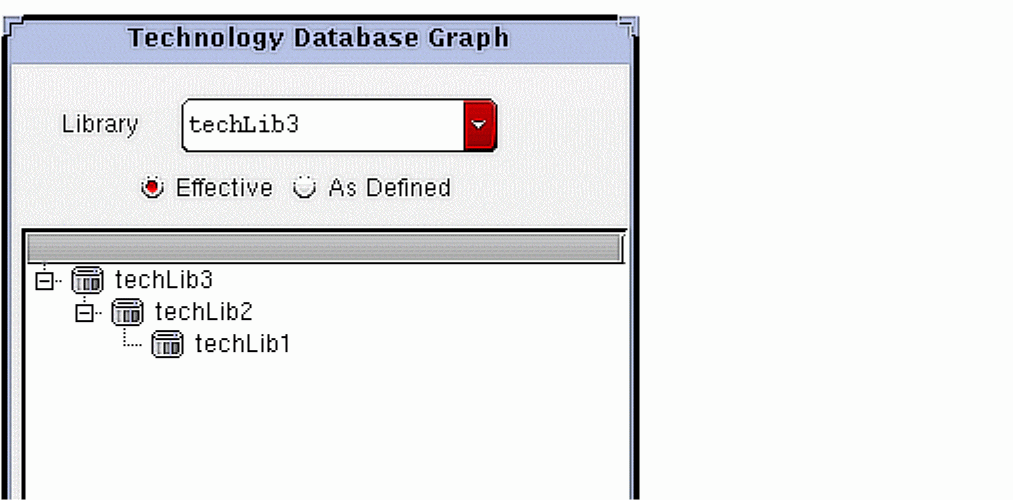
Compiling the technology files in the proper order (techLib1.tf to database techLib1, then techLib2.tf to database techLib2, then techLib3.tf to database techLib3) results in the following technology database graph:
Other databases specifying other technology data can be added to the graph by referencing
Additional databases, referencing existing databases or providing additional technology data, can be added as needed.
Example 2
This example presents six technology files that create separate databases for providing base data and data that can be applied to different tasks, such as different metal processes and place and route tasks. These illustrate the kind of data partitioning you can do with incremental technology databases.
The sample technology files are in the following directory:
<install_dir>/doc/techfileuser/examples
The following table summarizes the technology files, technology database names assumed by the references they contain, technology database references, and general contents. They are listed from the top of the graph down, as shown in the Technology Database Graph form. They are compiled from the bottom up.
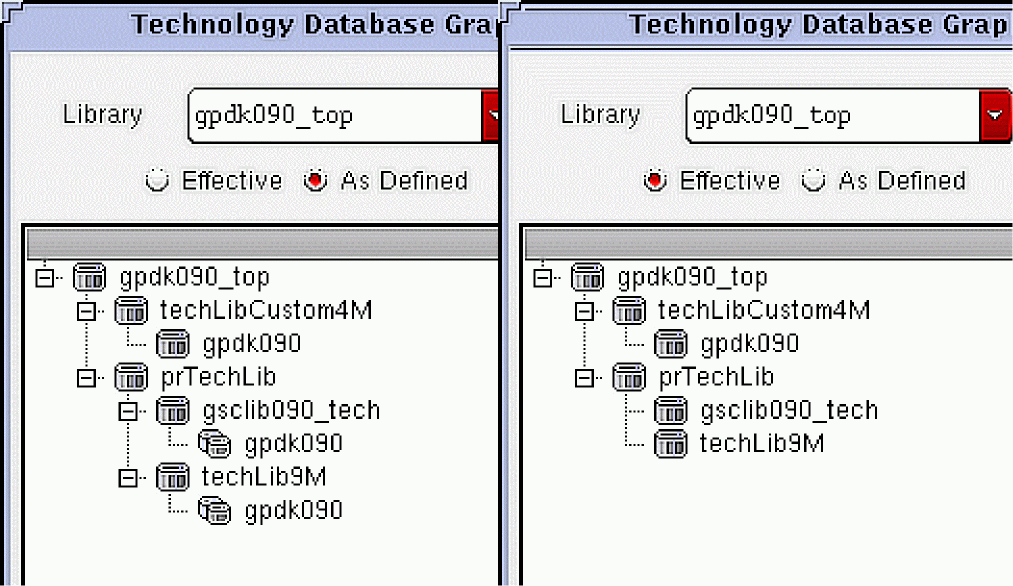
The following are the database graphs (As Defined and Effective) that result after loading the sample technology files in reference order to create the incremental technology databases.
Return to top