
Toggling Congestion Map Visibility
Sometimes, the heat map may obscure other important design information in the main window. In such a situation, you can toggle the display of the heat map in the main window. To do this:
-
Click the Filter icon
 from the Congestion Analysis toolbar.
 -
Click the Congestion Map Visible option from the drop-down list.
The display of congestion map is turned off and the congestion map is no longer displayed.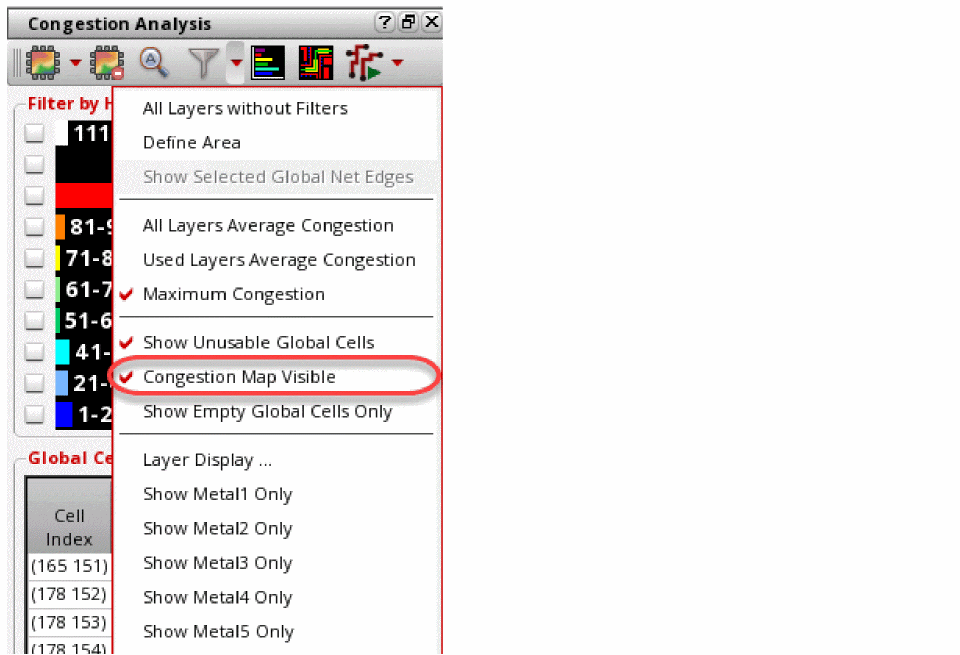
The histogram and the Global Cell Track Utilization table are inactive and are not filterable or customizable during this mode.
Related Topics
Sorting the Global Cell Track Utilization Table
Return to top