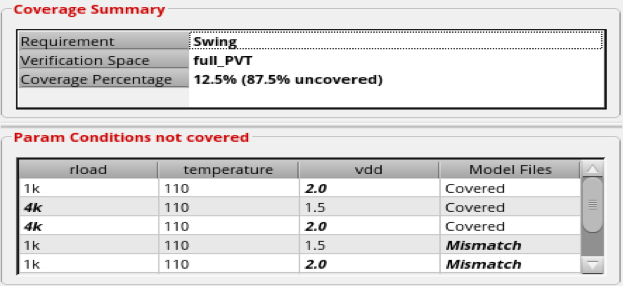
To open the coverage summary report to check which of the specified setup values have not been run for a particular block, right-click the requirement in the Results tab and choose View Coverage Summary. For example, consider the coverage summary report for the requirement Swing; the values in bold indicates that they have not been run in the setups at the block level. The mismatch in model files are also displayed in the coverage summary report.
In the Model Files column, mismatch indicates that the model file defined in the corner setup of Setup Library is not found in the specified history. You can click Mismatch to view the details.