
awvPlaceBookmark
awvPlaceBookmark(w_windowID t_bookmarkType l_location[?waveIndexx_waveIndex] [?parentt_parentGroup] [?descriptiont_description] [?visibleg_visible] [?propertiesl_propertiesList] [?subwindowx_subwindow] ) =>l_bookmarkID/nil
Description
Adds a bookmark of the specified type in a subwindow of the specified Waveform window.
The bookmarks can be organized into groups, where a bookmark group can contain another group.
Arguments
Value Returned
Examples
The following example creates a Waveform window and returns its window ID.
win=awvCreatePlotWindow()
=> window:3
The following example opens simulation results stored in the specified directory.
openResults("/servers/user/design/ampsim.raw")
=> "/servers/user/design/ampsim.raw"
The following example lists results that are available in the currently open results directory.
results()
=> tran(tranOp ac dcOp dcOpInfo model)
The following example selects the tran result from the current results directory. The tran result contains signal net10 and out.
selectResult('tran)
=> stdobj@0x32253b30
The following example creates a waveform object signal1, representing the waveform of the signal net10 that is available in the tran result.
signal1=v("net10")
=> srrWave:0x36552020
The following example creates a waveform object signal2, representing the waveform of the signal out that is available in the tran result.
signal2=v("out")
=> srrWave:0x36552030
The following example plots the waveforms of signals net10 and out in the Waveform window win.
awvPlotWaveform(
win
list(signal1 signal2)
?expr list("net10" "out")
?color list("y18" "y6")
?lineStyle list("solid" "solid")
?lineThickness list("thick" "thick")
)
=> t
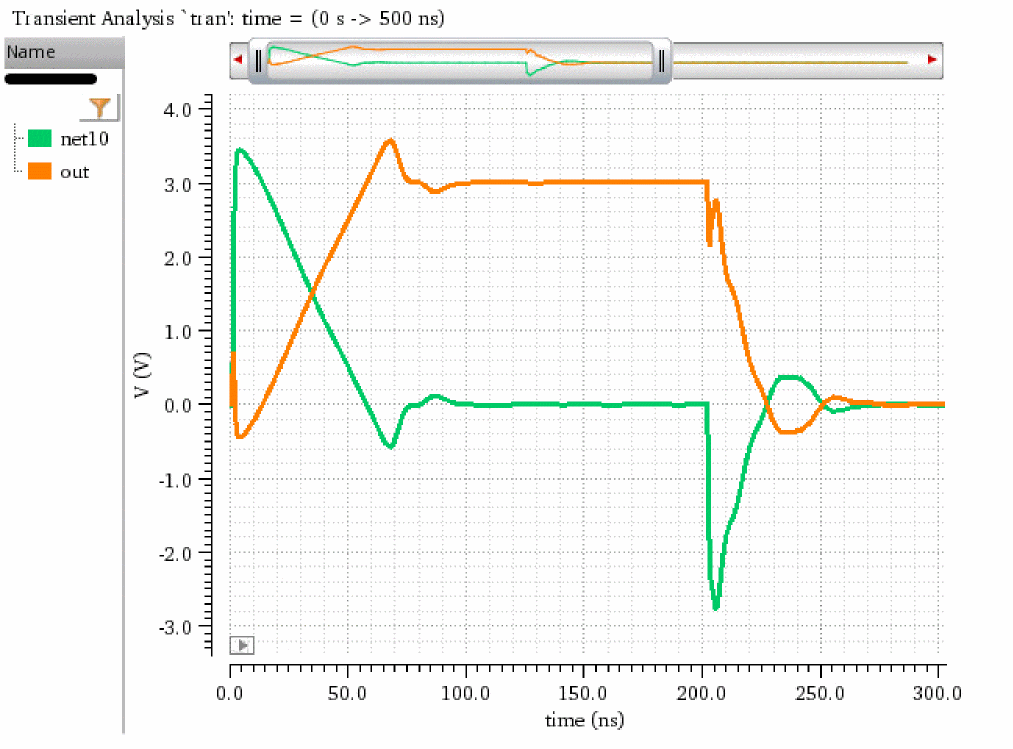
The following example returns the wave index numbers and the signal names plotted in the Waveform window, win.
awvGetWaveNameList(win)
=>
((1 2)
("net10" "out")
)
The following example creates a region bookmark with the specified properties at the specified location. Note that the region bookmark bm1 is attached to the trace net10 because it has the index number 1.
bm1=awvPlaceBookmark(win "region" list(50n 0.5 150n 2.3) ?waveIndex 1 ?description "regionBookmark1" ?properties list(list("fillColor" "red") list("foreground" "blue") list("lineStyle" "dashDotDot")))
=> ("regionBookmark[1.1.1]")
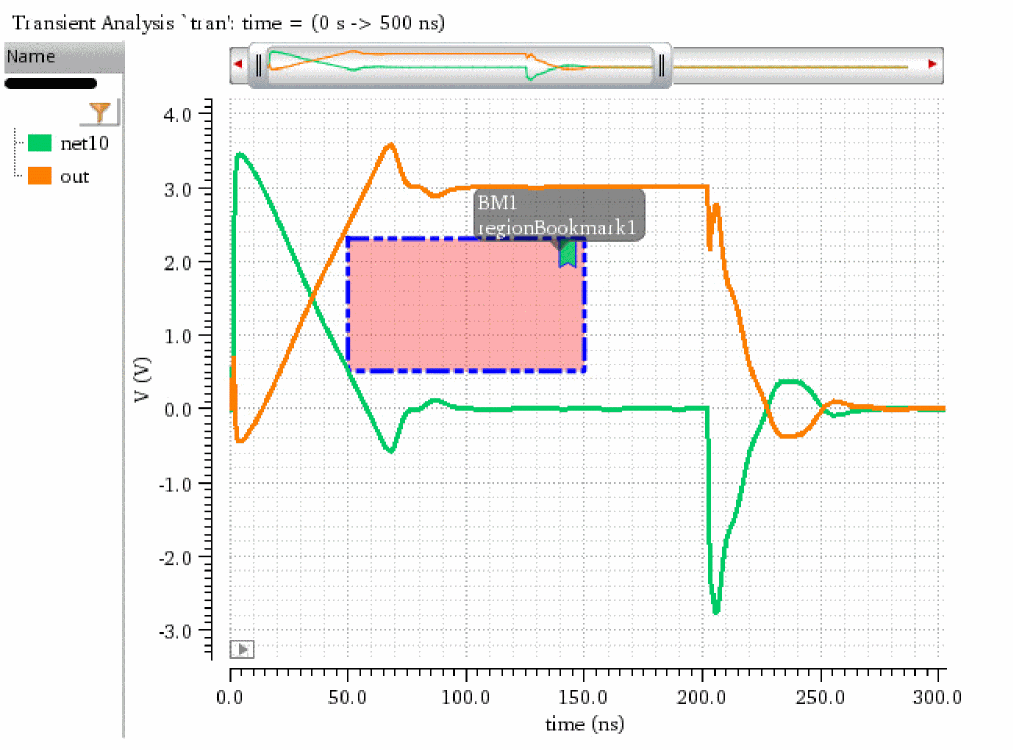
The following example creates another region bookmark with the specified properties at the specified location. The region bookmark bm2 is attached to the trace out because it has the wave index number 2.
bm2=awvPlaceBookmark(win "region" list(160n 1.5 250n 3.5) ?waveIndex 2 ?description "regionBookmark2" ?properties list(list("fillColor" "yellow") list("defaultLabel" "myBookmarkLabel") list("foreground" "blue") list("lineStyle" "dashDotDot")))
=> ("regionBookmark[1.1.2]")
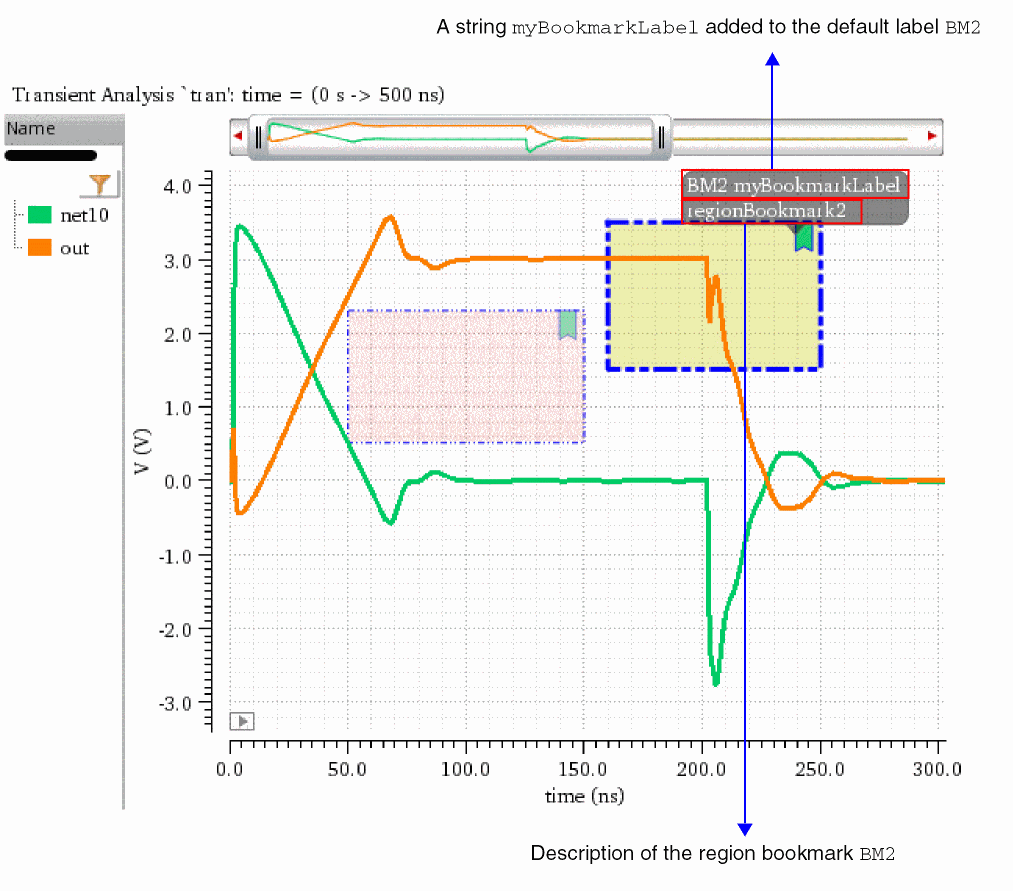
Note that a string myBookMarkLabel is also added to the default label of the bookmark BM2.
The following examples delete bookmarks bm1 and bm2 from the specified Waveform window.
awvDeleteMarker(win bm1)
=> t
awvDeleteMarker(win bm2)
=> t
The following example creates an xrange bookmark with the specified properties at the specified location. Note that the xrange bookmark bm1 is attached to the trace net10 because it has the index number 1.
bm1=awvPlaceBookmark(win "xrange" list(50n 150n) ?waveIndex 1 ?description "myXRangeBookmark" ?properties list(list("fillColor" "red") list("foreground" "blue") list("defaultLabel" "myXRangeLabel") list("lineStyle" "dashDotDot")))
=> ("xrangeBookmark[1.1.1]")
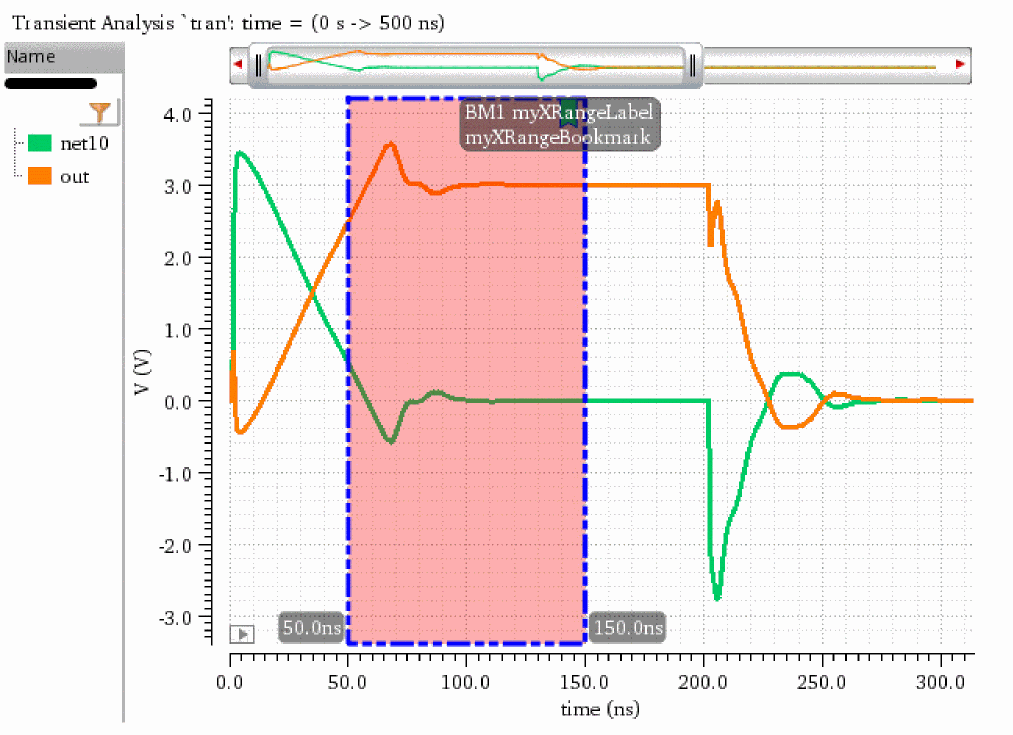
The following example deletes the xrange bookmark bm1 from the specified Waveform window.
awvDeleteMarker(win bm1)
=> t
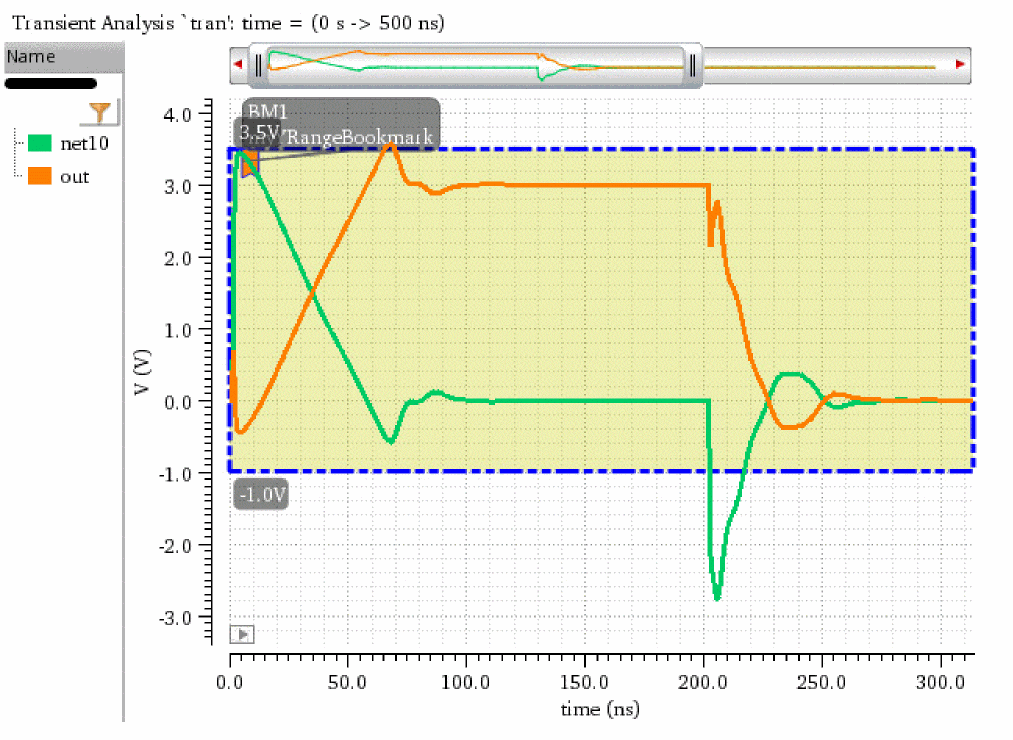
The following example creates a yrange bookmark with the specified properties at the specified location. Note that the yrange bookmark bm1 is attached to the trace out because it has the index number 2.
bm1=awvPlaceBookmark(win "yrange" list(-1 3.5) ?waveIndex 2 ?description "myYRangeBookmark" ?properties list(list("fillColor" "yellow") list("foreground" "blue") list("lineStyle" "dashDotDot")))
=> ("yrangeBookmark[1.1.1]")
Return to top