
awvPlaceQContour
awvPlaceQContour(w_windowID n_QValue[?subwindowx_subwindow] [?labelt_label] [?outlineColort_outlineColor] [?fillColort_fillColor] ) =>t_markerID/nil
Description
Adds two Q contour curves to the specified circular graph. Q is defined as Reactance/Resistance. A Q contour curve shows the curve of constant Q value on the Impedance Smith Chart.
Arguments
|
Identification number of the subwindow, which is found in the top-right corner of the subwindow. If you do not specify this argument, the current subwindow is used. |
|
Value Returned
|
Returns IDs of two Q contour curves added for the specified Q value. |
|
Examples
The following function creates a Waveform window and returns ID of the Waveform window.
awvCreatePlotWindow()
=> window:3
The following example opens the simulation results stored in the specified directory ampsim.raw.
openResults("/servers/user/design/ampsim.raw")
=> "/servers/user/design/ampsim.raw"
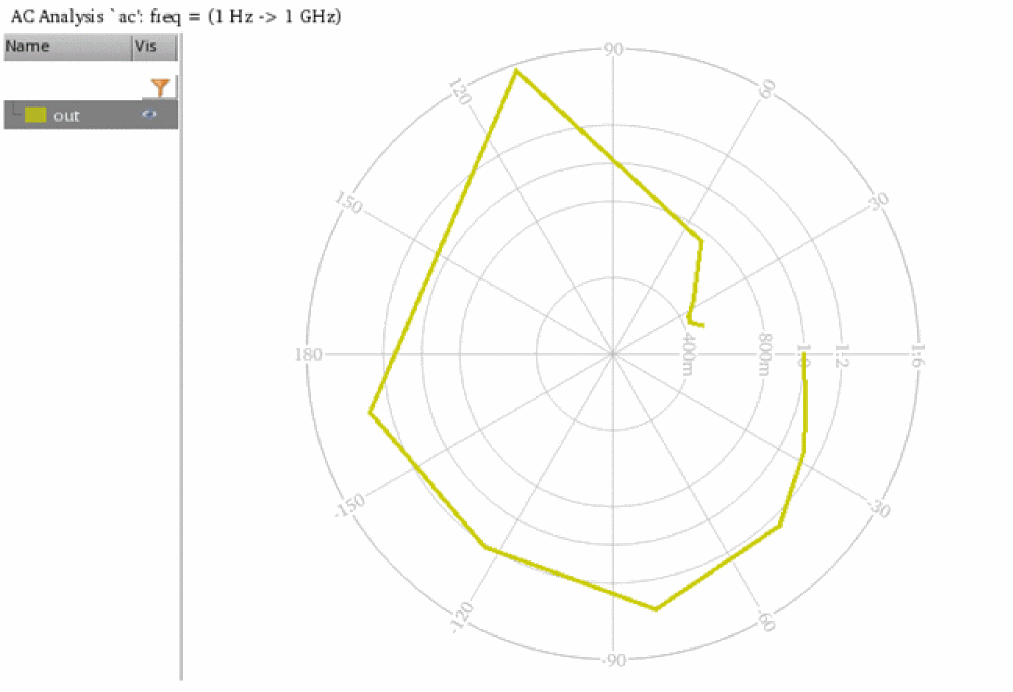
The following example creates plots the signal out from the ac-ac results of the specified results directory as a polar graph in the current Waveform window.
awvPlotSignals('(("/servers/user/design/ampsim.raw" (("ac-ac" ("out"))))) ?plotStyle "Append" ?graphType "Polar")
=> t
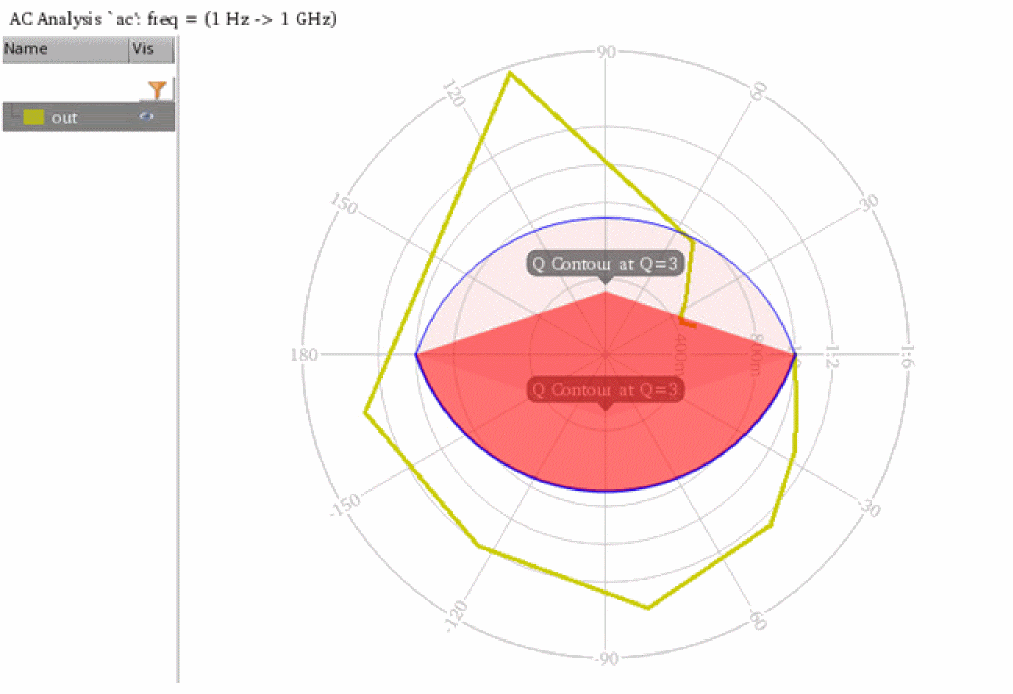
The following example adds two Q contour curves for the Q value 3 to the circular graph in the current Waveform window.
awvPlaceQContour(awvGetCurrentWindow() 3 ?label "Q Contour at Q=3" ?outlineColor "blue" ?fillColor "red")
=> ("circleMarker[1.1.1]" "circleMarker[1.1.2]")
Return to top