
awvRfLoadPull
awvRfLoadPull(w_waveform[?maxValuex_maxValue] [?minValuex_minValue] [?numContx_numCont] [?closeContg_closeCont] [?namet_name] ) =>t/nil
Description
Draws load pull contour for the given waveform of PSS analysis. This function works only on two-dimensional sweep PSS results. The inner sweep must be phase and the outer sweep must be mag.
Arguments
Value Returned
Examples
The following example creates a Waveform window and returns its window ID.
win1=awvCreatePlotWindow()
=> window:3
The following example opens the loadpull simulation results stored in the specified directory.
openResults("/home/user/loadpullsim/ExampleLibRF/lnaSimple/maestro/results/maestro/loadPULL/1/ExampleLibRF_lnaSimple_1/psf")
=>
"/home/user/loadpullsim/ExampleLibRF/lnaSimple/maestro/results/maestro/loadPULL/1/ExampleLibRF_lnaSimple_1/psf"
The following example lists the results available in the currently open results directory.
results()
(hb_mt_fi hb_mt_fd model instance output
designParamVals primitives subckts variables
)
The following example selects the hb_mt_fi results from the results directory.
selectResults('hb_mt_fi)
=> stdobj@0x32b87cf8
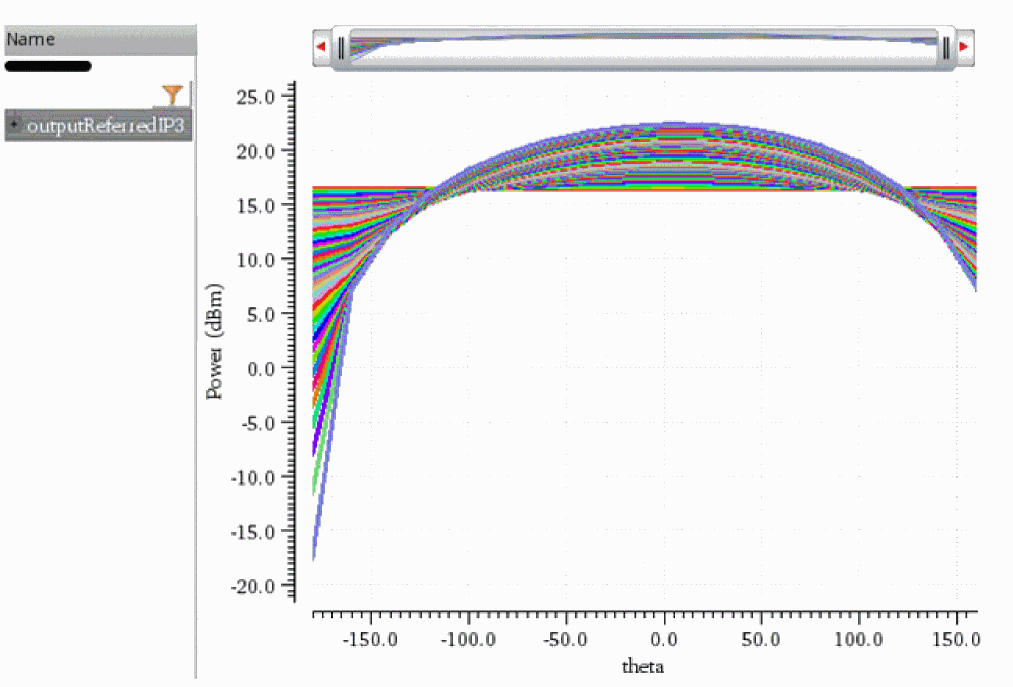
The following example creates a waveform object ip3, which represents the third-order intercept point (IP3) measurement done using two-tone harmonic balance analysis (hb_mt).
ip3=ipnVRI((v("/net047" ?result "hb_mt_fi") - 0.0) '(2 -1) '(0 1) ?rport resultParam("PORT0:r" ?result "hb_mt_fi") ?epoint -34 ?psweep nil ?measure "Output")
=> srrWave:0x3868af50
The following example plots the waveform object ip3 in the Waveform window win1.
awvPlotWaveform(
win1
list(ip3)
?expr list("outputReferredIP3")
)
=> t
The following example creates another Waveform window and returns it window ID.
win2=awvCreatePlotWindow()
=> window:4
The following example sets display mode of the Waveform window win2 to smith.
awvSetDisplayMode(win2 "smith")
=> t
The following example sets the Smith display of the Waveform window win2 to impedance.
awvSetSmithModeType(win2 "impedance")
=> t
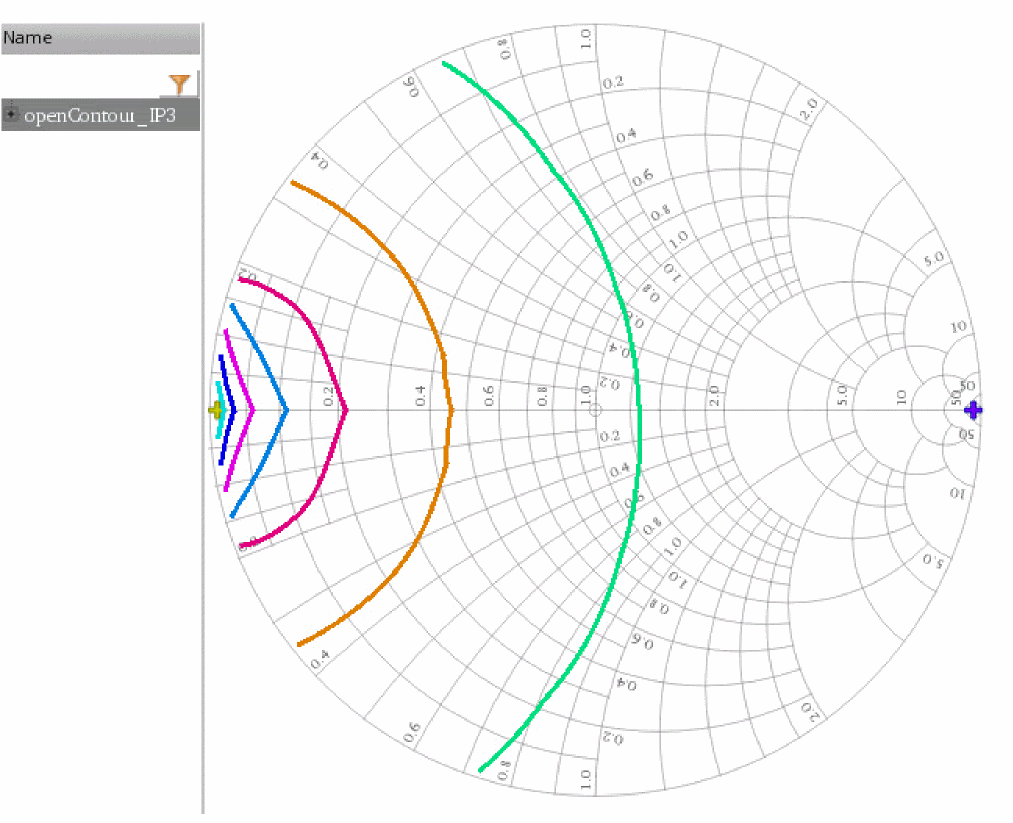
The following example creates a waveform object openContour, which represents 9 loadpull contours drawn for the input waveform ip3. In this example, note that the largest and smallest values of the contours are taken from the simulation results.
openContour=awvRfLoadPull(ip3 ?maxValue nil ?minValue nil ?numCont 9 ?closeCont nil)
=> srrWave:0x3868d5f0
The following example plots the waveform object openContour in the Waveform window win2.
awvPlotWaveform(
win2
list(openContour)
?expr list("openContour_IP3")
)
=> t
The following example creates another Waveform window and returns it window ID.
win3=awvCreatePlotWindow()
=> window:5
The following example sets display mode of the Waveform window win3 to smith.
awvSetDisplayMode(win3 "smith")
=> t
The following example sets the Smith display of the Waveform window win3 to impedance.
awvSetSmithModeType(win3 "impedance")
=> t
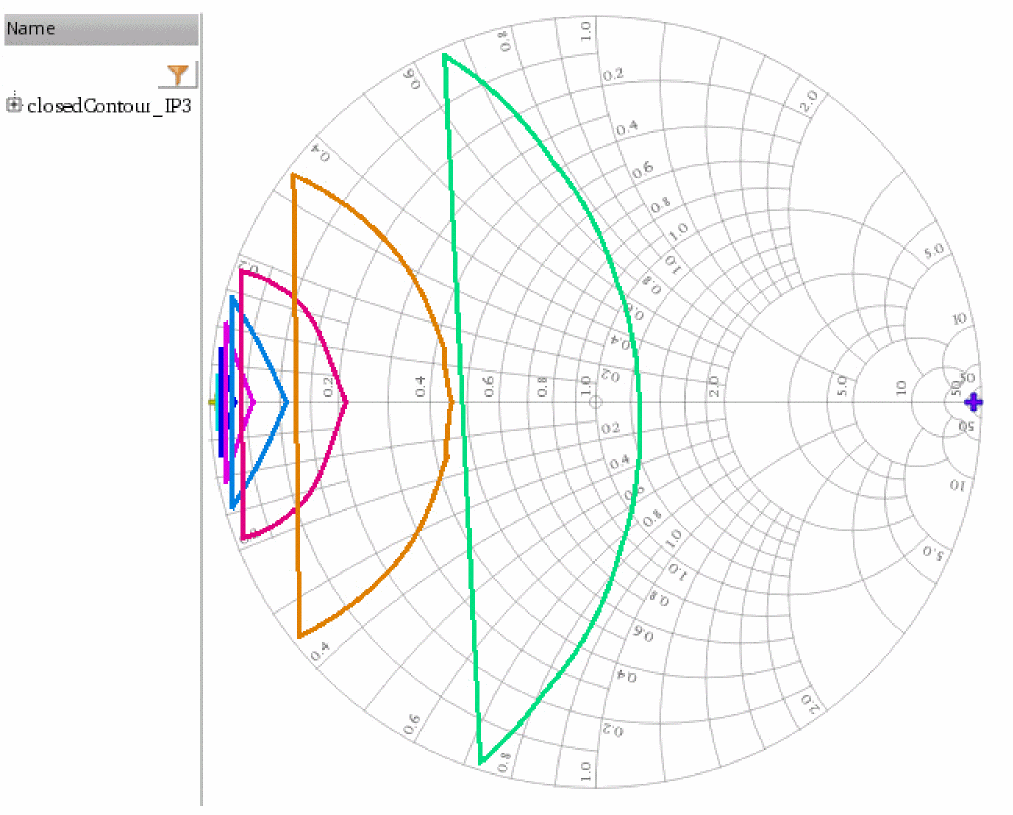
The following example creates a waveform object closedContour, which represents 9 loadpull contours drawn for the input waveform ip3. In this example, note that the largest and smallest values of the contours are taken from the simulation results.
closedContour=awvRfLoadPull(ip3 ?maxValue nil ?minValue nil ?numCont 9 ?closeCont t)
=> srrWave:0x3866d700
The following example plots the waveform object closedContour in the Waveform window win3.
awvPlotWaveform(
win3
list(closedContour)
?expr list("closedContour_IP3")
)
=> t
Return to top