
awvSetSmithYLimit
awvSetSmithYLimit(w_windowID l_minMax[?subwindowx_subwindow] ) =>t/nil
Description
Sets the y axis display limits for a subwindow with a Smith display mode.
Adjusts the vertical limit of the graph to include the user-specified limit and positions the graph such that the midpoint of the user limit is centered. Depending on the aspect ratio of the window and current zoom state, the resulting limit may differ from the user-specified limit.
This command does not take effect if the display mode is set to strip or composite.
Arguments
Value Returned
Examples
Consider the following graph window, where both X and Y limits are [-300, 300].
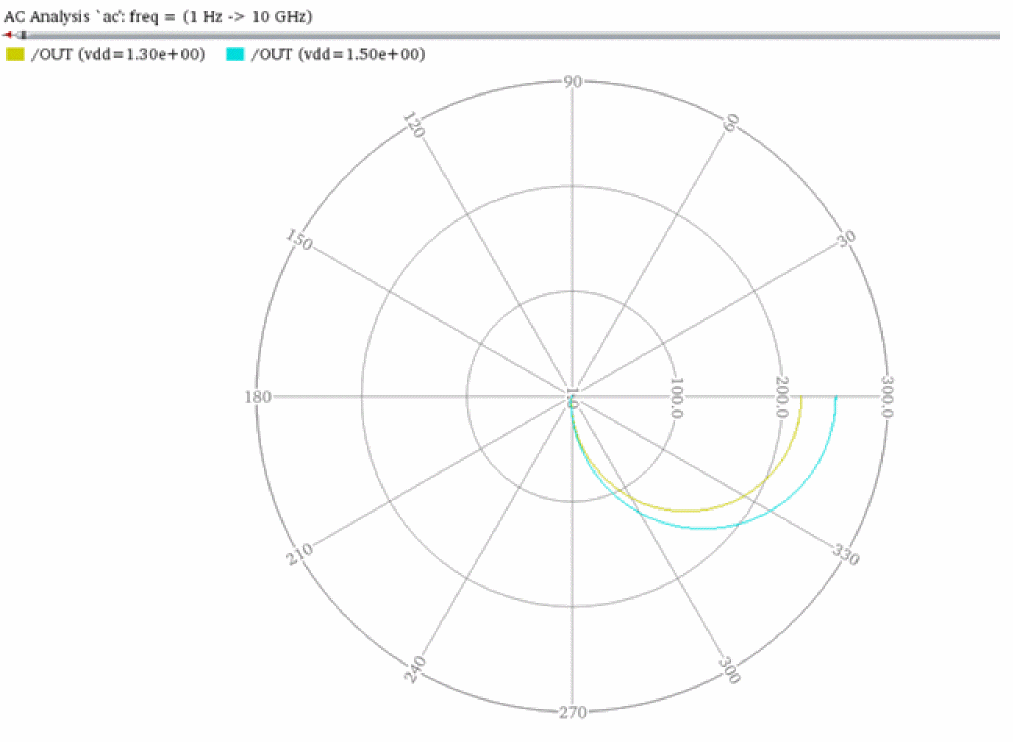
awvSetSmithXLimit(awvGetCurrentWindow() list(0 300) ?subwindow 1)
The x limit is now [0, 300] and the y limit remains [-300, 300].
To preserve the y limit without stretching the graph, the horizontal zoom is unchanged, but the graph is adjusted such that [0, 300] is horizontally centered.
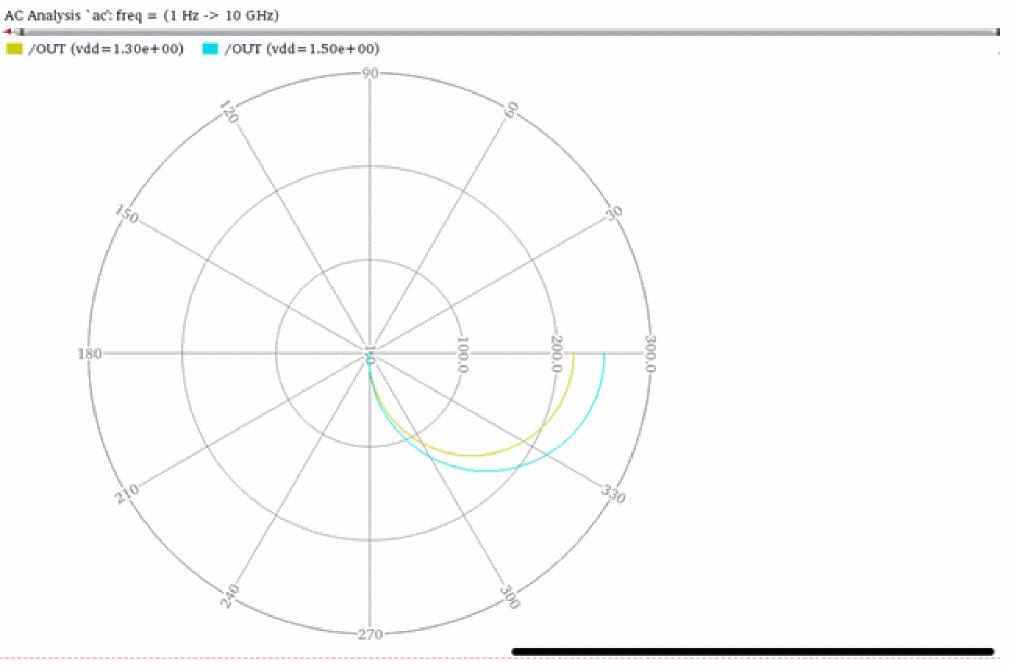
Now, run the following command:
awvSetSmithYLimit(awvGetCurrentWindow() list(-200 100) ?subwindow 1)
The x limit is still set to [0, 300] but the y limit is now [-200, 100]. The graph is vertically zoomed to [-200, 100], but the horizontal zoom is forced to include more than the user-specified x limit.
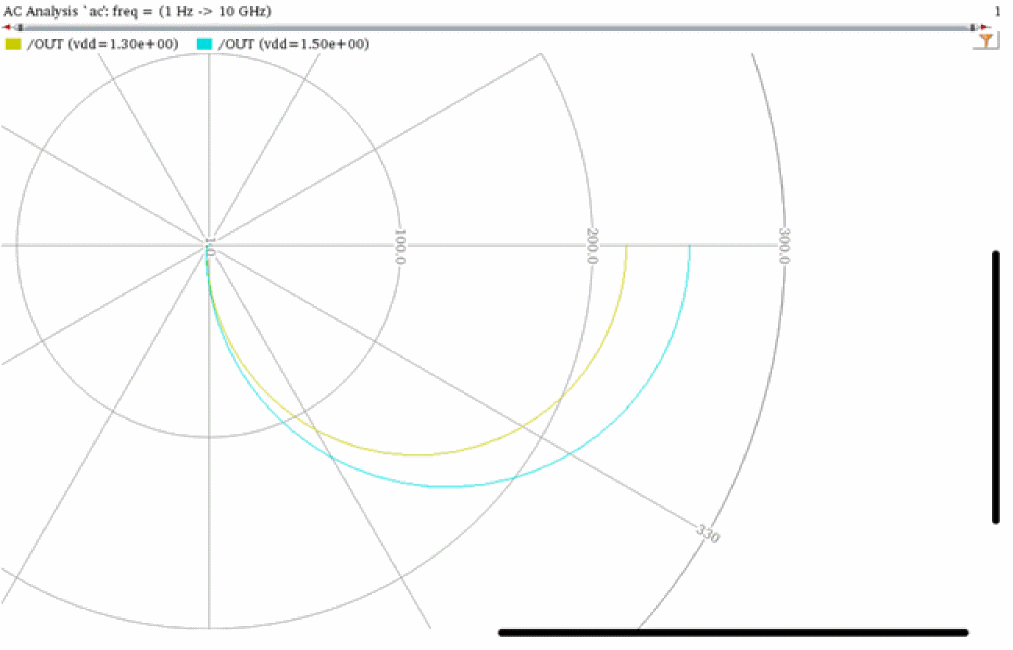
Now, when you run the following:
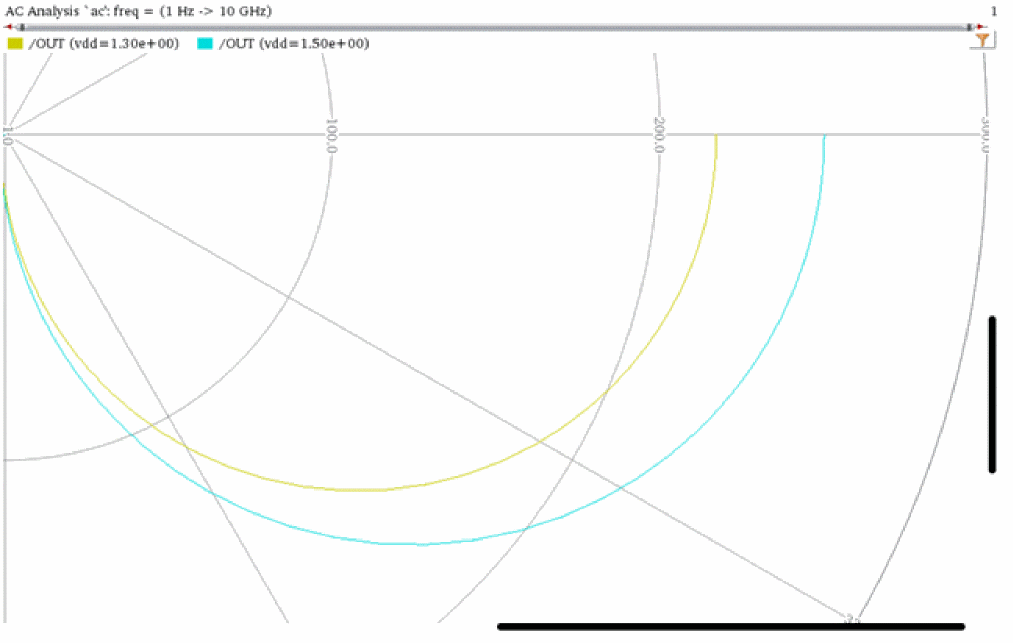
awvSetSmithYLimit(awvGetCurrentWindow() list(-150 25) ?subwindow 1)
The resulting limits match the user-specified limits only if the aspect ratio of the zoom rectangle and graph area match. In this example, setting x limit to [0, 300] and y limit to [-150, 25] fits this requirement.
Return to top