
awvSimplePlotExpression
awvSimplePlotExpression(w_windowID t_expr l_context g_replace[?exprl_exprList] [?colorl_colorList] [?lineTypel_lineTypeList] [?lineStylel_lineStyleList] [?lineThicknessl_lineThicknessList] [?showSymbolsl_showList] [?dataSymboll_symbolList] [?subwindowx_subwindow] ) =>t/nil
Description
Evaluates the t_expr expression and plots the resulting waveforms in a subwindow of the specified Waveform window.
Arguments
Value Returned
|
Expression t_expr is evaluated successfully and the resulting waveform is plotted in the subwindow of the specified Waveform window. |
|
Examples
The following example creates a Waveform window and returns the ID of the Waveform window.
awvCreatePlotWindow()
=> window:3
The following example opens simulation results stored in the specified directory amsim.raw.
openResults("/servers/user/design/ampsim.raw")
=> "/servers/user/design/ampsim.raw"
The following examples evaluate expressions flip and lshift applied on the signal out, which is available in the tran-tran result of the results directory ampsim.raw.
awvPlotSimpleExpression("flip(v(\"out\" ?result \"tran-tran\"))" ?plotStyle "Append" ?graphType "Rectangular" ?graphModifier "Magnitude")
=> t
awvPlotSimpleExpression("lshift(v(\"out\" ?result \"tran-tran\") 50ns )" ?plotStyle "Append" ?graphType "Rectangular" ?graphModifier "Magnitude")
=> t
The resulting waveforms evaluated from the expressions are plotted in append mode in the Waveform window created by the function awvCreatePlotWindow.
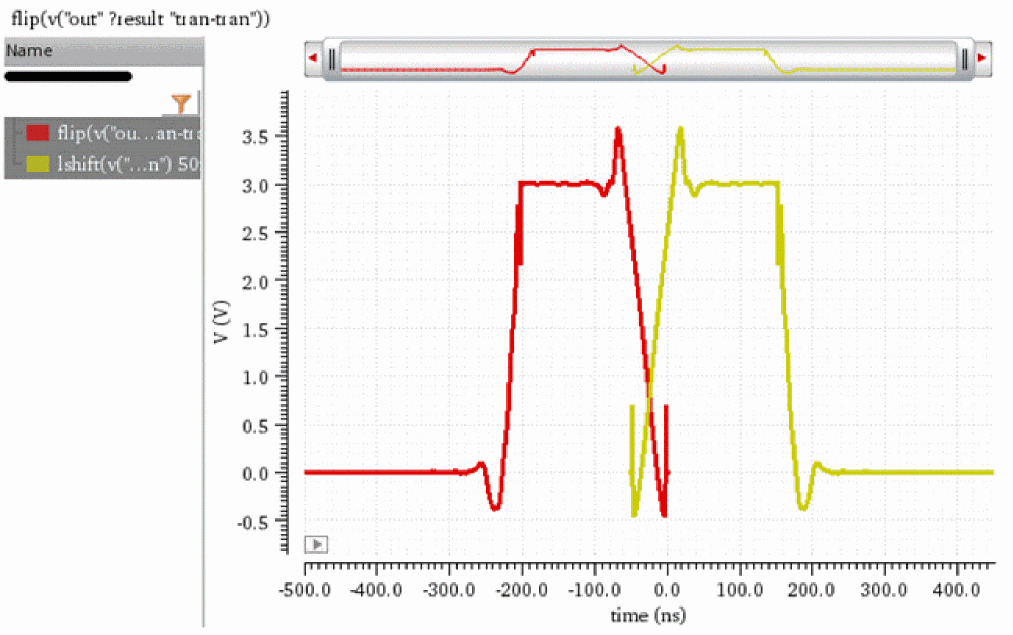
The following example returns the index numbers and names of the waveforms plotted in the current Waveform window.
awvGetWaveNameList(awvGetCurrentWindow())
=>
((1 2)
("flip(v(\"out\" ?result \"tran-tran\"))" "lshift(v(\"out\" ?result \"tran-tran\") 50ns )")
)
Note that waveforms are assigned with the lowest available index numbers 1 and 2.
Now, plot an expression using awvSimplePlotExpression. Specify the name of the resulting waveform as waveform1 using the ?expr argument. Note that waveform1 is plotted in the current Waveform window and existing waveforms are not overwritten because g_replace argument is set to nil.
awvSimplePlotExpression(awvGetCurrentWindow() "v(\"net10\" ?result \"tran-tran\")-v(\"in_p\" ?result \"tran-tran\")" nil nil ?expr list("waveform1") ?color list("y12") ?lineType list("line") ?lineStyle list("dash") ?lineThickness list("fine") ?showSymbols list(t) ?dataSymbol list("X"))
=> t
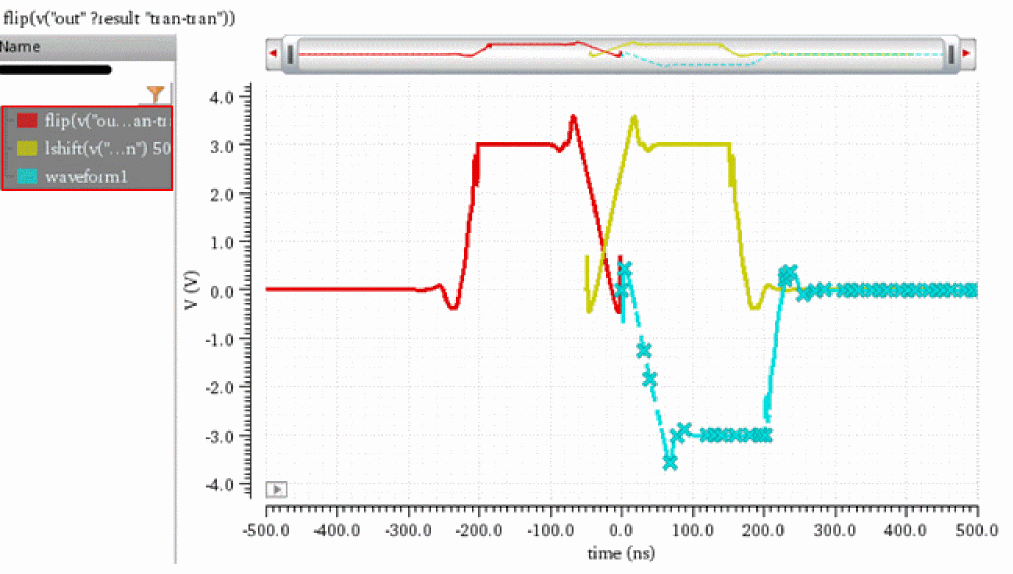
The following example returns the index numbers and names of the waveforms plotted in the current Waveform window. Note that waveform1 is assigned with the next available index number, which is 3.
awvGetWaveNameList(awvGetCurrentWindow())
=>
((1 2 3)
("flip(v(\"out\" ?result \"tran-tran\"))" "lshift(v(\"out\" ?result \"tran-tran\") 50ns )" "waveform1")
)
Now, plot another expression using awvSimplePlotExpression. Specify the name of the resulting waveform as waveform2 using the ?expr argument. Note that waveform2 is plotted in the current Waveform window and existing waveforms are overwritten because g_replace argument is set to t.
awvSimplePlotExpression(awvGetCurrentWindow() "v(\"net10\" ?result \"tran-tran\")+v(\"in_p\" ?result \"tran-tran\")" nil t ?expr list("waveform2") ?color list("y6") ?lineType list("line") ?lineStyle list("dash") ?lineThickness list("fine") ?showSymbols list(t) ?dataSymbol list("X"))
=> t
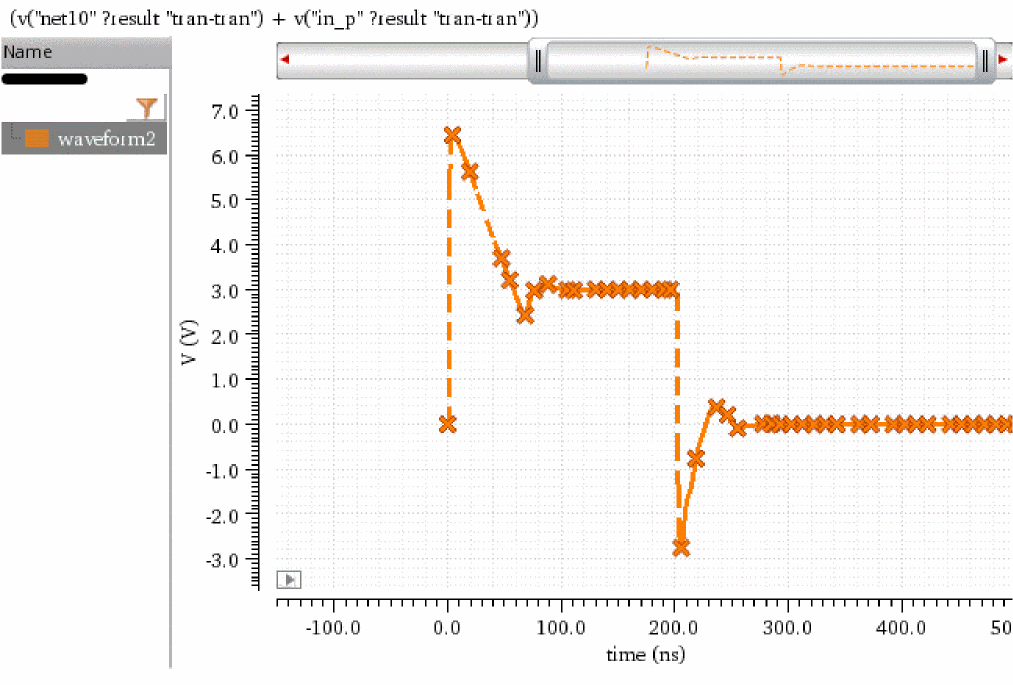
The following example returns the index numbers and names of the waveforms plotted in the current Waveform window. Note that waveform2 is assigned with the next available index number, which is 4.
awvGetWaveNameList(awvGetCurrentWindow())
=>
((4)
("waveform2")
)
Return to top