
OS
OS(t_instanceName t_parameterName) =>o_waveform/nil
Description
Returns the specified device parameter of the an instance from DC analysis data.

Arguments
|
Name of the instance for which the device parameter is to be calculated. |
|
Value Returned
|
Waveform representing the calculated device parameter of the specified instance. |
|
|
The device parameter cannot be calculated because of an error. |
Examples
The following example opens simulation results of transient and DC analysis stored in the specified results directory.
openResults("/servers/user/testcase/simulation/lib/cell/maestro/results/maestro/ExplorerRun.0/1/test/psf")
=> "/servers/user/testcase/simulation/lib/cell/maestro/results/maestro/ExplorerRun.0/1/test/psf"
The following example lists the results available in the currently open results directory.
results()
= > tran(tranOp dcOp dcOpInfo dc
model instance output
designParamVals primitives subckts
variables
)
The following example selects the results of DC analysis.
selectResults('dc)
=> stdobj@0x316292a8
The following example lists the output signals saved in the selected result.
outputs()
=> ("/D0:v" "/V1:v" "/net3" "/emitter" "/net021"
"/net17" "/varactor1" "/net30" "/collector" "/base"
"/net8" "/out" "/IPRB0/PLUS" "/L0/PLUS" "/L1/PLUS"
"/V0/PLUS" "/V1/PLUS" "/V2/PLUS" "V1:pwr" "/C0:cap"
"/D0:i" "/IPRB0:i" "/V1:i" "/D0:gd"
)
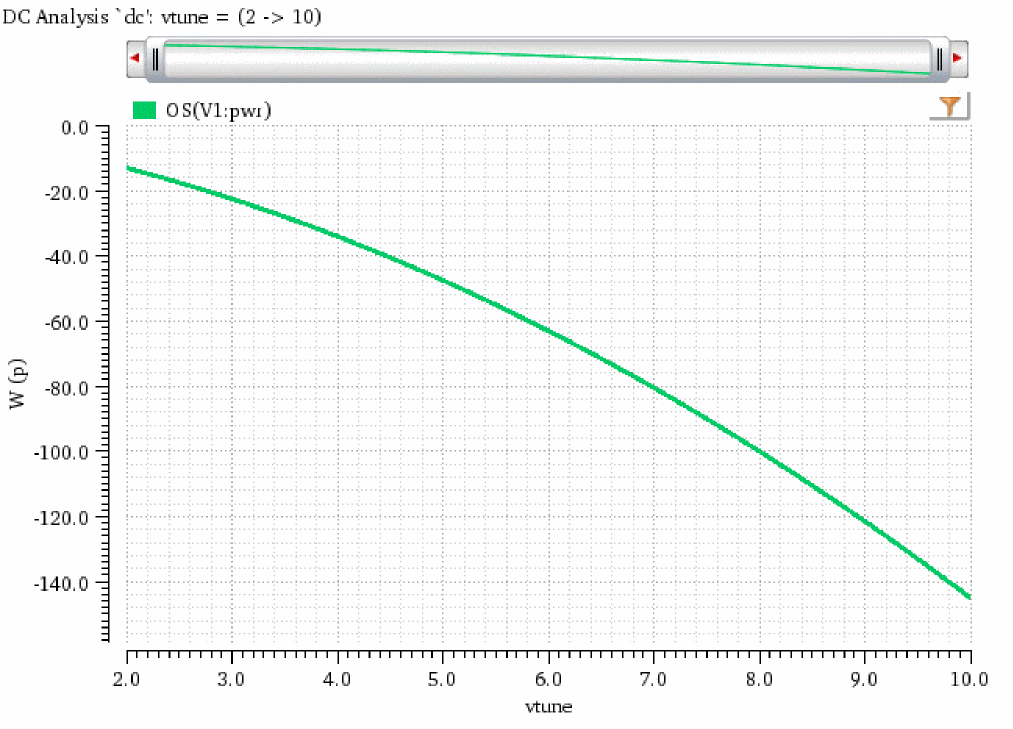
The following example creates a waveform object wave that represents the waveform of device parameter pwr of the instance V1 for DC analysis.
wave=OS("/V1" "pwr")
=> srrWave:0x35817010
The following example creates a Waveform window win and returns its window ID.
win=awvCreatePlotWindow()
=> window:3
The following example plots the waveform object wave in the Waveform window win.
awvPlotWaveform(
win
list(wave)
?expr list("OS(V1:pwr)")
?color list("y18")
?lineType list("line")
?lineStyle list("solid")
?lineThickness list("thick")
)
=> t
Return to top