
calCalcInput
calCalcInput(l_keywords[t_expression] ) =>t/nil
Description
Manipulates Buffer and Stack contents and enters arbitrary expressions into Buffer.
Arguments
|
Integer, symbol, or list of symbols indicating the keywords whose corresponding function is to be performed on the contents of Buffer or Stack. |
|
Arguments
Examples
The following example opens Calculator.
calCalculatorFormCB()
=> t
Note that the Buffer is currently empty.
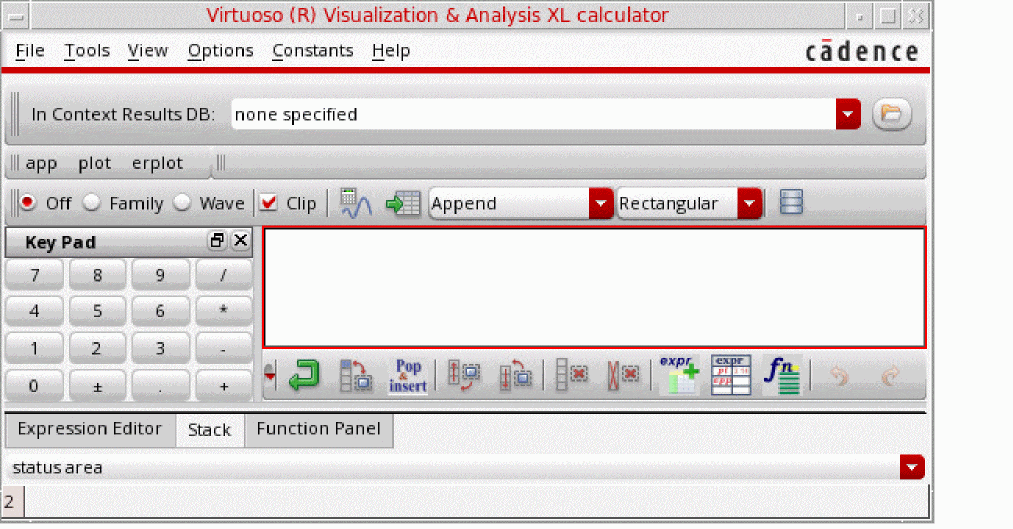
The following example copies the expression "expr(x sin(x) linRg(-12.5 15.5 0.5))" in Buffer.
calCalcInput("expression" "expr(x sin(x) linRg(-12.5 15.5 0.5))")
=> calSetBuffer("expr(x sin(x) linRg(-12.5 15.5 0.5))")
=> t
=> t
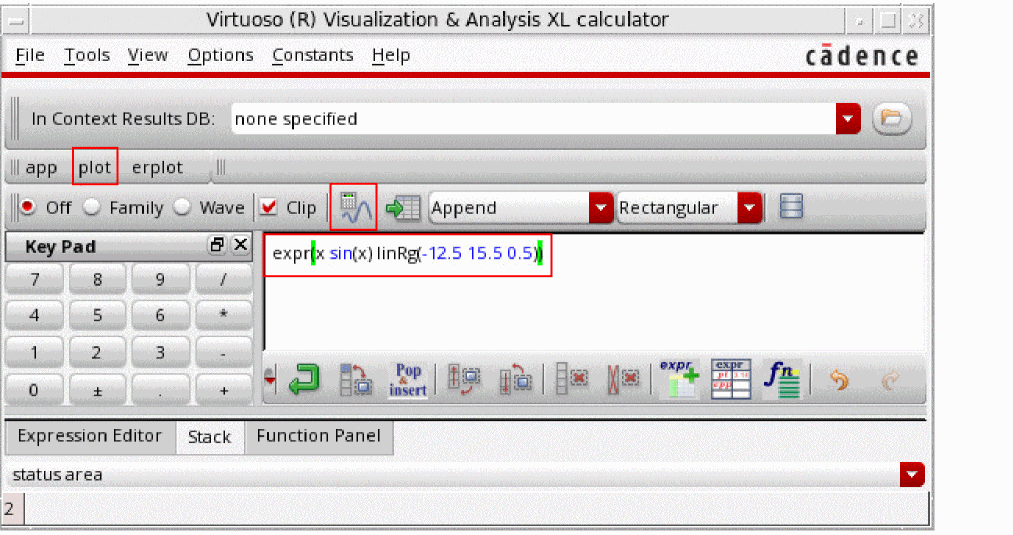
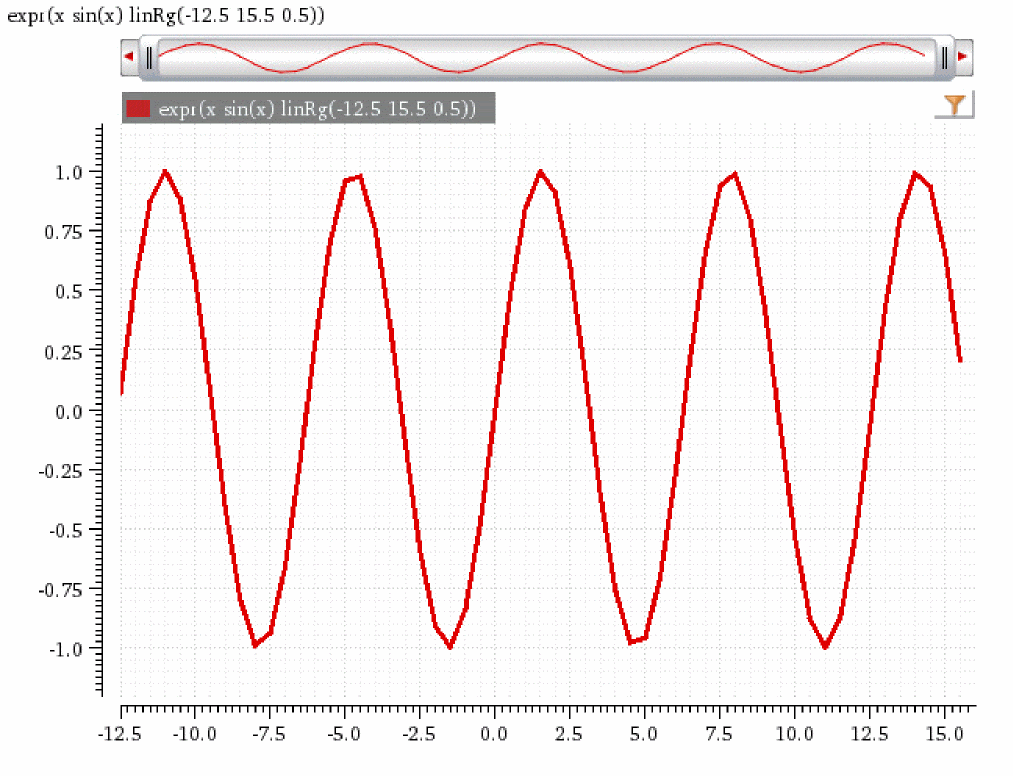
Click plot or the Evaluate the Buffer  icon to evaluate the expression in Buffer.
The resultant waveform is plotted in a Waveform window.
The following example clears the contents of Buffer.
calCalcInput("clear")
calSetBuffer("")
=> t
=> t
The following example places the expression "1+2" in Buffer.
calCalcInput("expression" "1+2")
calSetBuffer("1+2")
=> t
=> t
The following expression is created in Buffer.

The following example applies the function on the contents of Buffer in the order their corresponding keywords are specified.
calCalcInput(list("exp" "square" "ln"))
=> calSetBuffer("exp(1+2)")
=> t
=> calSetBuffer("exp(1+2)**2")
=> t
=> calSetBuffer("ln(exp(1+2)**2)")
=> t
=> t
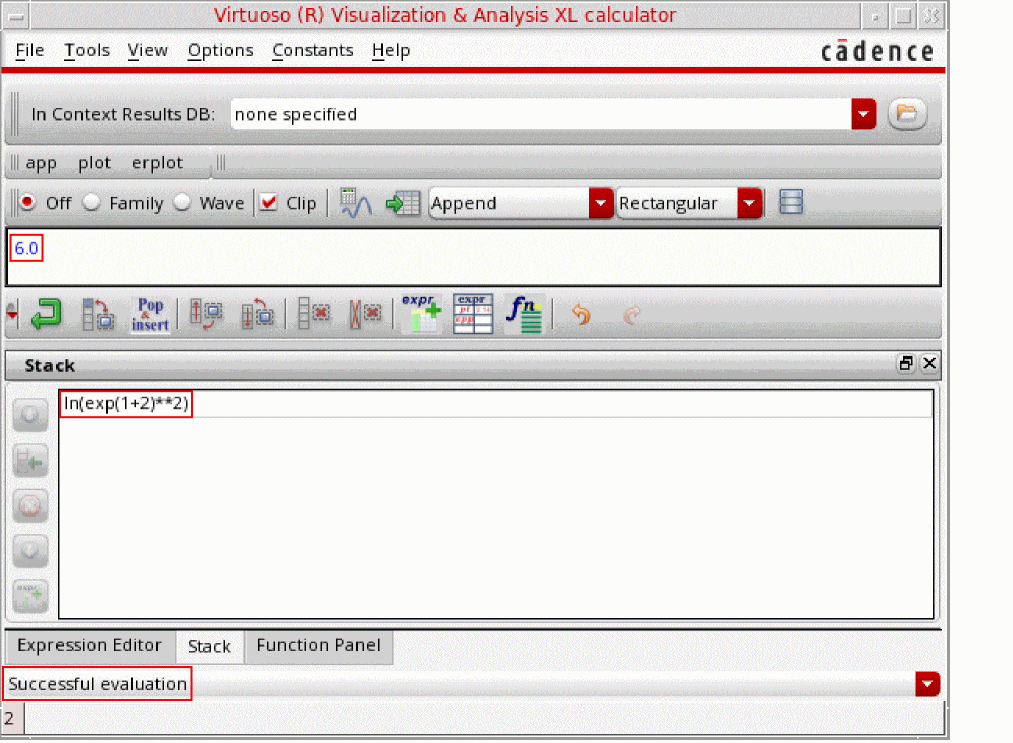
The final expression created in Buffer is shown, as follows:
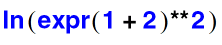
If you evaluate this expression manually, the result is 6.

Click plot or the Evaluate the Buffer  icon to evaluate the expression in the Buffer.
The resultant scalar value 6 is displayed in Buffer, as follows.
Return to top