
expr
expr(var expr l_values) =>o_waveform/nil
Description
Evaluates the expression expr by setting each of the values in the l_values list to the var variable in the expression.
A waveform object is created with l_values forming x vectors and the evaluated expr forming y vectors.
Arguments
Value Returned
Examples
The following example creates a Waveform window and returns its window ID.
win=awvCreatePlotWindow()
=> window:3
The following example creates a waveform object wave1 by evaluating the expression x*10 for different values of variable x. The expression is evaluated for different values of x vectors from 1 through 7.
wave1=expr(x (x*10) '(1 2 3 4 5 6 7))
=> srrWave:0x31180020
The following example plots the waveform object wave1 in the specified Waveform window, which is created using the awvCreatePlotWindow function.
awvPlotWaveform(
win
list(wave1)
?expr list("expr1")
?color list("y18")
?index list(1)
?lineType list("line")
?lineStyle list("solid")
?lineThickness list("thick")
?showSymbols list(t)
?dataSymbol list(3)
)
=> t
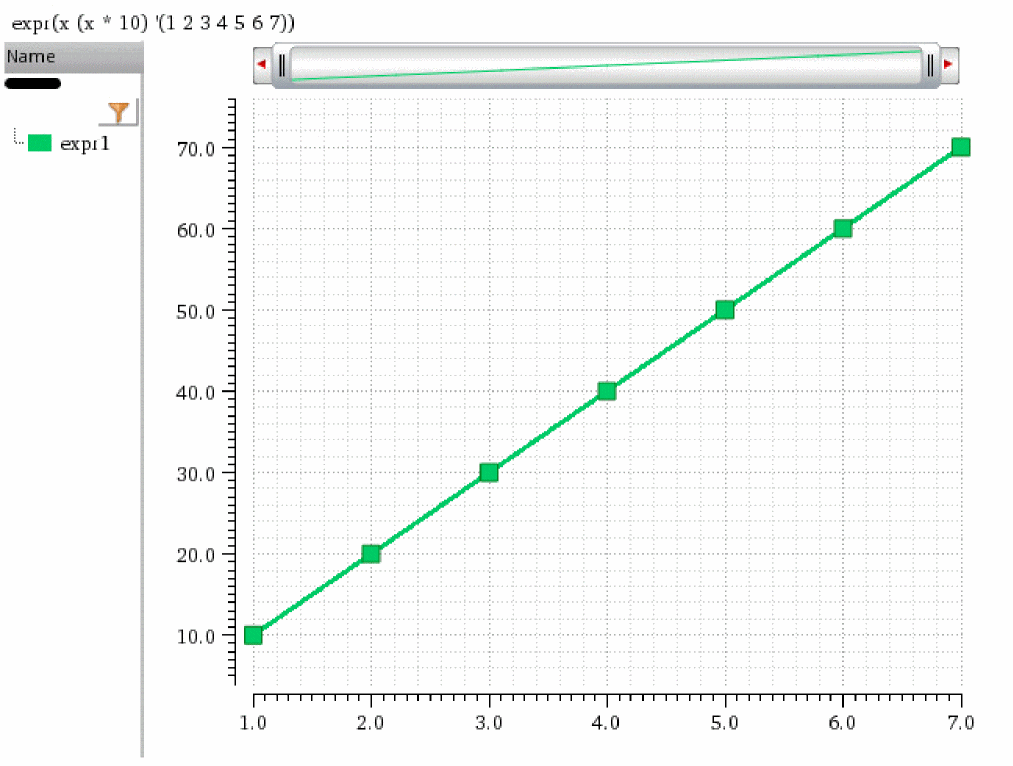
The following example creates another Waveform window and returns its Window ID.
win=awvCreatePlotWindow()
=> window:4
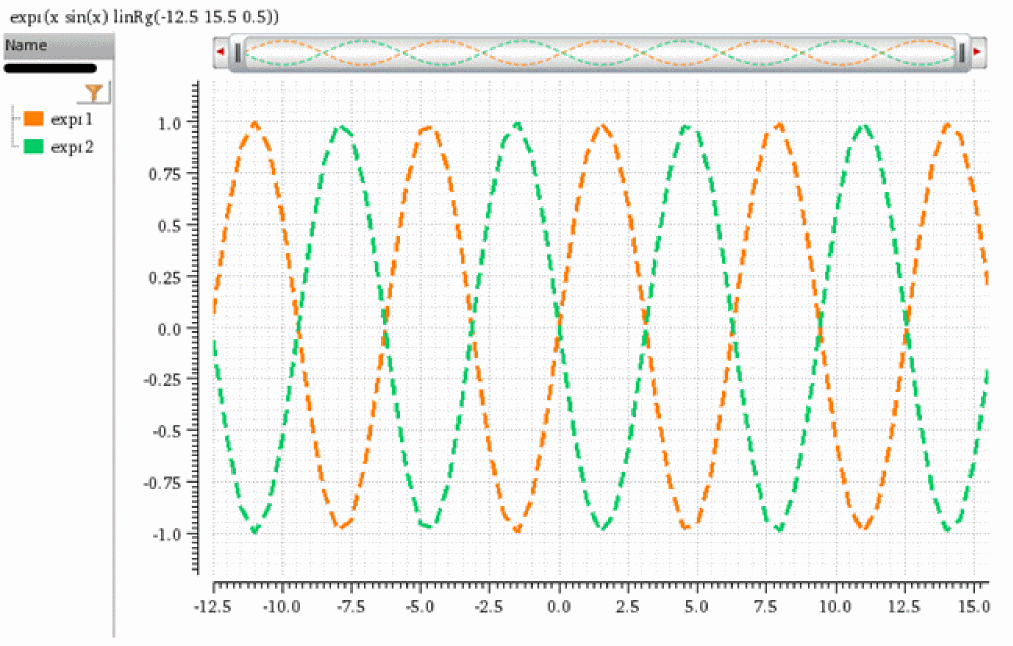
The following example creates a waveform object wave2 by evaluating the expression sin(x) from x=-12.5 to x=15.5.
The expression is evaluated at x=-12.5, -12.0, -11.5,...,14.5, 15.0, and 15.5.
wave2=expr(x sin(x) linRg(-12.5 15.5 0.5))
=> srrWave:0x30bfb020
The following example creates a waveform object wave3 by evaluating the expression -sin(x) from x=-12.5 to x=15.5.
The expression is evaluated at x=-12.5, -12.0, -11.5,...,14.5, 15.0, and 15.5.
wave3=expr(x -sin(x) linRg(-12.5 15.5 0.5))
=> srrWave:0x30bfb030
The following example plots the waveform objects wave2 and wave3 in the specified Waveform window, which is created using the awvCreatePlotWindow function.
awvPlotWaveform(
win
list(wave2 wave3)
?expr list("expr1" "expr2")
?color list("y6" "y18")
?index list(1 2)
?lineType list("line" "line")
?lineStyle list("dash" "dash")
?lineThickness list("thick" "thick")
)
=> t
Return to top