
leafValue
leafValue(o_waveform@restl_args) =>o_waveform/n_value/nil
Description
Returns the leaf waveform or the leaf value from the specified family of waveforms.
This function can also be used as a wrapper around the value function. It simplifies the syntax of the value function when there are multiple sweep variables.
This function is automatically applied when a leaf from a family of waveforms is sent to Calculator. It is automatically removed when expressions are sent from Calculator to the ADE outputs to prevent syntax errors.
Arguments
Value Returned
|
Leaf waveform or leaf value cannot be returned because of an error. |
Examples
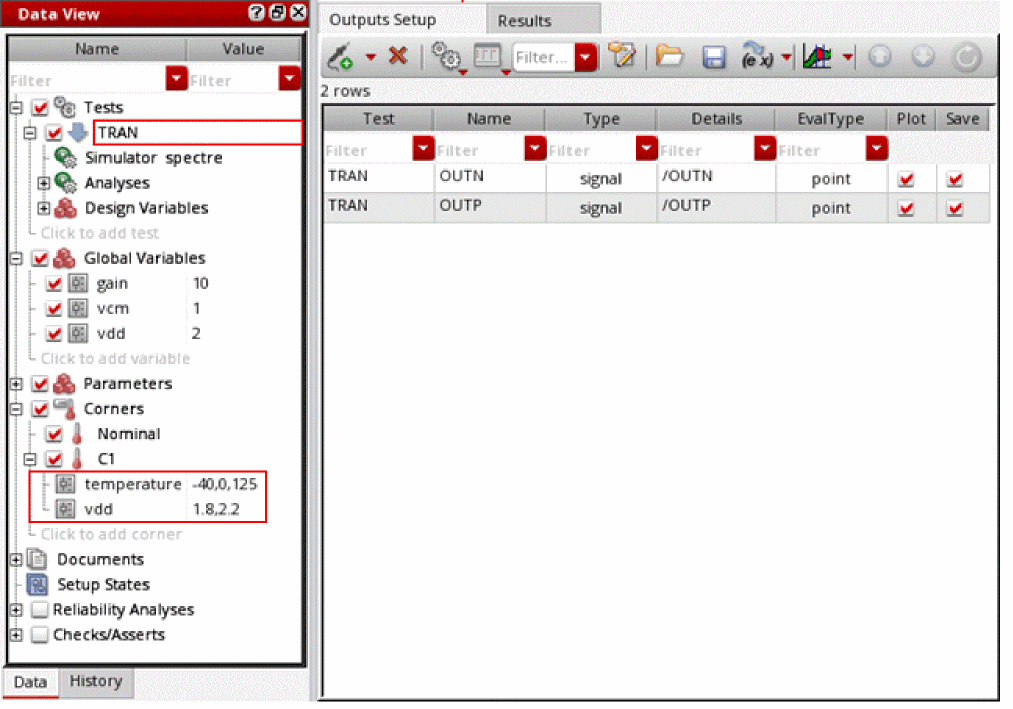
Consider the following test setup in ADE Assembler, where the test TRAN has two corners Nominal and C1. The corner C1 contains sweeping variables, temperature and vdd.
After running the simulation, you can use the following command to open simulation results stored in the specified results directory.
openResults("/servers/user/testCase/simulation/lib/cell/maestro/results/maestro/Interactive.2/psf/TRAN/psf")
=> "/servers/user/testCase/simulation/lib/cell/maestro/results/maestro/Interactive.2/psf/TRAN/psf"
The following example lists the results stored in the current results directory.
results()
=> tran(tranOp designParamVals variables)
The following example selects the result tran.
selectResults('tran)
=> stdobj@0x32ac6e78
The following example lists the outputs stored in the selected result tran.
outputs()
=>
( "/OUTN" "/OUTP")
The following example creates a family of transient waveforms for the specified net OUTP.
famOUTP=VT("/OUTP")
=> srrWave:0x34df5020
The following example creates a Waveform window and returns its window ID.
awvCreatePlotWindow()
=> window:3
The following example plots the waveform object famOUTP in the Waveform window win1.
awvPlotWaveform(
win1
list(famOUTP)
?expr list("OUTP")
)
=> t
Note that OUTP contains 7 child traces that are plotted for corners, Nominal and C1 and different values of sweep variables vdd and temperature.
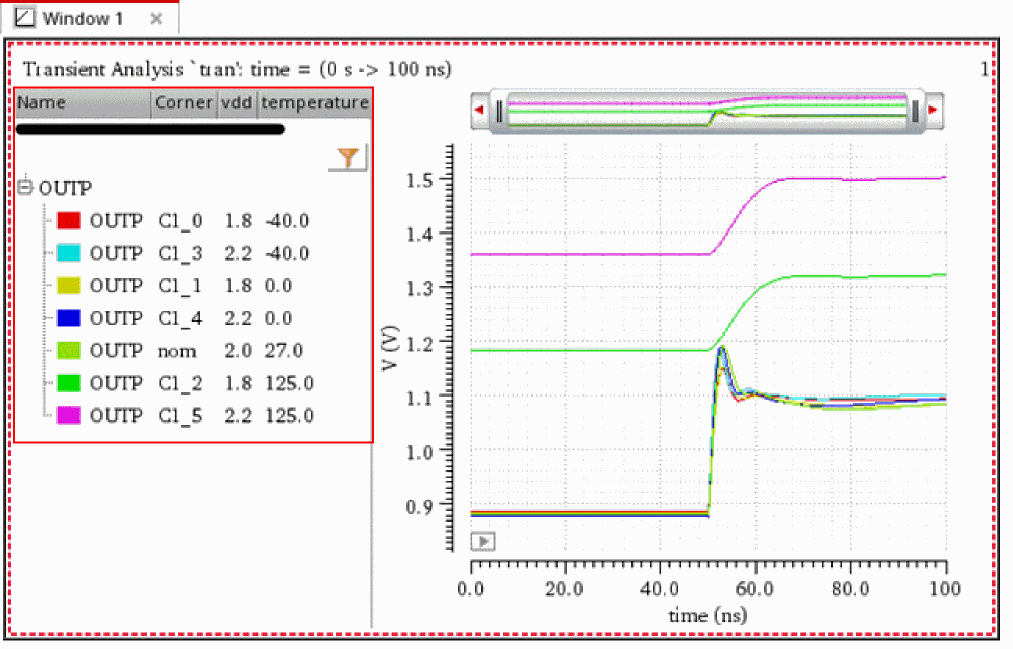
You can use the function leafValue to individually create these 7 leaves from a family of waveforms OUTP.
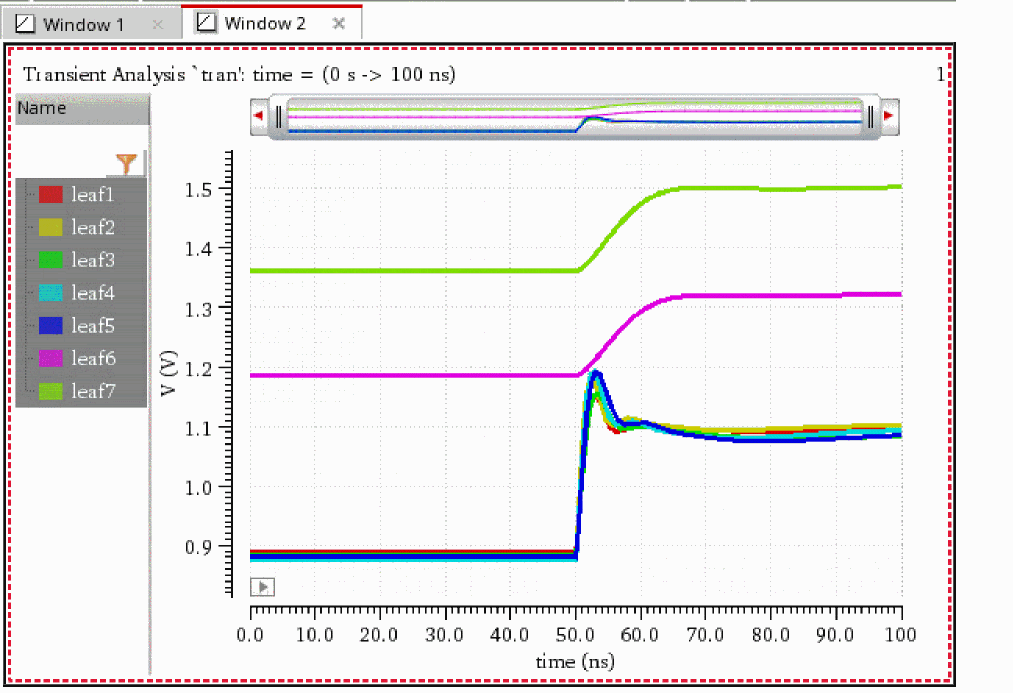
The following examples create 7 waveform objects, each representing an individual leaf for the specified values of the sweep variables vdd and temperature.
leaf1=leafValue(VT("/OUTP") "vdd" 1.8 "temperature" -40)
=> srrWave:0x34df50e0
leaf2=leafValue(VT("/OUTP") "vdd" 2.2 "temperature" -40)
=> srrWave:0x34df5100
leaf3=leafValue(VT("/OUTP") "vdd" 1.8 "temperature" 0)
=> srrWave:0x34df5120
leaf4=leafValue(VT("/OUTP") "vdd" 2.2 "temperature" 0)
=> srrWave:0x34df5140
leaf5=leafValue(VT("/OUTP") "vdd" 2.0 "temperature" 27)
=> srrWave:0x34df5160
leaf6=leafValue(VT("/OUTP") "vdd" 1.8 "temperature" 125)
=> srrWave:0x34df5180
leaf7=leafValue(VT("/OUTP") "vdd" 2.2 "temperature" 125)
=> srrWave:0x34df51a0
The following example creates another Waveform window and returns its window ID.
win2=awvCreatePlotWindow()
=> window:4
The following example plots these leaves in the Waveform window win2.
awvPlotWaveform(
win2
list(leaf1 leaf2 leaf3 leaf4 leaf5 leaf6 leaf7)
?expr list("leaf1" "leaf2" "leaf3" "leaf4" "leaf5" "leaf6" "leaf7")
)
=> t
Return to top