
vivaIsVivaExecutable
vivaIsVivaExecutable( ) =>t/nil
Description
Checks whether the current application (binary) is Virtuoso Visualization and Analysis XL.
If you are running Virtuoso Visualization and Analysis XL in standalone mode (executable mode), you can use this function to avoid loading customizations that are not necessary for the application. This helps in improving startup time, memory usage, and performance of the application.
Arguments
Value Returned
|
Indicates that the current application is Virtuoso Visualization and Analysis XL. |
|
Examples
The following example indicates that layoutCustomizations.il is loaded when Virtuoso Visualization and Analysis is not running in standalone mode (executable mode).
unless(vivaIsVivaExecutable()
load("./layoutCustomizations.il")
)
=> t
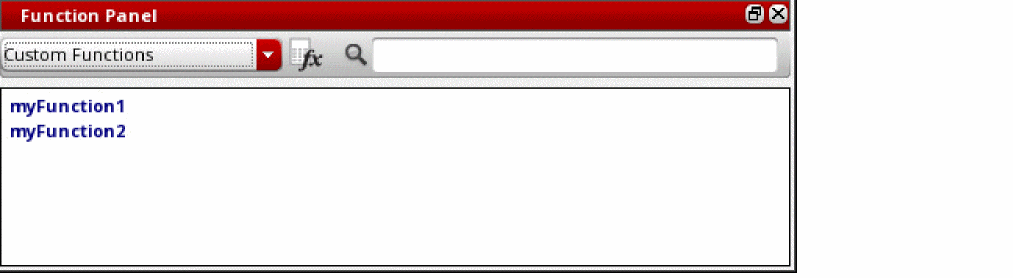
The following example indicates that the current executable application is Virtuoso Visualization and Analysis XL, and therefore, two custom functions myFunction1 and myFunction2 are added to the Custom Functions drop-down list in the Function Panel of Calculator.
The SKILL definitions and UI templates for both custom functions are saved in a single SKILL file customCalFunction.il.
if(vivaIsVivaExecutable()
awvLoadCustomCalcFunction(
?funcList list("myFunction1" "myFunction2")
?fileName "/home/user/customCalFunction.il"
)
)
=> t
Return to top