
rfWrlsMeasContour
rfWrlsMeasContour(t_sig[?maxValuen_maxVaue] [?minValuen_minValue] [?numContn_numCont] [?closeContg_closeCont] [?modifiert_modifier] ) =>n_family/nil
Description
Draws contours of system measurements from simulation results of envelope loadpull analysis.
Arguments
Value Returned
|
Family of wave representing the contours drawn for the specified system measurement. |
|
Examples
The following example opens simulation results of envelope loadpull analysis stored in the specified directory.
openResults("/servers/user/ENVLPLoadpull/simulation/lib/cell/maestro/results/maestro/ExplorerRORun.0/1/lib:cell:1/psf")
=> "/servers/user/ENVLPLoadpull/simulation/lib/cell/maestro/results/maestro/ExplorerRORun.0/1/lib:cell:1/psf"
The following example lists the results available in the currently open results directory.
results()
=> (envlpldp model instance output designParamVals
primitives subckts variables
)
The following example selects the result envlpldp.
selectResults('envlpldp)
=> stdobj@0x31e55ad0
The following example lists the outputs available in the selected result.
outputs()
=>
("WPRB1.rmsvol" "WPRB0.rmsvol" "LOAD.rmsvol" "WPRB1.ber.1" "WPRB1.fskerr.1"
"WPRB0.ber.1" "WPRB0.fskerr.1" "WPRB1.acpr.left1" "WPRB1.acpr.right1"
"WPRB1.mcp" "WPRB0.acpr.left1" "WPRB0.acpr.right1" "WPRB0.mcp"
"LOAD.acpr.left1" "LOAD.acpr.right1" "LOAD.mcp" "WPRB1.papr"
"WPRB0.papr" "LOAD.papr" "/Gamma"
)
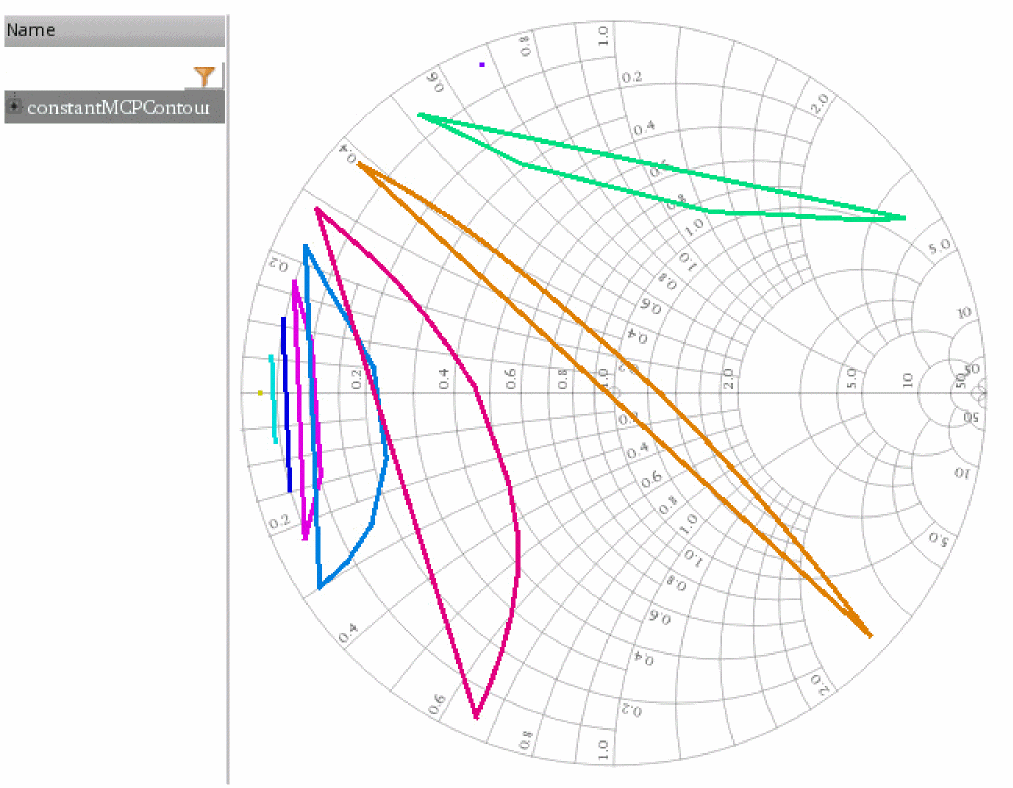
The following example creates a waveform object wave1, which represents 9 constant MCP contours for the measurement WPRB0.mcp. In this example, note that the largest and smallest values of the contours are taken from the simulation results of envelope loadpull analysis.
wave1=rfWrlsMeasContour("WPRB0.mcp" ?numCont 9 ?closeCont t ?modifier "dBm/50ohm")
=> srrWave:0x365ec040
The following example creates a Waveform window and returns its window ID.
win1=awvCreatePlotWindow()
=> window:3
The following example sets display mode of the Waveform window win1 to smith.
awvSetDisplayMode(win1 "smith")
=> t
The following example sets the Smith display of the Waveform window win1 to impedance.
awvSetSmithModeType(win1 "impedance")
=> t
The following example plots the waveform object wave1 in the Waveform window win1.
awvPlotWaveform(
win1
list(wave1)
?expr list("constantMCPContour")
)
=> t
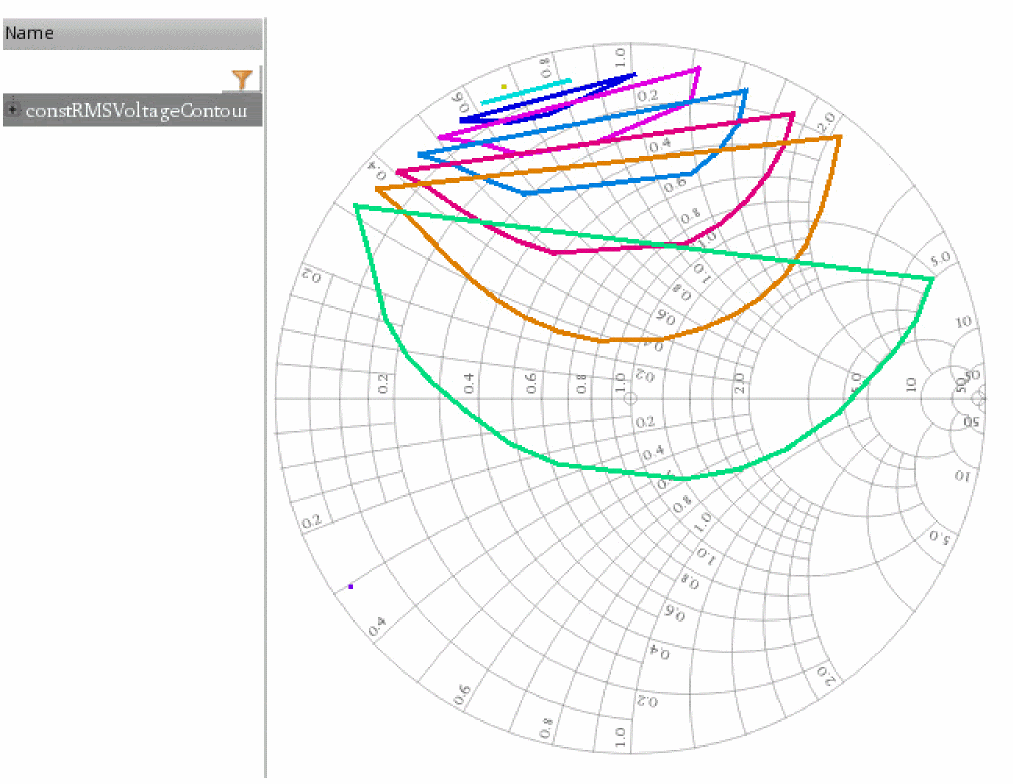
The following example creates a waveform object wave2, which represents 9 constant RMS voltage contours for the measurement WPRB1.rmsvol. In this example, note that the largest and smallest values of contours are taken from the simulation results of envelope loadpull analysis. The unit modifier is Watt/50ohm.
wave2=rfWrlsMeasContour("WPRB1.rmsvol" ?numCont 9 ?closeCont t ?modifier "Watt/50ohm")
=> srrWave:0x365ec170
The following example creates a Waveform window and returns its window ID.
win2=awvCreatePlotWindow()
window:4
The following example sets display mode of the Waveform window win2 to smith.
awvSetDisplayMode(win2 "smith")
=> t
The following example sets the Smith display of the Waveform window win2 to impedance.
awvSetSmithModeType(win2 "impedance")
=> t
The following example plots the waveform object wave2 in the Waveform window win2.
awvPlotWaveform(
win2
list(wave2)
?expr list("constRMSVoltageContour")
)
=> t
Return to top