
Probing Objects Using Pre-Selection Mode
To probe objects using pre-selection mode:
-
In the layout window, choose Options – Highlight.
This displays the Highlight Options form. - Select the Flightlines check box.
- Select the object that you want to probe. For example, select Pins to highlight pins on the probed/selected nets.
- In the cellview, select one, a few, or all objects irrespective of their connectivity.
-
Enter the following SKILL function in the CIW:
geEnterAddNetProbe()
Objects with the same connectivity are probed with the same color. -
Repeat steps 3 and 4 to probe more objects, if required.
Use the commandgeDeleteAllProbein the CIW to remove the probes.
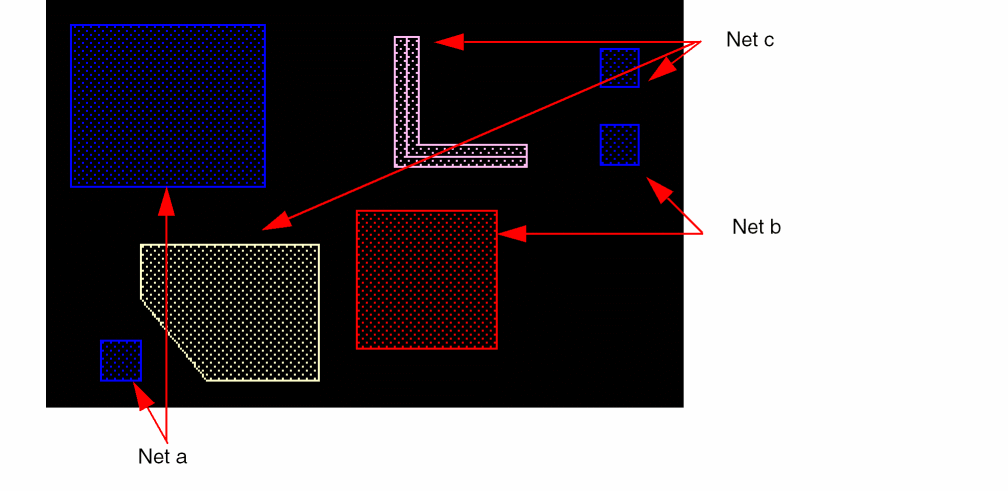
In the following design, different objects have different connectivities, as indicated:
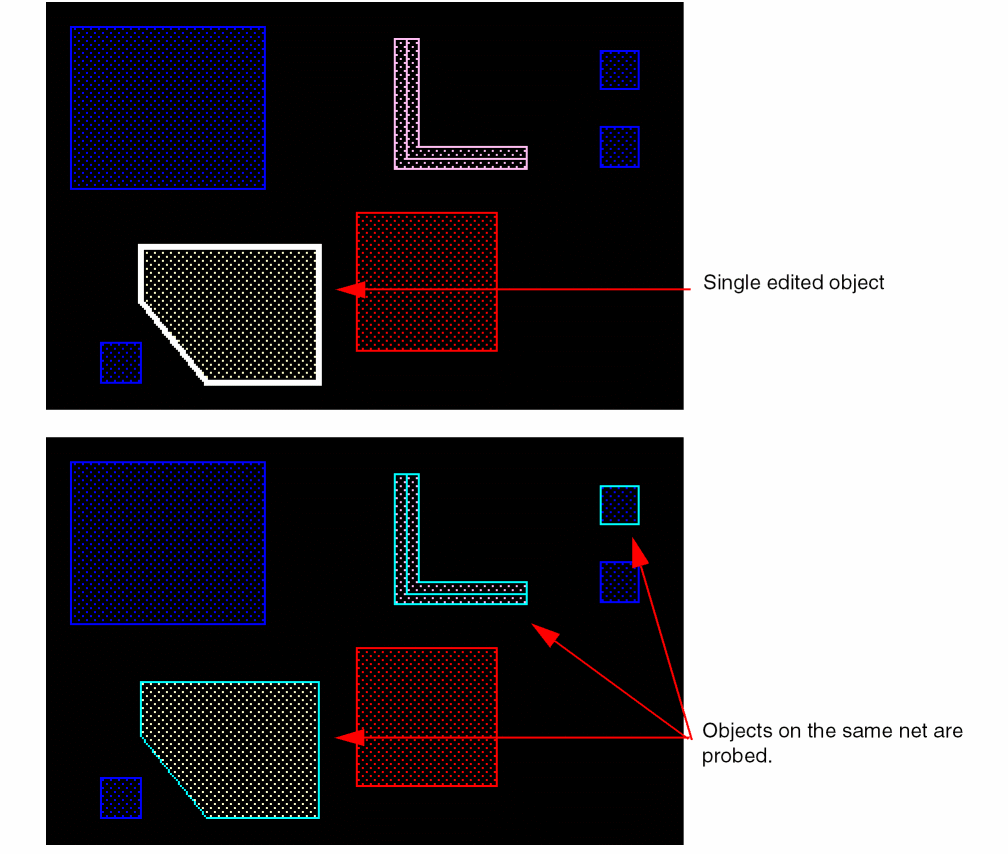
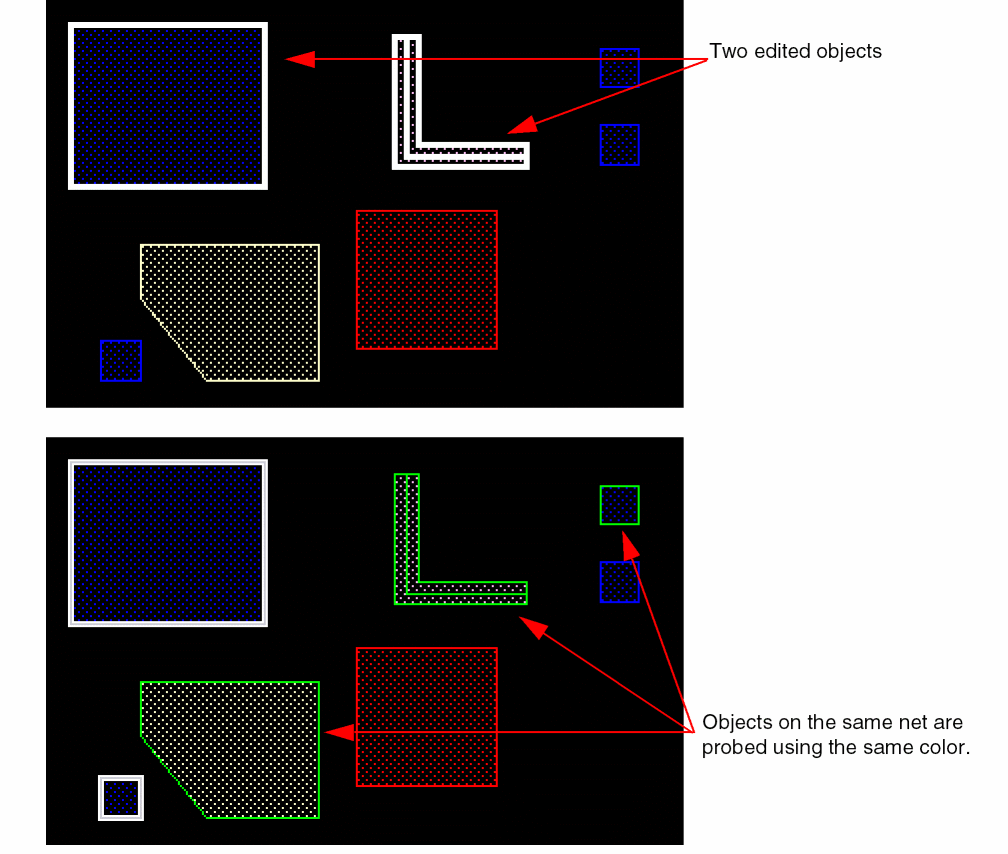
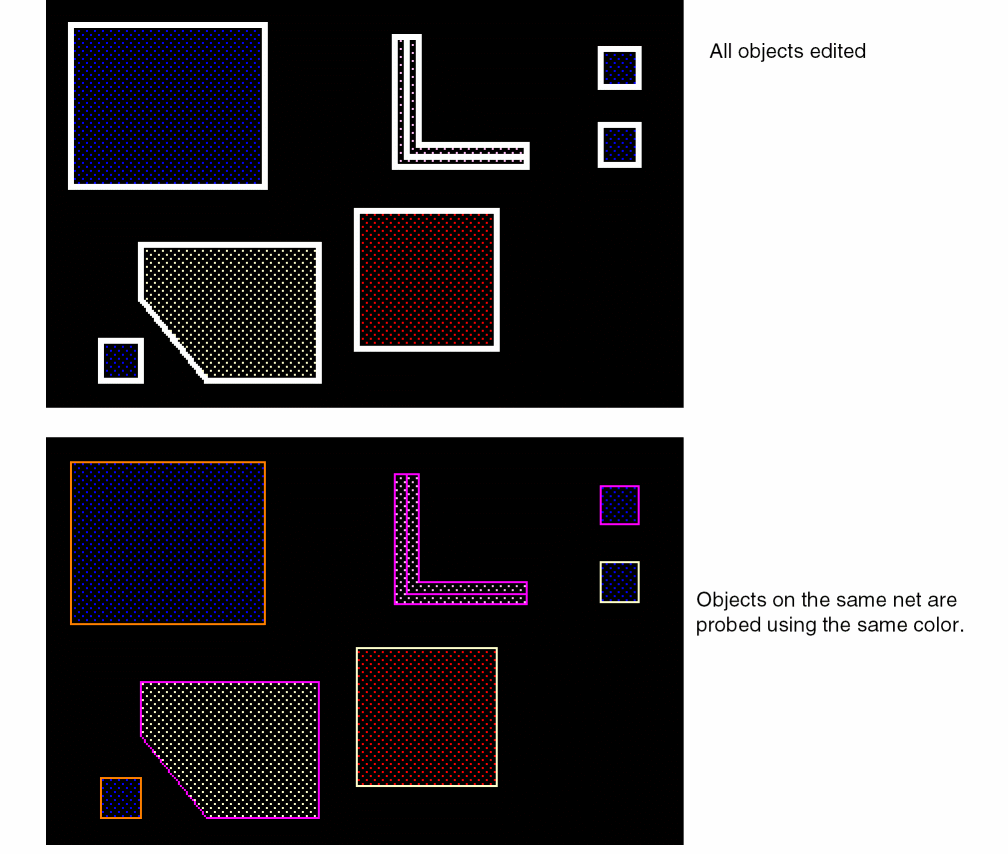
The following example illustrates the scenarios when the probe command is run after either one, two, or all of the objects are edited.
Related Topics
Return to top