
Rows
A row represents a location for the placement of standard cells, macros, or devices and is a repetition of the site element in a given direction, horizontal or vertical. A row is basically a one-dimensional array of a given site. All sites in one row must be the same size. Rows are drawn using the display attributes for layer-purpose pair row boundary, a Cadence reserved layer which must already be in the Palette assistant. Rows are drawn as a small rectangle with a diagonal line in the corner of rows to show the row orientation. Sites are drawn as a large rectangle with a diagonal line in the corner of sites to show the site orientation. The display of row name and row site can be turned on or off in the Display Options form by using the Row Name and Row Site check boxes. You can control the snapping of instances to rows. Adding appropriate site pattern to the instance masters results in successful snapping of instances to rows.
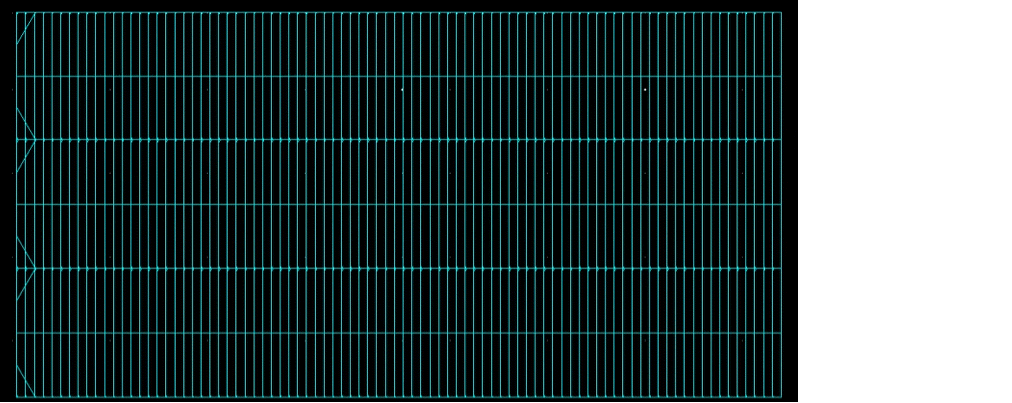
Site Definitions
Site definitions siteDefs are technology library objects that are the basic elements from which placement rows are constructed. Each row is associated with siteDefs. A site defines a type, width, height, and allowable symmetry of each placement location row. A new site is defined for each cell height. Cell widths must be a multiple of the site width. The height of a row equals the height of the site and the width of a row equals the multiple of a site width.
The following are the types of site definitions:
-
Scalar site definitions
scalarSiteDefsdefine sites where you can place a standard row. -
Array site definitions
arraySiteDefsdefine a pattern ofscalarSiteDefs. ThearraySiteDefsdefine a pre-determined set of sites that you use to place a set of cells in part of a standard row.
ThearraySiteDefssite definitions are primarily used in gate-array designs. Each scalar site definition in the array, along with its offset from the origin (the lower-left corner) of the array and its orientation are defined. Each pattern is a named reference to a scalar site definition.
Before you can create rows, you must first define site definitions in the siteDefs section of the technology file as scalarSiteDef. The following is an example of the siteDefs section.
siteDefs(
scalarSiteDefs(
;( siteDefName          type width  height  symInX symInY symInR90)
;( -----------          ---- -----  ------  ------ ------ -------)
 ( gpdk090site          core 0.29    2.61     nil    t      nil)
) ;scalarSiteDefs
You can add multiple site names and definitions in the siteDefs section. Then, in the Create Row form, from the Site Definition Name list, you can select the one you want to use.
Templates
After defining site definitions, you may define the rails and/or components as a SKILL program entered into the input line of the CIW. This information appears in the Site Information field of the Create Row form.
The following is an example of the site information:
procedure( createDefs()
let(((cv geGetEditCellView()))
    railDef1 = dbCreateRailDef(cv "rail1" "vdd!"
      list("metal1" "drawing") "bottomAlignment" "bottomAlignment" 2.0 0.0 0.0 0.0)
 railDef2 = dbCreateRailDef(cv "rail2" "gnd!"
   list("metal1" "drawing") "topAlignment" "topAlignment" 2.0 0.0 0.0 0.0)
 compDef1 = dbCreateCompTypeSetDef(cv "compDef1" "bottomAlignment"
   "bottomAlignment" list("R0" "MX") list("MyComp1" "MyComp2") 0 0)
 compDef2 = dbCreateCompTypeSetDef(cv "compDef2" "topAlignment"
   "topAlignment" list("R0" "MX") list("MyComp1" "MyComp2") 0 0)
 t
)
)
The rails and components are displayed in the Pre-Defined list in the Templates section of the Create Row form. Use the arrow buttons to move the rail/component definitions from the Pre-Defined pane to the Selected pane or vice-versa. Only the Selected definitions are used for creating the row or cluster boundary.
Related Topics
Return to top