
Modifying Object Size
The Size command reduces or enlarges objects by stretching each edge in or out by the given number of user units.
The Size command supports ROD objects. However, when you size a multipart path (MPP), the master path becomes a ROD polygon and inherits its name from the original MPP; all subparts become ordinary, unnamed database shapes. When you size any ROD object, all alignments to that object are deleted.
To modify the size of objects:
- On the layout canvas, select the objects you want to resize.
-
Choose Edit – Advanced – Size.
The Size form opens.

-
Select the Increase Size by Value or Increase Size by Direction to specify the number of units you want to stretch. If you choose to increase the size by direction, you need to specify the Left, Right, Top, or Bottom units. A positive number enlarges the object, a negative number reduces it.
Increase Size by Direction works only for orthogonal geometries. -
Click OK.
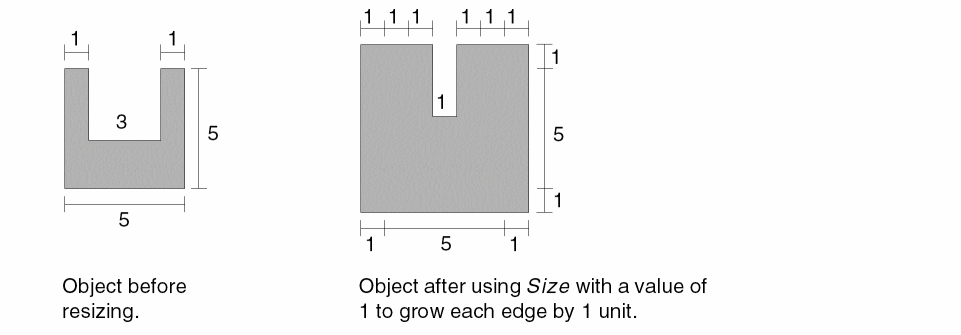
(Virtuoso RF Option) The Size command does not support curved shapes.
Related Topics
Return to top