
Shortcut Menus
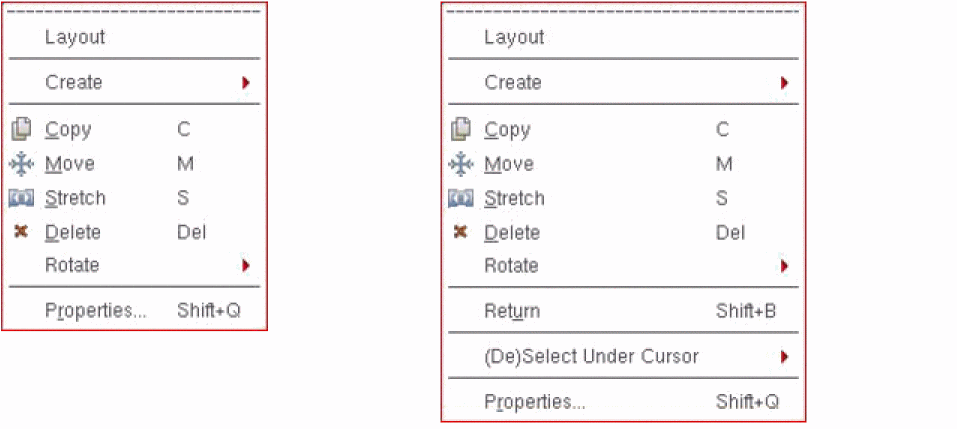
Shortcut menus display context-sensitive options, based on the object under the mouse pointer at the time of the right-click operation. Shortcut menus provide a quick access to object-specific commands. For example, the layout editor shortcut menu lets you start a few commonly used layout commands. Right-click any free space in the design canvas to display the Layout shortcut menu and select the required command.
If you use Edit In Place, Descend Edit, or Descend Read commands, the Layout shortcut menu also displays the Return command to ascend the hierarchy.
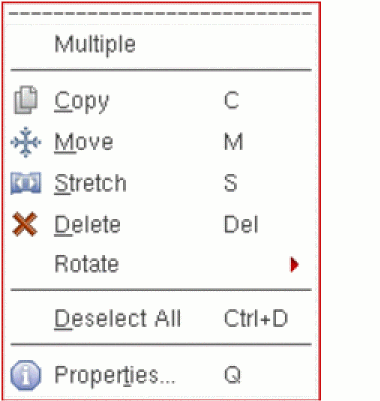
If multiple objects of different types are selected when you right-click, the Multiple shortcut menu appears, which allows you to perform basic editing operations on all the objects selected.
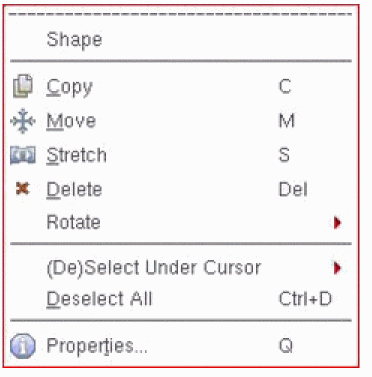
However, if all selected objects are of the same type, the object-specific shortcut menu appears. For example, if you select a group of rectangles and right-click, the Shape shortcut menu appears.
Related Topics
Display and Selection Controls
Return to top