
Hierarchical Designs
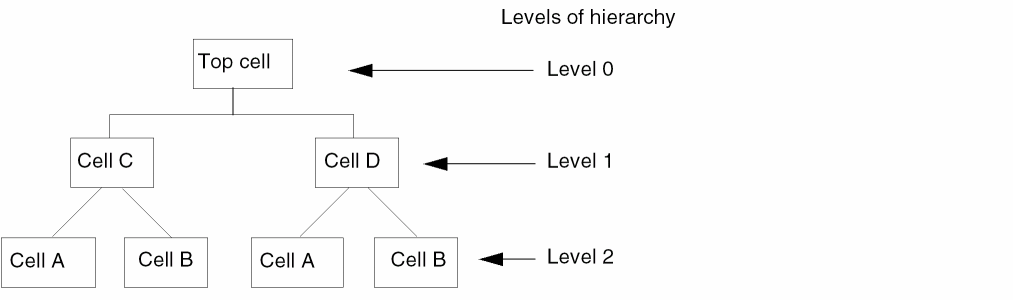
A design hierarchy comprises many levels of a design. Each time you descend into the design hierarchy, you view a smaller division of the larger design in greater detail. Hierarchical designs are created by placing instances of other cellviews inside a cellview. Levels of hierarchy are numbered from top to bottom, with the top cellview having the lowest number. The top cell is the cellview that you are currently viewing in a design window.
The following figure illustrates a design hierarchy. When you view Top cell, it is level 0. When you view Cell C or Cell D, it is considered level 1, and Cell A and Cell B are considered level 2.
You can descend into any level of an instance hierarchy and view the contents. You can also choose the view type or view name when descending into instances. By default, you are not prompted for a view type.
Related Topics
Return to top