
Automatic Color Shifting
When the color engine is enabled and the coloring method is managed, coloring is managed actively. As shapes and instances are added, removed, changed, or moved, those objects and neighboring objects will be colored according to the clustering algorithm. Automatic color shifting is performed on shapes, instances, and vias when objects are within same-mask spacing apart. Shapes that are greater than same-mask spacing from any another shape are not color shifted.
You cannot shift colors in a managed mode cluster if any of the shapes in the cluster is locked, except when Allow Shifting of Locked Shapes is enabled. For more information on setting this option, see
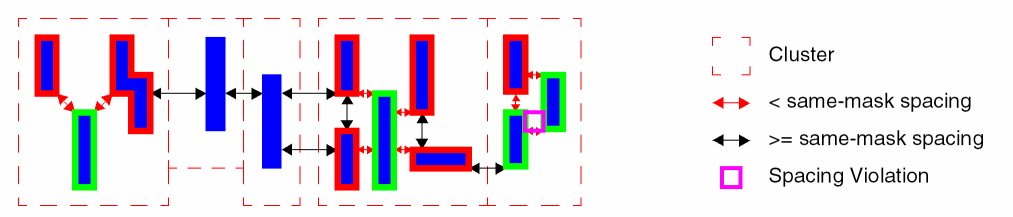
For layers supporting three masks, the color engine will assign an unresolved color shape to mask3Color.
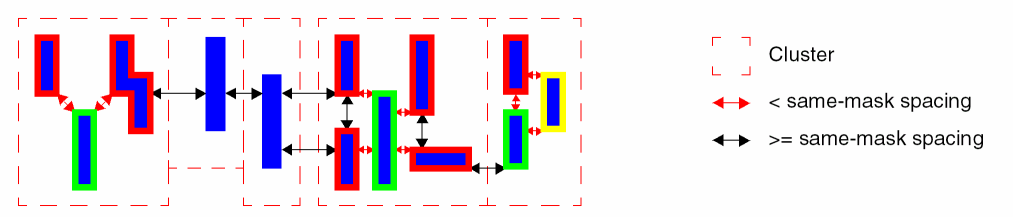
Return to top