
Checking Violations
You can perform color checks using the Checks option on the Multiple Patterning toolbar.
-
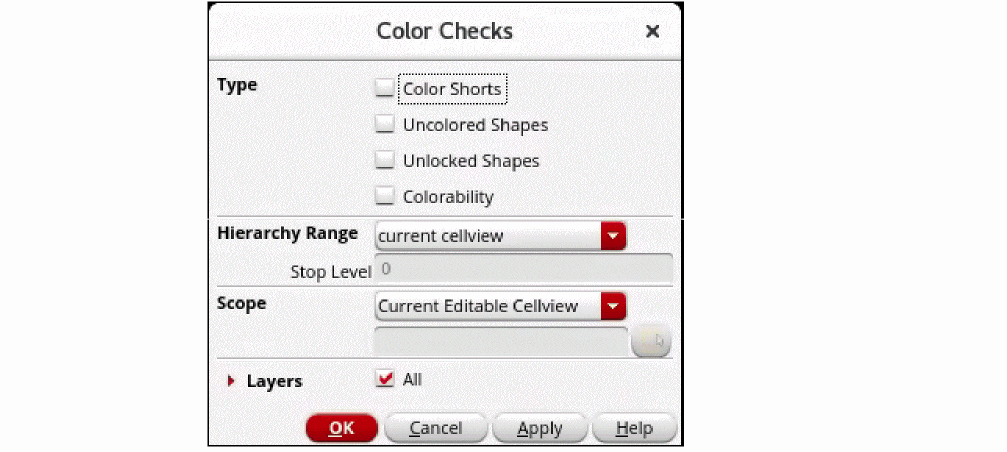
Click the Checks icon or choose Violation Checks from the Checks drop-down list.
-
Select the Type of color checks that you need to perform. You can select any or all the options: Color Shorts, Uncolored Shapes, Unlocked Shapes, or Colorability.
- Choose the Hierarchy Range: current cellview, current to bottom, current to stop level, or current to user level.
- Choose the Scope: Current Editable Cellview, Current Visible Area, or Area.
- Select the Layers: All or Selected Layers.
The Verify Process Rules Summary is displayed in the CIW.
Return to top