
1
Virtuoso Power Manager
Virtuoso Power Manager provides an interface to specify, import, and export low power intent for designs. It provides the capability to perform static low power verification on designs by using Conformal Low Power (CLP) integration with Virtuoso and supports analog, digital, and mixed-signal implementations.
Power Manager, by using the import flow, can annotate and stitch the top-down power connectivity for a hierarchical design by using the connectivity model for inherited connections. Using the export flow, you can extract the power intent of a fully connected design schematic. You can also generate a Liberty-based macro cell for custom blocks using Power Manager for full-chip power intent verification.
When using special power-saving techniques for efficient power consumption, you often implement stringent power schemes throughout the design that add to the overall complexity while verifying the design. In addition, there are design scenarios that should be verified for the correct functioning of a circuit, for example, the correct biasing of MOS devices. To reduce the complexity, you should be able to perform a few basic-to advanced-level circuit design checks on schematic designs. The In-Design Checks feature in Power Manager provides such static checks that do not require circuit simulation.
An important consideration in IC design is to conserve power. Designers use special power saving techniques to achieve this objective. Some examples of these techniques include:
- Supplying different voltages for different groups of cells, therefore, creating multiple power domains.
- Using low power special cells to switch between the power-supply levels or to shut off groups of cells during specific periods of circuit activity, in turn, creating different power modes.
The definitions of the power domains, power modes, and low power special cells specify the power intent for a design. When you create a design that has some low power design techniques applied, you should be able to:
- Package and export the power intent along with the design by extracting the same from a hierarchical schematic.
- Verify the power intent of the design along with the functionality before it is further instantiated in other designs.
- Import an existing power intent and annotate it on the hierarchical schematic in terms of a completely resolved top-down power connectivity.
Power Manager addresses the need for the creation and verification of power-aware designs, including validating power intent changes during IP authoring. It provides the capability to annotate the design's power intent-related issues on the schematic. Therefore, it helps in the timely correction of power-related violations in the design.
Use Power Manager to specify, import, extract, and export the low power intent for designs. You can capture the power intent for the design (including its submodules) and map the power domains of an IP block with the domains of the designs. This helps in integrating an IP in the design.
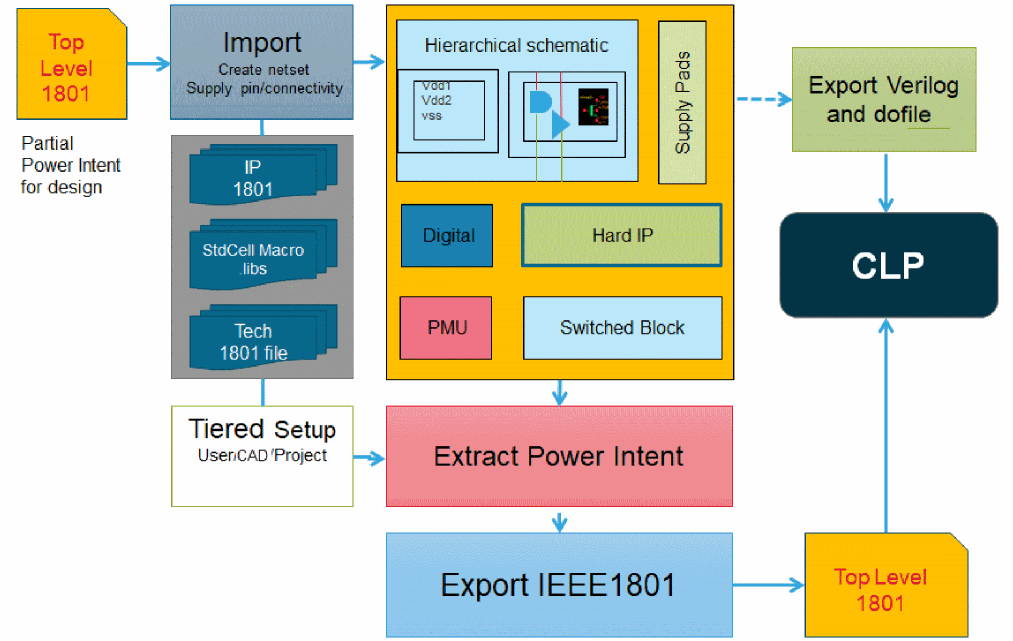
Power intent definition at the design level is needed to connect IP blocks, which could be empty, partially complete, or non-structural, to top-level power ground (PG) pins. This definition, along with incremental change in power intent resulting from design edits, can be exported.
Low power verification is required to ensure structural and electrical accuracy for mixed-signal designs. Native low power checks within the Virtuoso Power Manager environment help in detecting low power violations during the IP authoring stage. The early feedback saves iterations later in the cycle. In-design checks work at the device level and enable the structural verification of custom AMS blocks. These are static circuit checks, which can be performed to fix design issues before proceeding to the dynamic verification (simulation) stage. The checks are performed after voltage propagation is done on the topology of a circuit. The voltage propagation does not require a transient simulation; therefore, a static check is faster than a dynamic check.
In-design checks are targeted to provide hints to designers about various low power and structural discrepancies in the design and help in improving the efficiency of the design development cycle by reporting design issues that can be fixed while the schematic design is still under development.
Verification can happen early in the design cycle and natively within the Virtuoso environment without invoking other tools; therefore, no data sharing or data translation occurs between tools. All formats are supported for checks, such as 1801, Liberty, or dotlib. Inherited and global power supply connections are also supported. In-Design Checks are applicable to discrete devices. The checks also work on hierarchical and read-only designs.
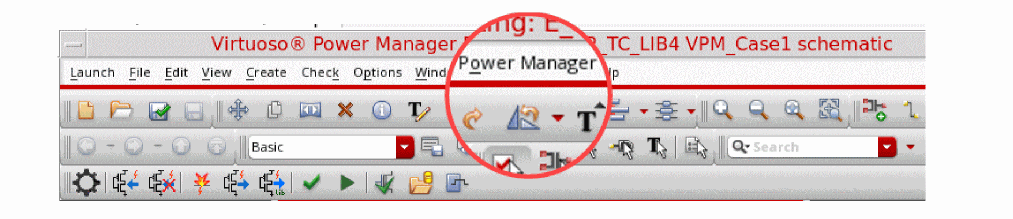
You can start Virtuoso Power Manager by clicking Power Manager from the Launch menu.

The Power Manager workspace window is opened.
Related Topics
Licensing Requirements of Virtuoso Power Manager
Return to top