
Importing Power Intent
To import the power intent for the currently open cellview:
-
Click Power Manager – Import Power Intent. It opens the Import Power Intent form. The currently opened cellview details are specified in the form automatically.
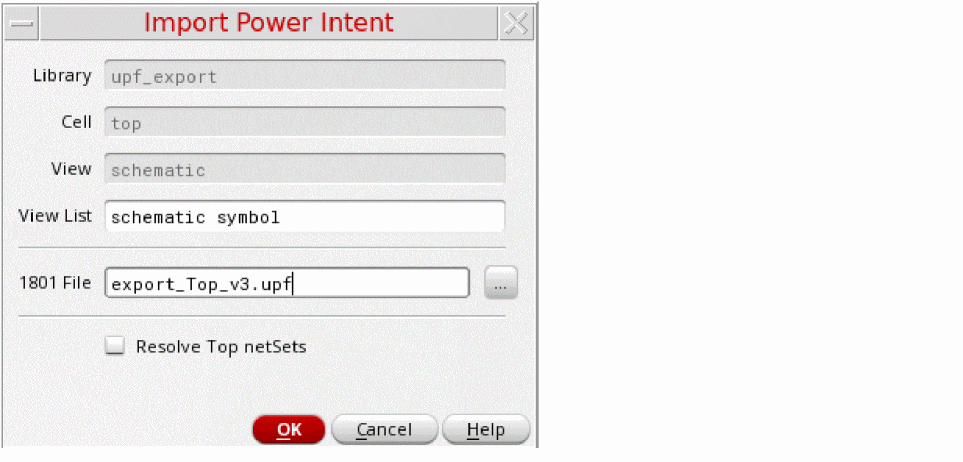
- Specify the switch view list sequence as mentioned in the setup.
- Specify the name of the 1801 file in the 1801 File field. Alternatively, browse to select the 1801 file to import the power intent for the design.
- Select the Resolve Top netSets check box to control the creation of the global net along with the port creation.
- Click OK.
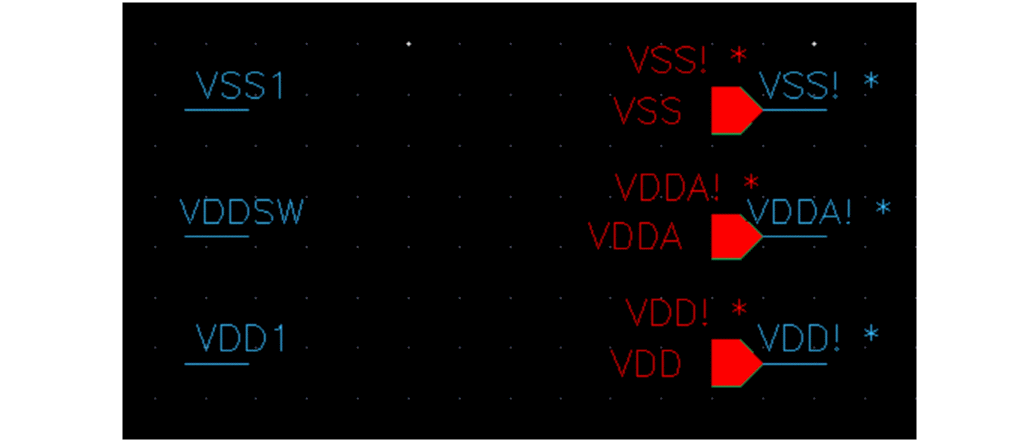
The following illustration shows the output for the supply port VDDA import when createPinsOnImport has been set and Resolve Top netSets is deselected.
Alternatively, the
vpmImportPowerIntent SKILL function has been provided to import the power intent information for a cellview. Related Topics
Redirected netSet Property Creation and Optimization
Handling of Low Power Special Cells
Support of Hierarchical 1801 for Import Flow
Removing Imported Power Intent
Return to top